|
Hello Claude!
Can you please show us the configuration page for these items (also please include the preprocessing steps).
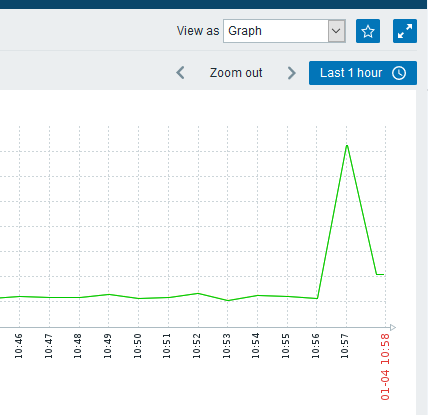
Also, can you select a smaller period in the latest data, which includes the spikes and switch to "Show values" and show us the actual values for these items
|
|
Hello Edgars:
I attached pictures. Please take a look.
Any questions let me know.
|
|
When you look at the graph of latest data, please select "Values" at the "View as" menu. And then also add them here
|
|
I found and put screenshot named "show values" here.
Thanks.
|
|
Well the graphs are showing correct data, you actually have data in the DB, that differs so much.
Zabbix does just simple math in this situation (change per second, multiply by 8) and just stores the value as is.
I would suggest looking at the device itself, to see why it returns such data. Does this happen frequently?
|
|
Thank you for your help.
But it happened on our two devices which connect directly. See attachment topologic. The traffic goes down. The five 10GE interfaces marked red got abnormal. GE interface was normal. Also eth-trunk interfaces got abnormal.
This is the only time abnormal. And traffic never exceeds 1G, except this time. Untill now our zabbix runs only 2 months.
|
|
We can't be sure how the statistics are calculated on the device itself and how that differs from the values returned by snmp. My guess would be, that the device calculates some average for a time period, so even if that period is small, the numbers will differ, as in this case Zabbix saves an absolute change. So far, nothing indicates a bug on Zabbix side.
But it happened on our two devices which connect directly.
I would believe that this also indicates, that there was a traffic spike between those devices.
|
|
I'm going to do some tests and get more info. Also study more about SNMP.
I'll post them here.
Thank you.
|
|
Thanks for the update.
I'm going to close the issue for now, as right now there is no indication of a bug in Zabbix.
Feel free to reopen, if you find some more details.
|
|
I found the answer.
The switch calculates by 300 seconds(got this from manufacturer Huawei). So switch shows 1.4G.
Our zabbix calculates by 30 seconds. So zabbix shows 6G.
They are all correct. They should be different.
|
|
Hi, thanks for the feedback, glad you've found the answer.
|
Generated at Sat May 09 17:57:37 EEST 2026 using Jira 10.3.18#10030018-sha1:5642e4ad348b6c2a83ebdba689d04763a2393cab.
 actual values.jpg