[ZBX-23042] Encoding issues found when using vfs.file.contents, regexp and regmatch Created: 2023 Jun 29  Updated: 2023 Jul 17

Status: Postponed
Project: ZABBIX BUGS AND ISSUES
Component/s: Agent (G)
Affects Version/s: 5.0.37rc1, 6.0.20rc1, 6.4.5rc1, 7.0.0alpha3
Fix Version/s: None

Type: Problem report Priority: Trivial
Reporter: Sergejs Maklakovs Assignee: Artjoms Rimdjonoks
Resolution: Unresolved Votes: 1
Labels: Regexp, agent, item, key, windows, zabbix-agent2, zabbix_agentd
Remaining Estimate: Not Specified
Time Spent: Not Specified
Original Estimate: Not Specified

Attachments: PNG File converted_to_16.png     PNG File encoding_in_notepad.png     PNG File screenshot-1.png     PNG File screenshot-2.png     PNG File tested_utf16LE.png    

 Description   

OS: Windows
Agent: Agent 1 (Zabbix Agentd)
Steps to reproduce:
1) Create .txt file in UTF8 encoding.
2) Add - Helloworld! to file.
3) Open file with Notepad++.
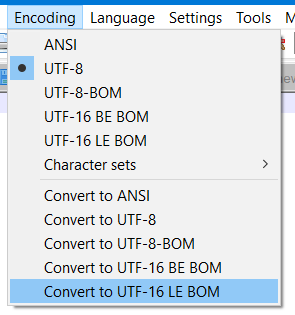
4) In Notepad++ there is buildin Encoding functionality.

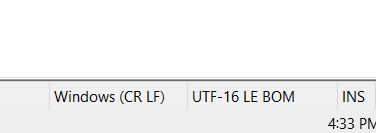
5) Convert file from UTF8 to UTF-16LE BOM

6) Navigate to Zabbix UI (server and agent running) and create item with key

vfs.file.regexp[link_to_your_file\test_error.txt,H,UTF-16LE]

1st parameter - link to file.
2nd parameter - H (our regex)"
3rd parameter - UTF-16LE (file encoding).
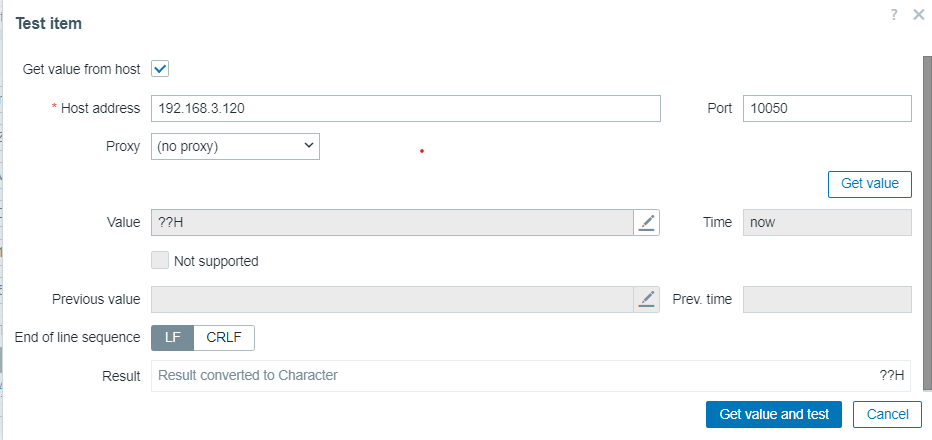
7) We can wait until Zabbix collects values from file or just press Test in item.

Result:

Result displayed as - ??H.
Why there is question marks?

Expected:
Helloworld! displayed (as expected).

Additional info (w - windows, L - linux):
1w - changing 3rd parameter to UTF-16 - correct data displayed.
2w - same ??H displayed when you change 3rd parameter to UTF-16BE.
3L - repeating this scenario on Linux - everything works as expected (Helloworld! displayed as result).
4w - using 2nd parameter UTF-16LE for key vfs.file.contents - ??H displayed as result.
5w - using 3rd parameter UTF-16LE for key vfs.file.regmatch - 1 displayed as result.
6w - with Agent2, using same file/item/key - correct data returned (Helloworld! not ??H).


Generated at Wed May 20 06:54:17 EEST 2026 using Jira 10.3.18#10030018-sha1:5642e4ad348b6c2a83ebdba689d04763a2393cab.