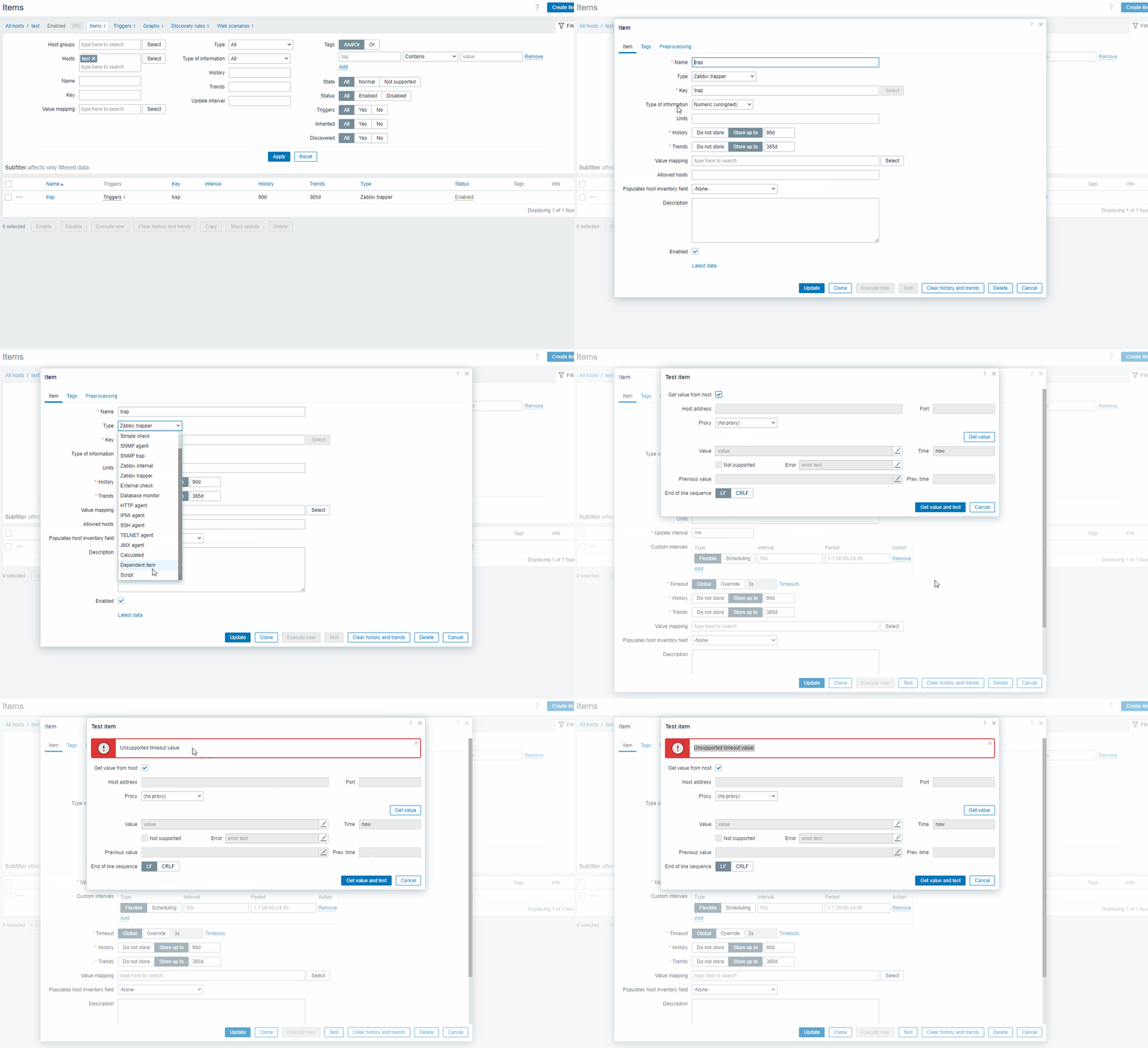
timeout-value-edit-issue.gif
value-timeout.png
timeout-value-edit-issue.gif
value-timeout.png
 Team A
[ZBX-23876] Timeout value is missing after changing the type of an existing item Created: 2023 Dec 21 Updated: 2024 Jun 21 Resolved: 2024 Jun 14 |
|
| Status: | Closed |
| Project: | ZABBIX BUGS AND ISSUES |
| Component/s: | Frontend (F) |
| Affects Version/s: | 7.0.0alpha9, 7.0 (plan) |
| Fix Version/s: | 7.0.1rc1, 7.2.0alpha1 |
| Type: | Problem report | Priority: | Trivial |
| Reporter: | Nikita Gogolevs | Assignee: | Andrejs Griščenko |
| Resolution: | Fixed | Votes: | 0 |
| Labels: | clone, edit, item, items, missing, timeout | ||
| Remaining Estimate: | Not Specified | ||
| Time Spent: | Not Specified | ||
| Original Estimate: | Not Specified | ||
| Attachments: |
timeout-value-edit-issue.gif
value-timeout.png
|
| Team: | Team A |
| Sprint: | S24-W20/21, S24-W22/23, S24-W24/25 |
| Story Points: | 0.25 |
| Description |
|
If type of an existing item without timeout (example: Zabbix trapper) was changed to an item type, that has timeout (example: script), the value of the timeout is missing (can be observed when inspecting the page in DevTools), and testing the new item will result in "Unsupported timeout value" error message. Steps to reproduce:
Result: See video:
See screenshot: Expected:
|
| Comments |
| Comment by Andrejs Griščenko [ 2024 Jun 13 ] |
|
Available in versions:
|