-
Type:
Problem report
-
Resolution: Duplicate
-
Priority:
 Trivial
-
None
-
Affects Version/s: 4.0.0alpha3
-
Component/s: Frontend (F)
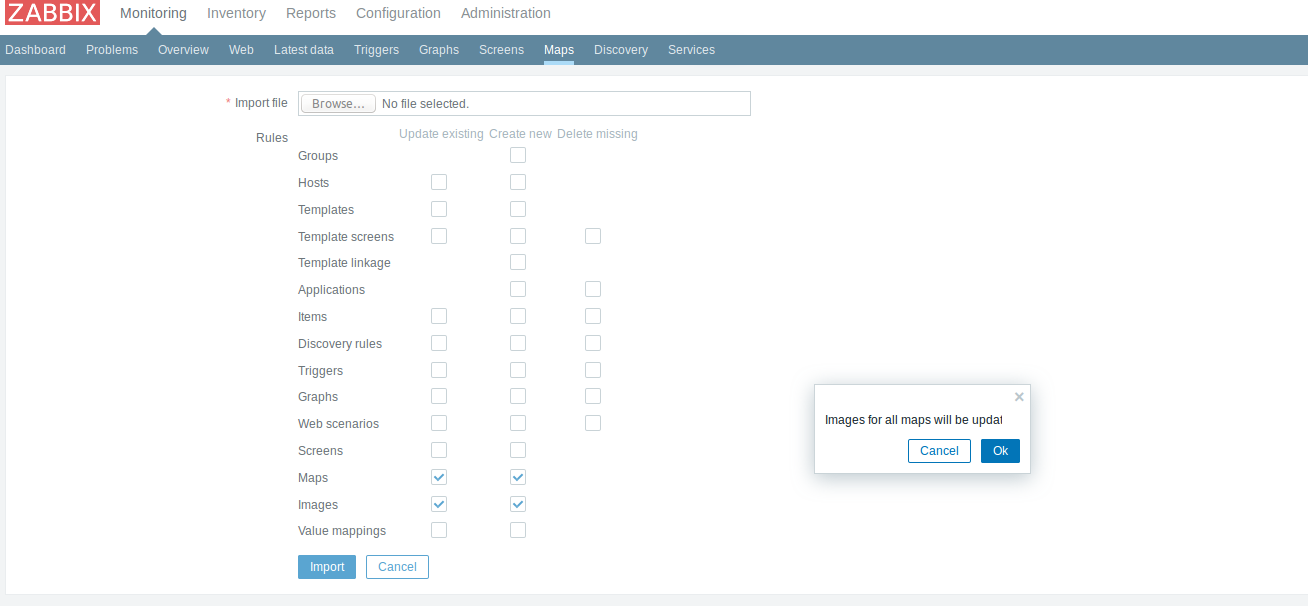
Steps to reproduce:
- Go to Monitoring->Maps
- Click "Import" button
- For images check "Update existing"
Result: Can't see all text in overlay dialogue
Expected result: Can see text "Images for all maps will be updated!"
- duplicates
-
-
- Closed
-