-
Type:
Problem report
-
Resolution: Fixed
-
Priority:
 Trivial
-
Affects Version/s: 4.2.0alpha3
-
Component/s: API (A), Frontend (F)
-
Sprint 48, Jan 2019, Sprint 49 (Feb 2019), Sprint 50 (Mar 2019), Sprint 51 (Apr 2019)
-
1
Steps to reproduce:
- Go to Administration > General > Images > Create
- Upload image larger than 2Mb
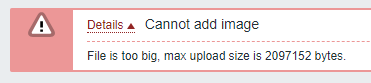
- Get error message:
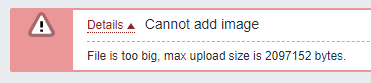
- Do the same with image in size between 1Mb and 2Mb
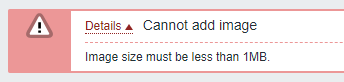
- Get error message:
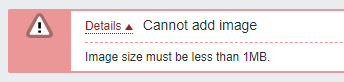
Quite unintuitive, contradicting and confusing.
Would be nice if for image uploads the correct error message and size limit would be shown in the first place.