-
Type:
Problem report
-
Resolution: Fixed
-
Priority:
 Minor
Minor
-
Affects Version/s: 3.0.25, 4.0.4, 4.2.0beta1
-
Component/s: Frontend (F)
-
Environment:Opera 58.0.3135.65 on Linux Mint 19.1 (x86_64; MATE)
-
Sprint 49 (Feb 2019), Sprint 50 (Mar 2019), Sprint 51 (Apr 2019)
-
1
Steps to reproduce:
- Go to Monitoring→Maps
- Choose "Local network" map
- Click on map element to edit it
Result:
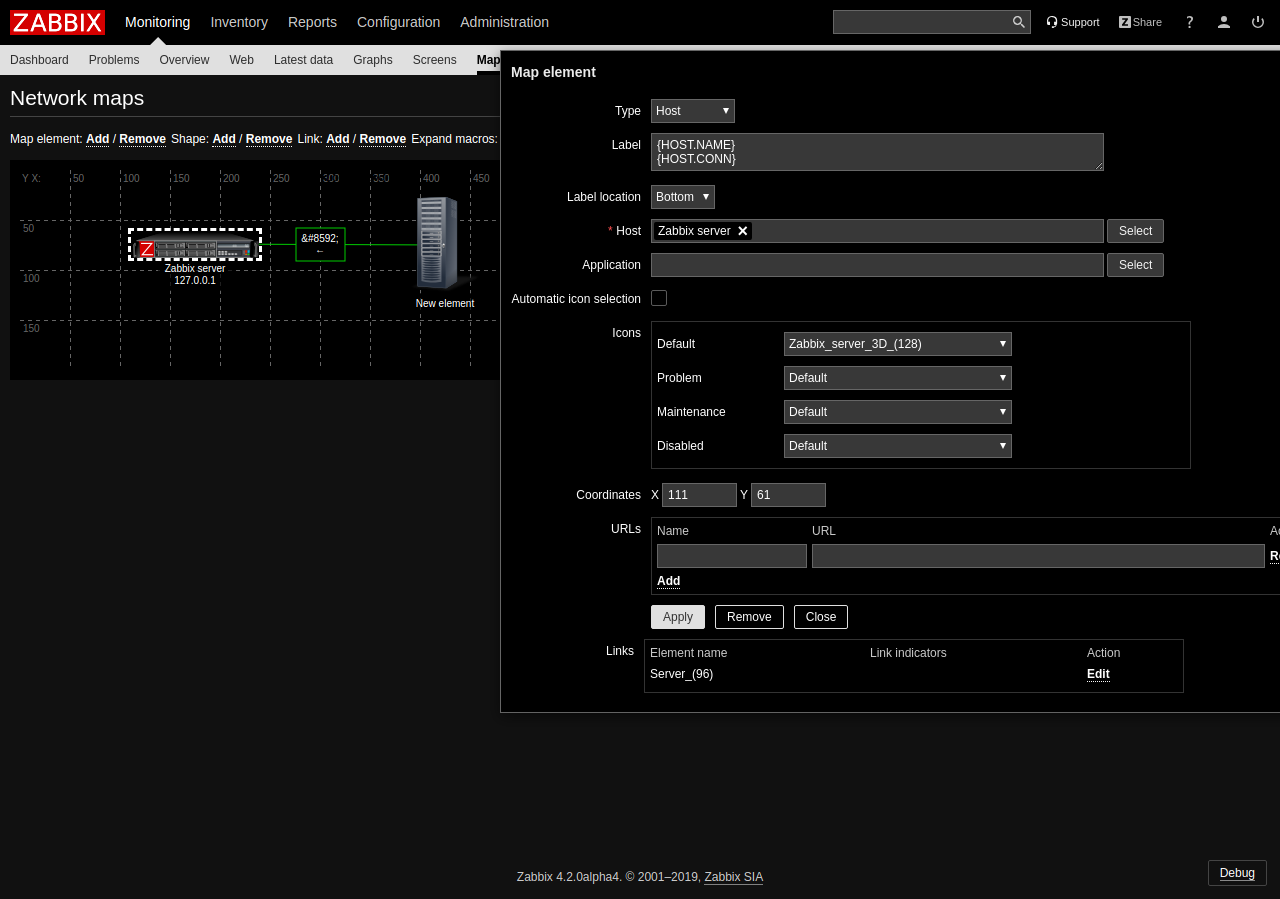
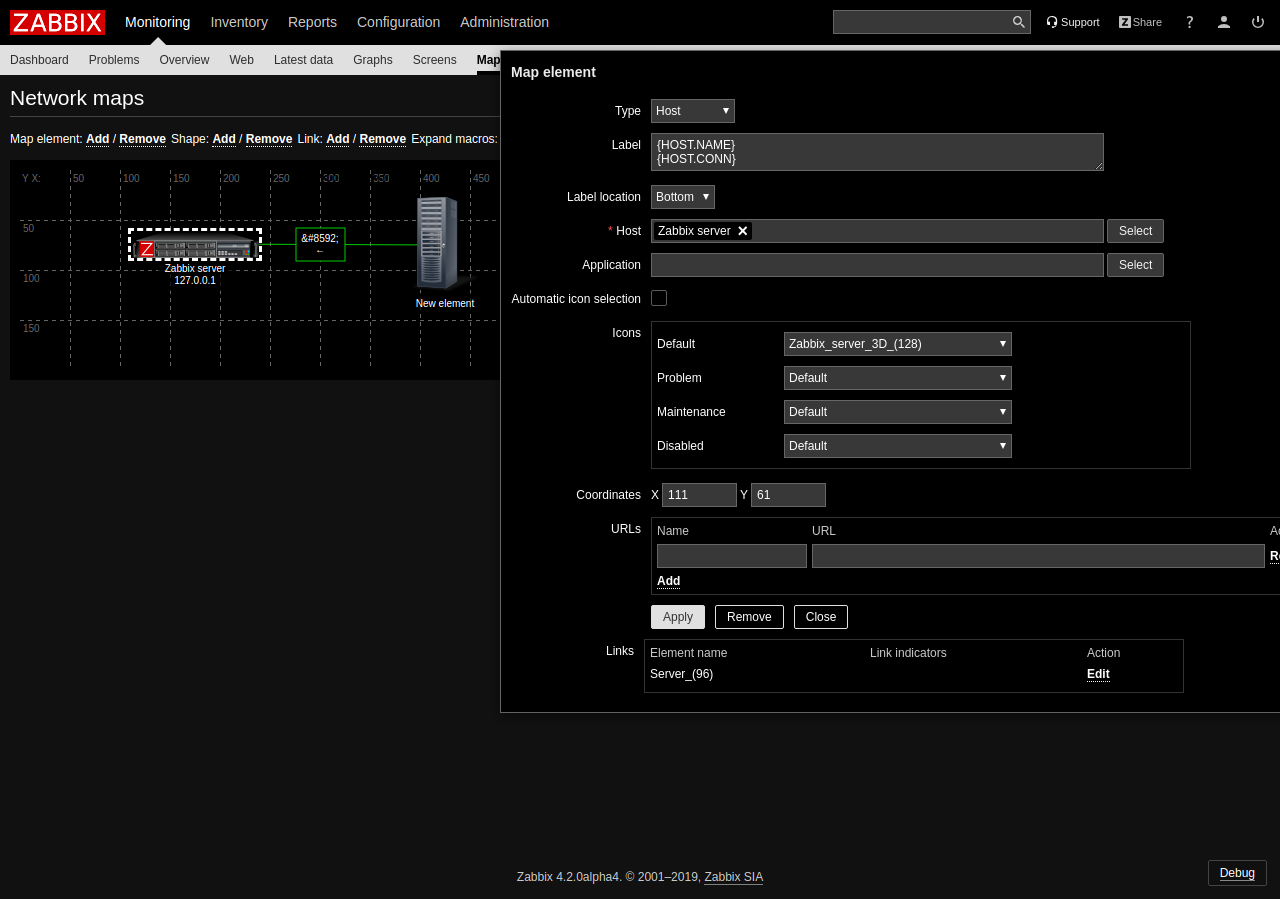
Overlay window is partially off the screen and there is a scroll bar in the bottom while there is enough space to fit everything in the screen.