-
Type:
Incident report
-
Resolution: Duplicate
-
Priority:
 Minor
Minor
-
None
-
Affects Version/s: 4.0.6
-
Component/s: Frontend (F)
-
Environment:Debian GNU/Linux 8
Linux zabbix02 3.16.0-7-amd64 #1 SMP Debian 3.16.59-1 (2018-10-03) x86_64 GNU/Linux
-----------------------------------------------
PHP 5.6.39-0+deb8u1 (cli) (built: Dec 16 2018 21:56:53)
Copyright (c) 1997-2016 The PHP Group
Zend Engine v2.6.0, Copyright (c) 1998-2016 Zend Technologies
with Zend OPcache v7.0.6-dev, Copyright (c) 1999-2016, by Zend TechnologiesDebian GNU/Linux 8 Linux zabbix02 3.16.0-7-amd64 #1 SMP Debian 3.16.59-1 (2018-10-03) x86_64 GNU/Linux ----------------------------------------------- PHP 5.6.39-0+deb8u1 (cli) (built: Dec 16 2018 21:56:53) Copyright (c) 1997-2016 The PHP Group Zend Engine v2.6.0, Copyright (c) 1998-2016 Zend Technologies with Zend OPcache v7.0.6-dev, Copyright (c) 1999-2016, by Zend Technologies
Steps to reproduce:
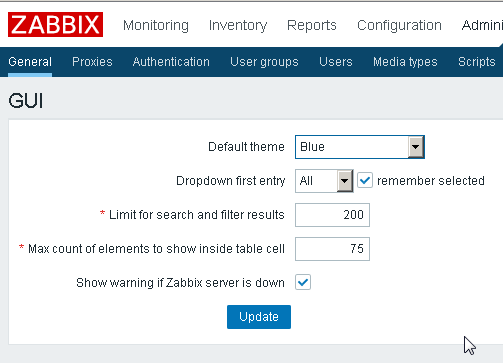
- Go to "Administration>General"
- Select "GUI"
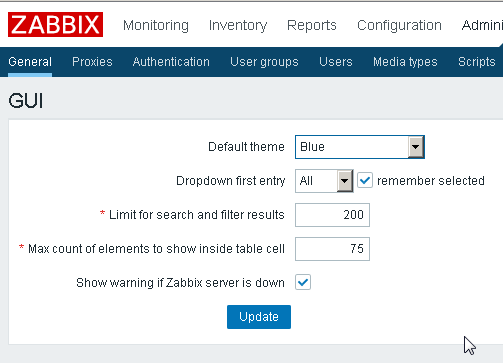
- Set "Limit for search and filter results" equals to 200
- Click Update Button.
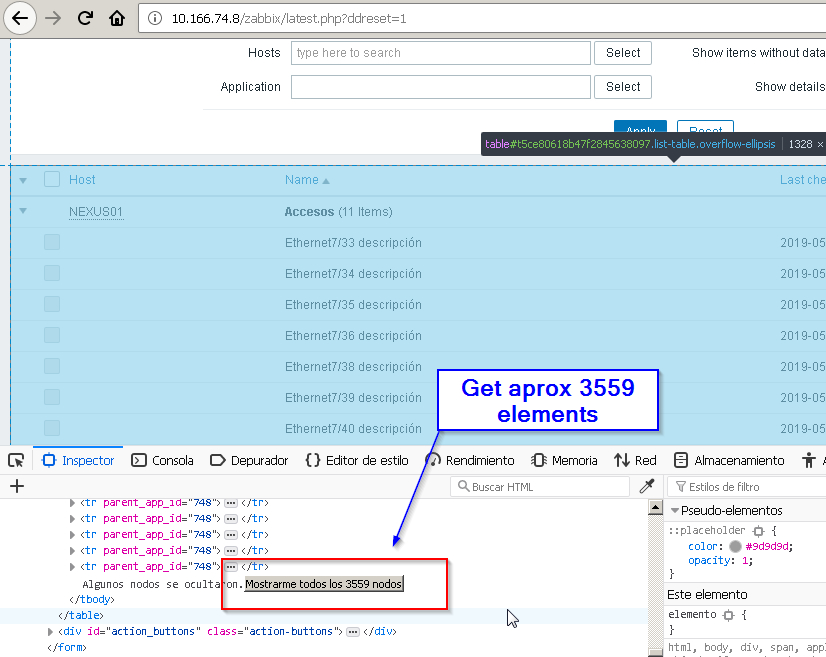
- Go to "General>Latest Data"
- Apply some filter that will bring a lot of records.
- See quantity of results aprox.
Result:
Bring 3559 rows aprox.
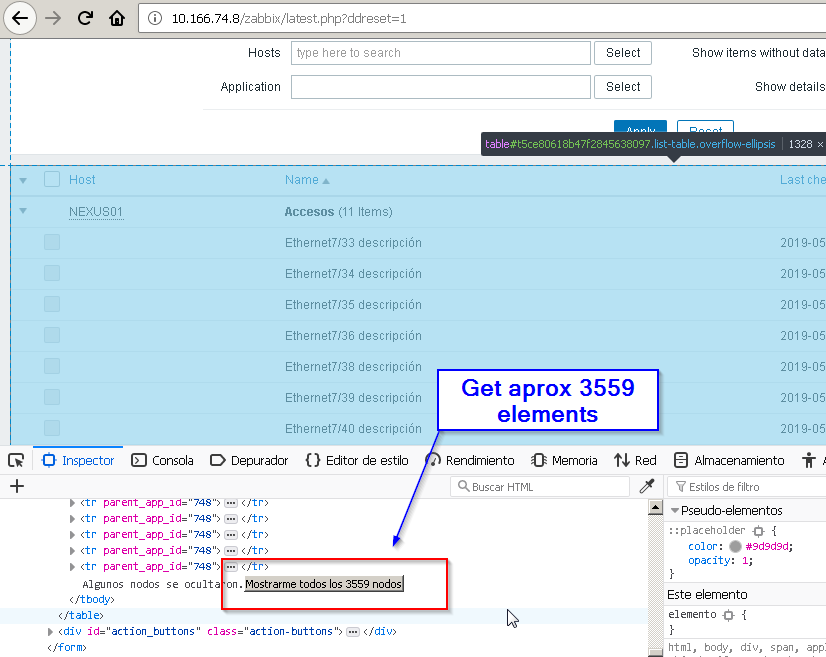
Expected:
Get 200 rows because the follow set.