Users created as "Zabbix User" cannot view public shared Maps

XMLWordPrintable

    • Type: Problem report
    • Resolution: Cannot Reproduce
    • Priority: Minor
    • None
    • Affects Version/s: None
    • Component/s: Frontend (F)

      Steps to reproduce:

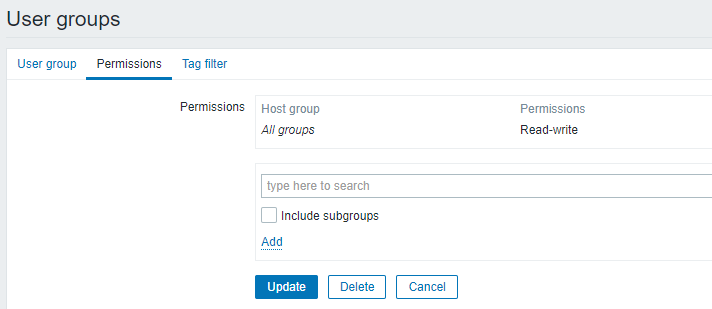
      1. Create Group "Viewers". Add Permissions Read / Write for all Host Groups.
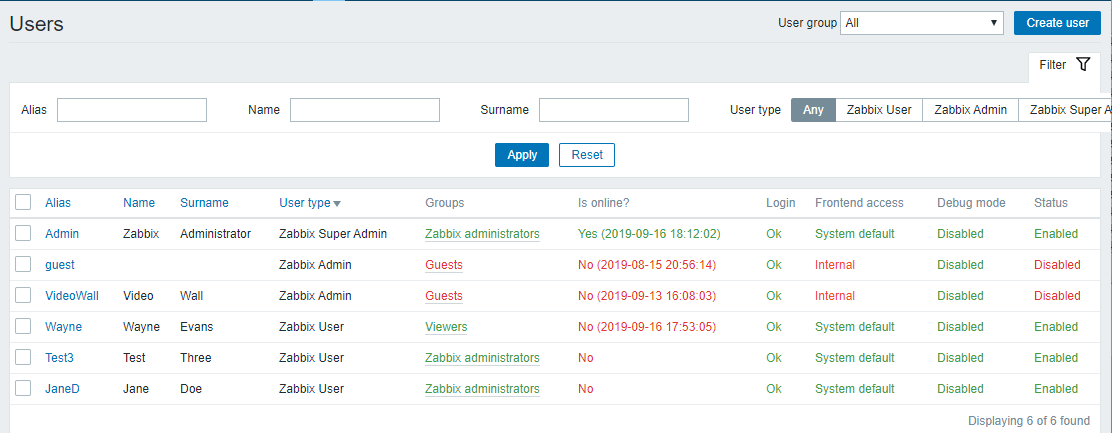
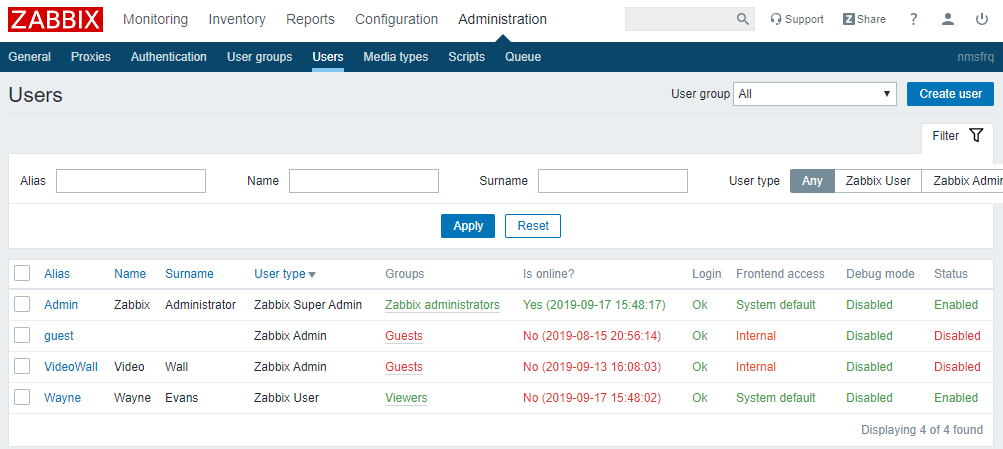
      2. Create user with user type "Zabbix User", add to Viewers group.
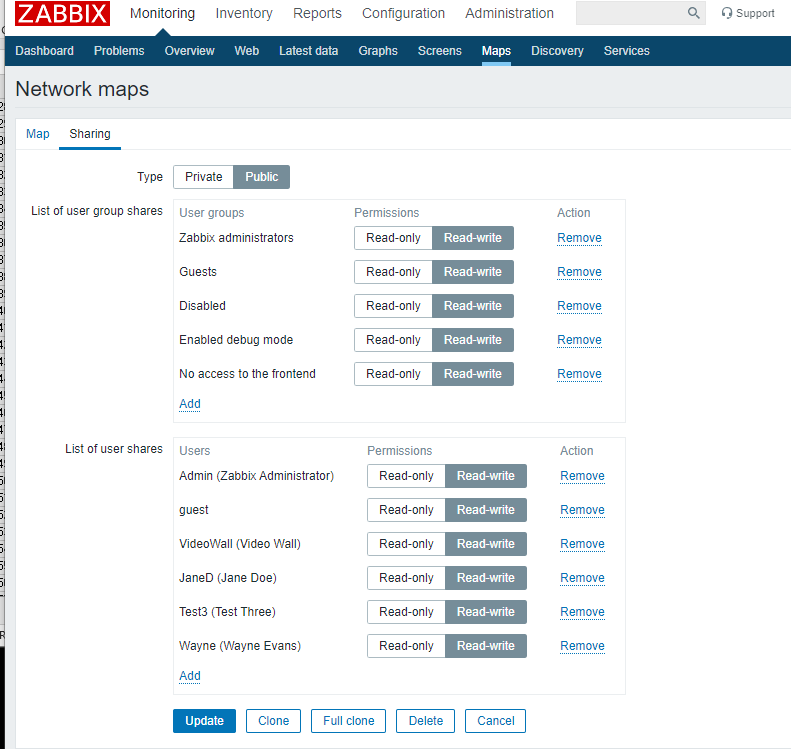
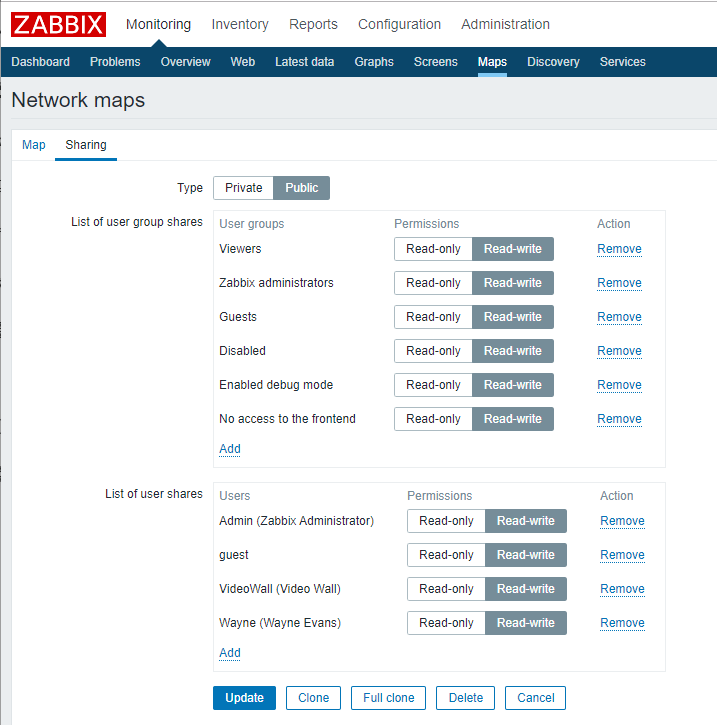
      3. Set Sharing to "Public" for Maps to be shared under Map Properties / Sharing.
      4. Add ALL user groups with Permissions Read / Write under Map Properties / Sharing
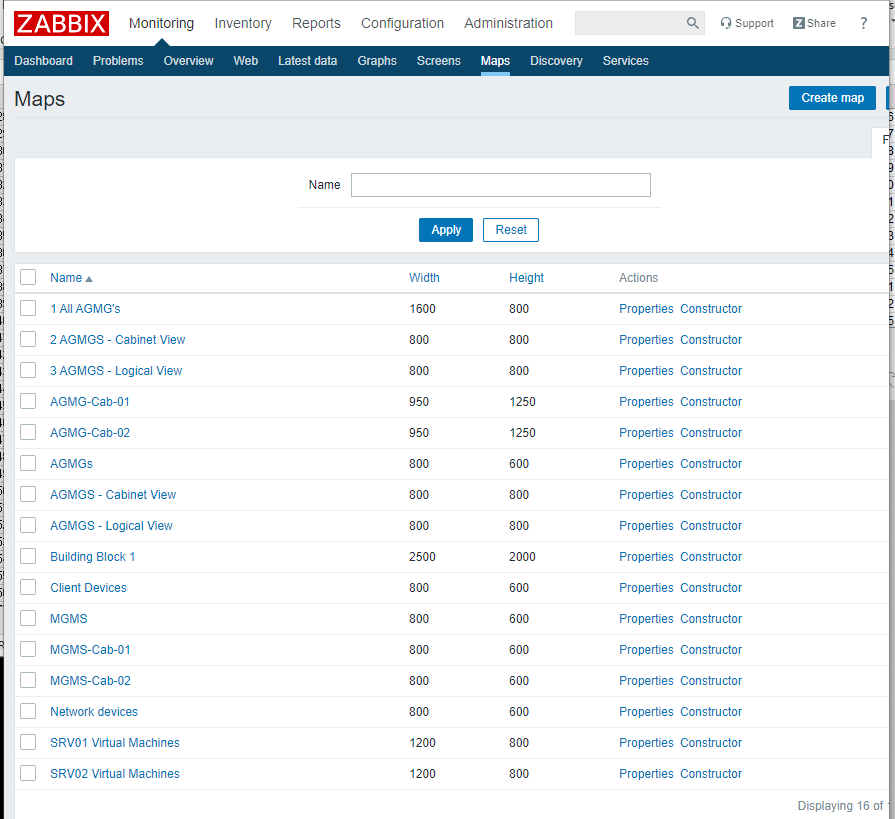
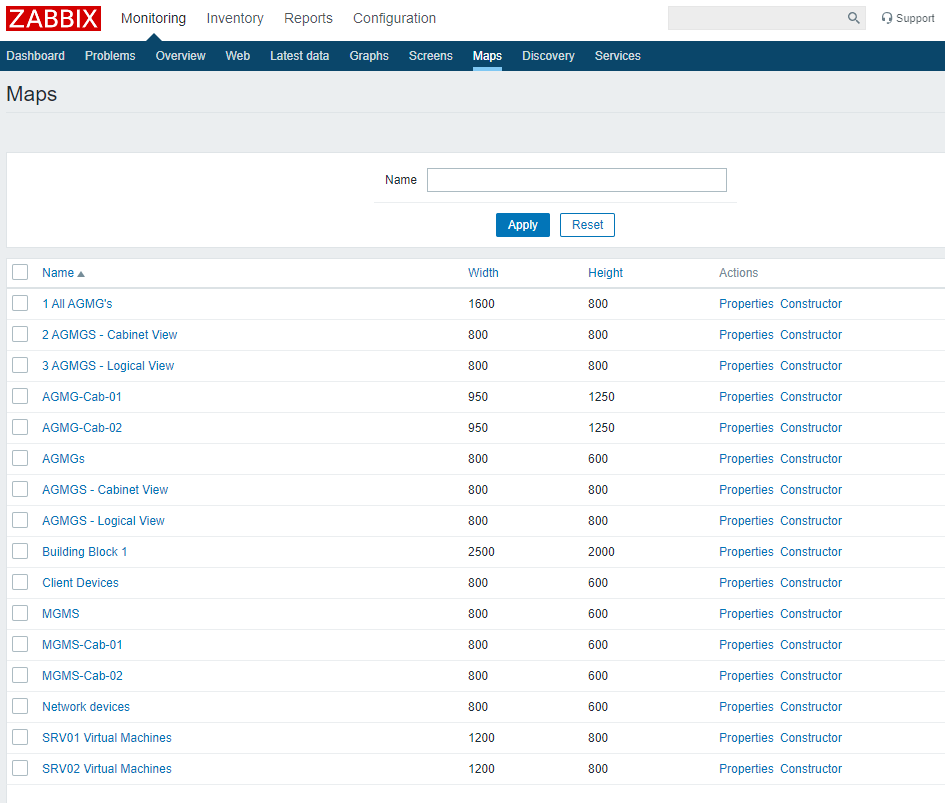
      5. Click on Monitoring Maps to see list of all shared Maps

      Result:
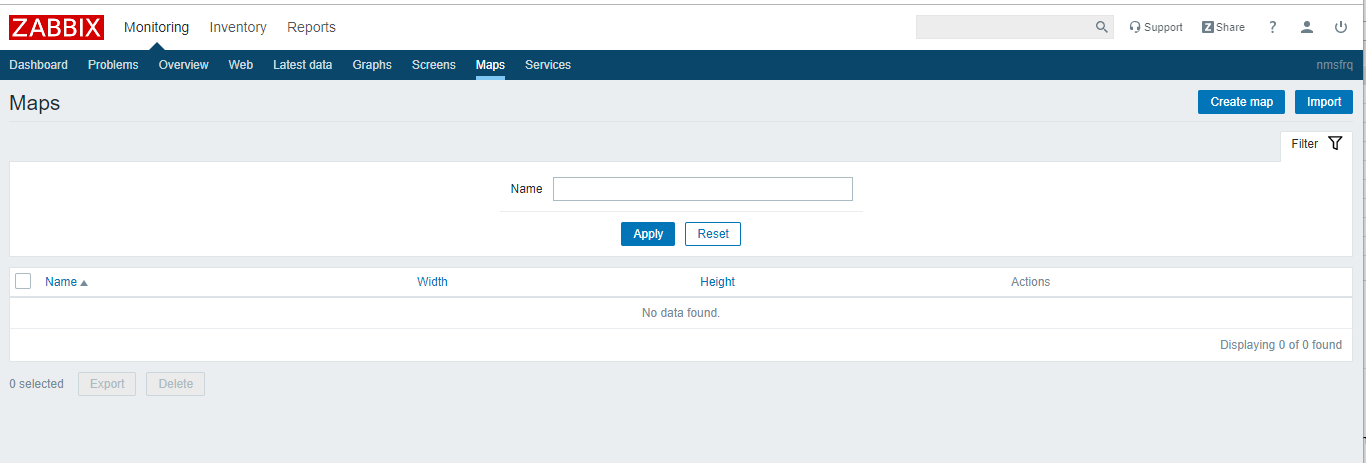
      No Maps listed
      Expected:
      Publicly shared Maps should be visible.


      Note - sharing works for "Zabbix Admin" and "Zabbix Super Admin" users.

      Appears to work fro Maps created by "Zabbix User" but full clone of existing Map with new "Zabbix User" as owner does not work


      Page footer says Zabbix 4.0.6
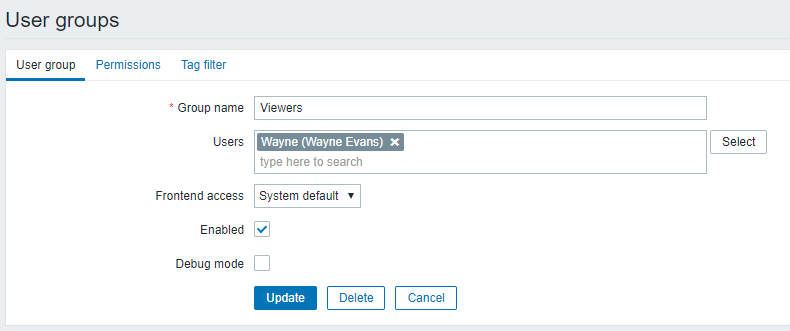
        1. ViewersGroup.png
          21 kB
          FUSA.Protect
        2. ViewersPermissions.png
          18 kB
          FUSA.Protect
        3. Users.png
          61 kB
          FUSA.Protect
        4. Maps.png
          89 kB
          FUSA.Protect
        5. Maps Sharing.png
          79 kB
          FUSA.Protect
        6. ZabbixVersion.png
          3 kB
          FUSA.Protect
        7. All_Maps.png
          79 kB
          FUSA.Protect
        8. Cabinet_View_Map-Sharing.png
          70 kB
          FUSA.Protect
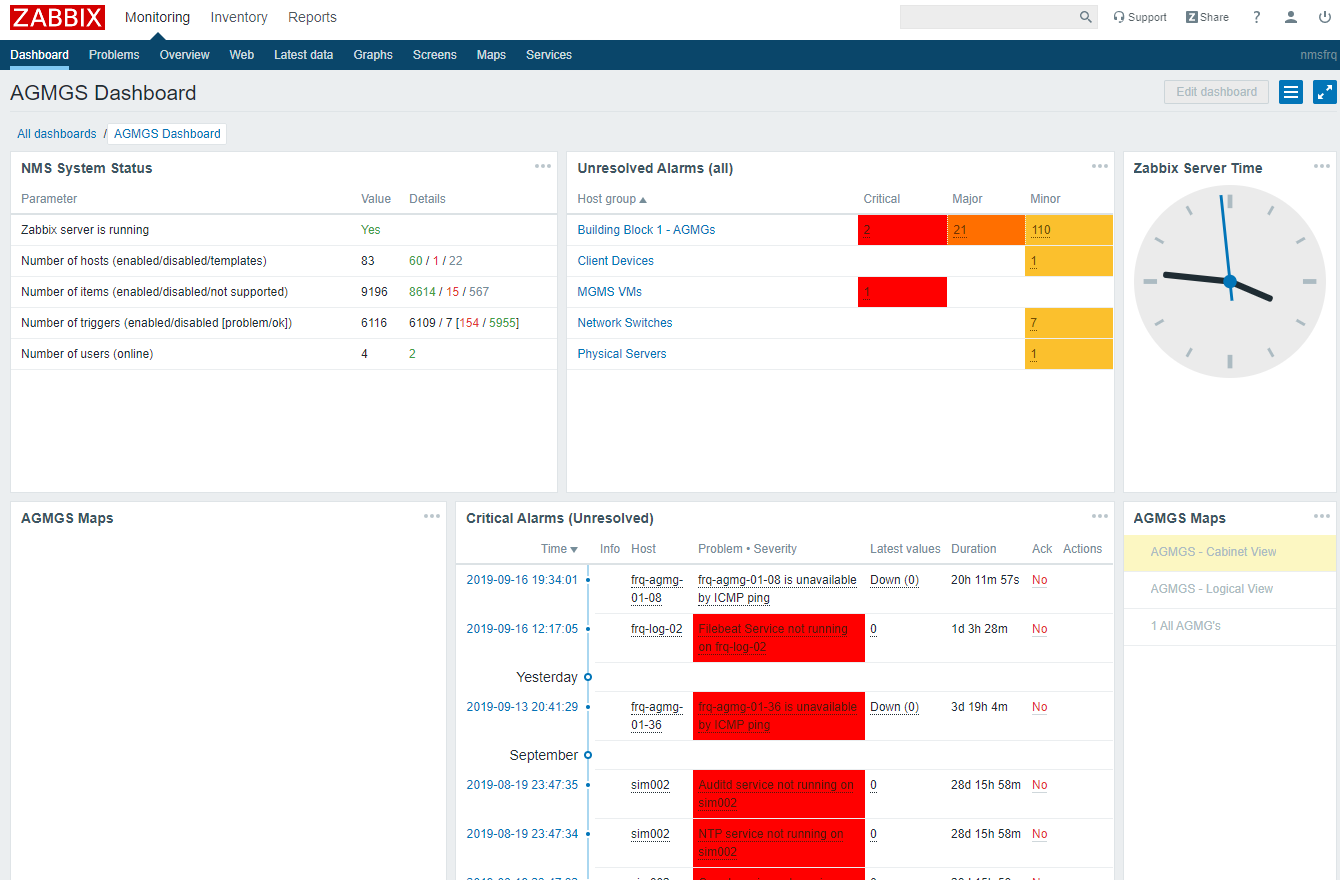
        9. User_Wayne-NoMapsOnDashboard.png
          125 kB
          FUSA.Protect
        10. User_Wayne-NoMapsOnMapsScreen.png
          38 kB
          FUSA.Protect
        11. Users_Wayne-ZabbixUser-ViewerGroup.png
          62 kB
          FUSA.Protect

            Assignee:
            DaneT
            Reporter:
            FUSA.Protect
            Votes:
            0 Vote for this issue
            Watchers:
            3 Start watching this issue

              Created:
              Updated:
              Resolved: