-
Type:
Problem report
-
Resolution: Fixed
-
Priority:
 Trivial
-
Affects Version/s: 5.2.2rc1, 5.4.0alpha1
-
Component/s: Frontend (F)
-
Sprint 70 (Nov 2020), Sprint 71 (Dec 2020)
-
0.5
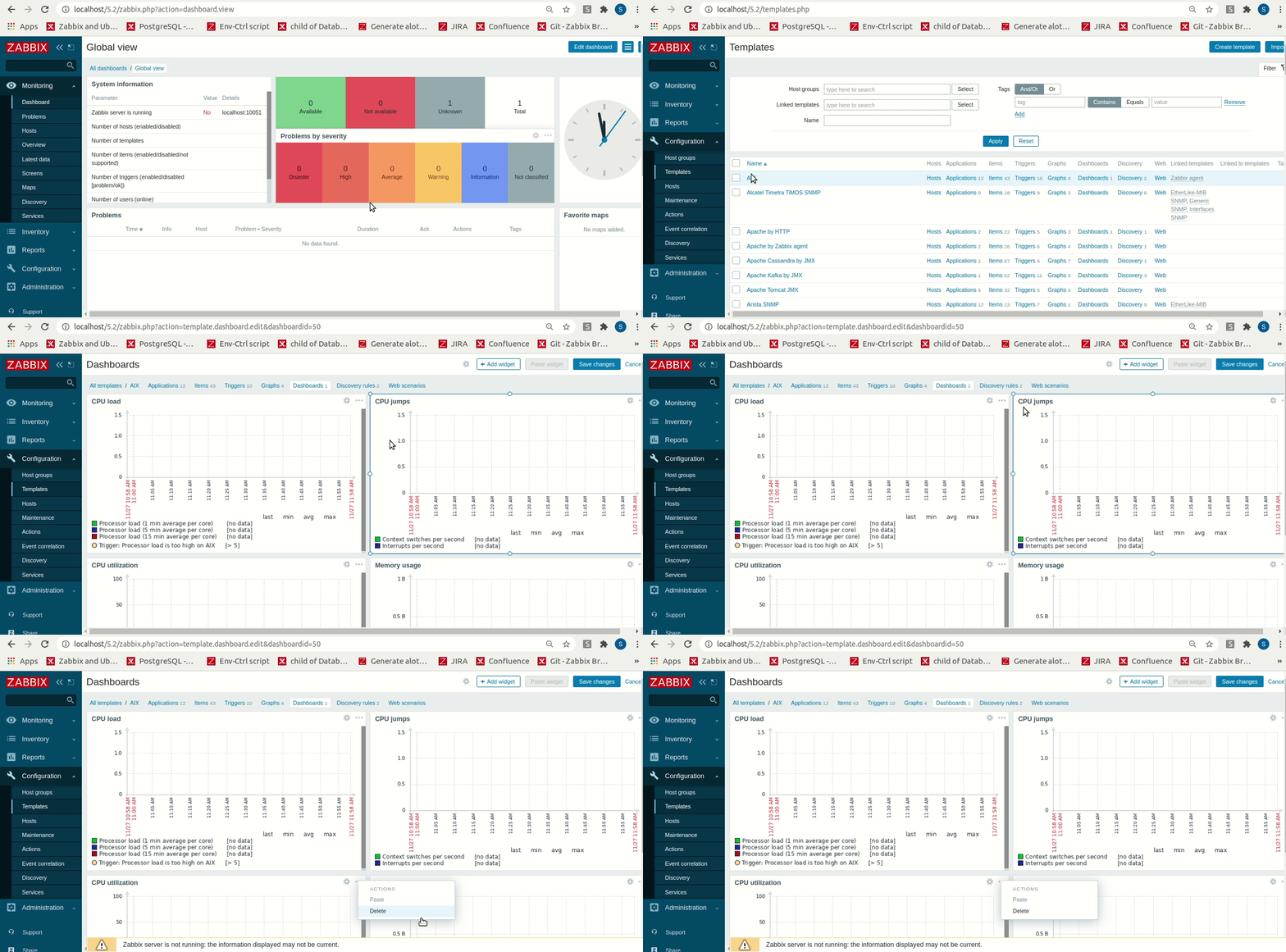
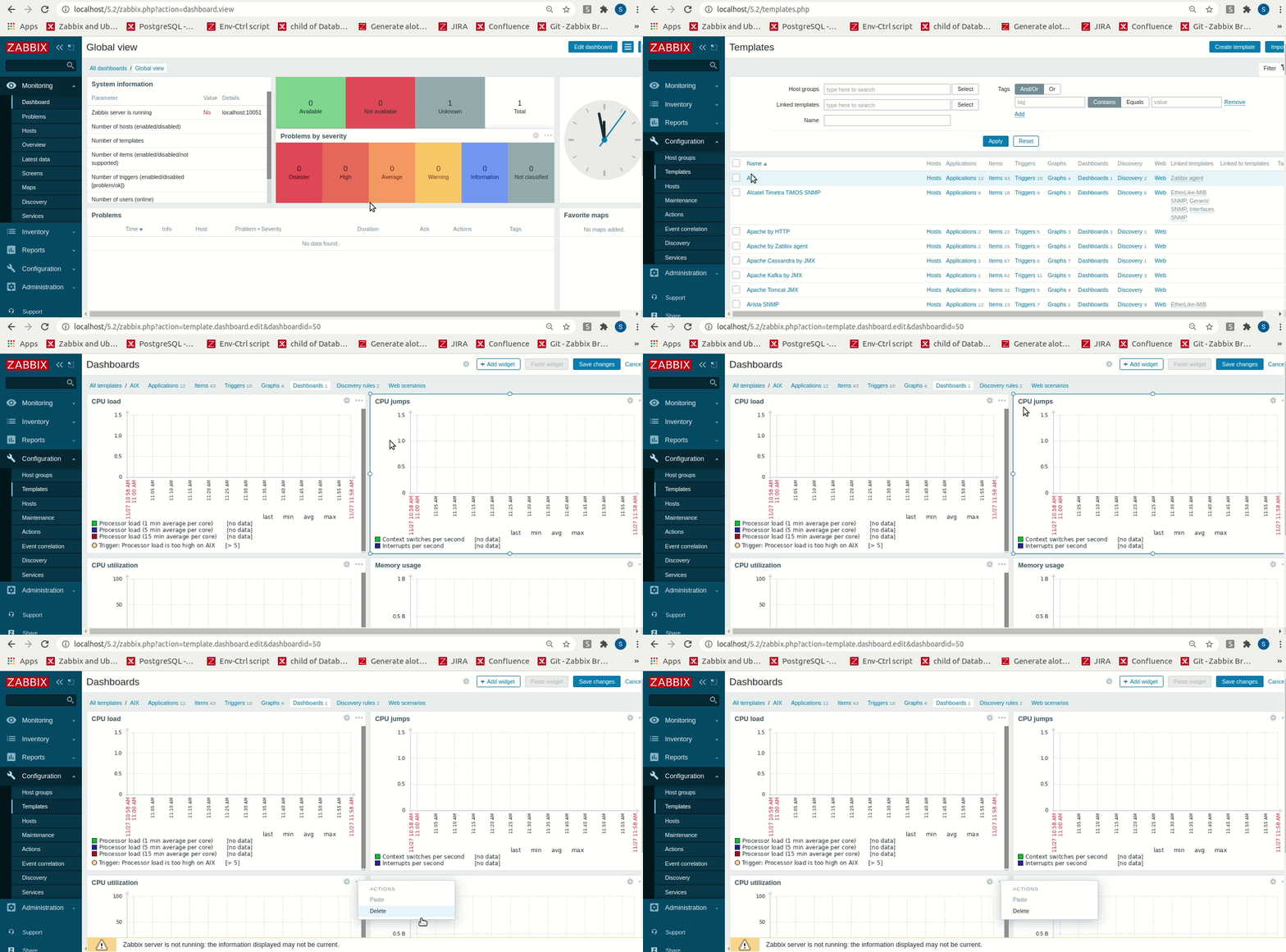
Problem description: There is no "Copy" option (only "Paste" and "Delete") when opening the any widget Actions popup in Configuration => Templates => <Template ame> => Dashboards => <Dashboard name> .
Steps to reproduce:
- Navigate to Configuration => Templates
- Locate any template that has at least one Dashboard and click on the "Dashboards" link in the corresponding row
- Click on any dashboard name to open it in edit mode
- Click on "Actions" icon of any widget to view the possible actions that can be performed with this widget
Result: There is no "Copy" option in the displayed "Actions" popup (only "Paste" and "Delete").
Expected: There should be a "Copy" option in the "Actions" popup for any widget that belongs to a templated dashboard.
Example: