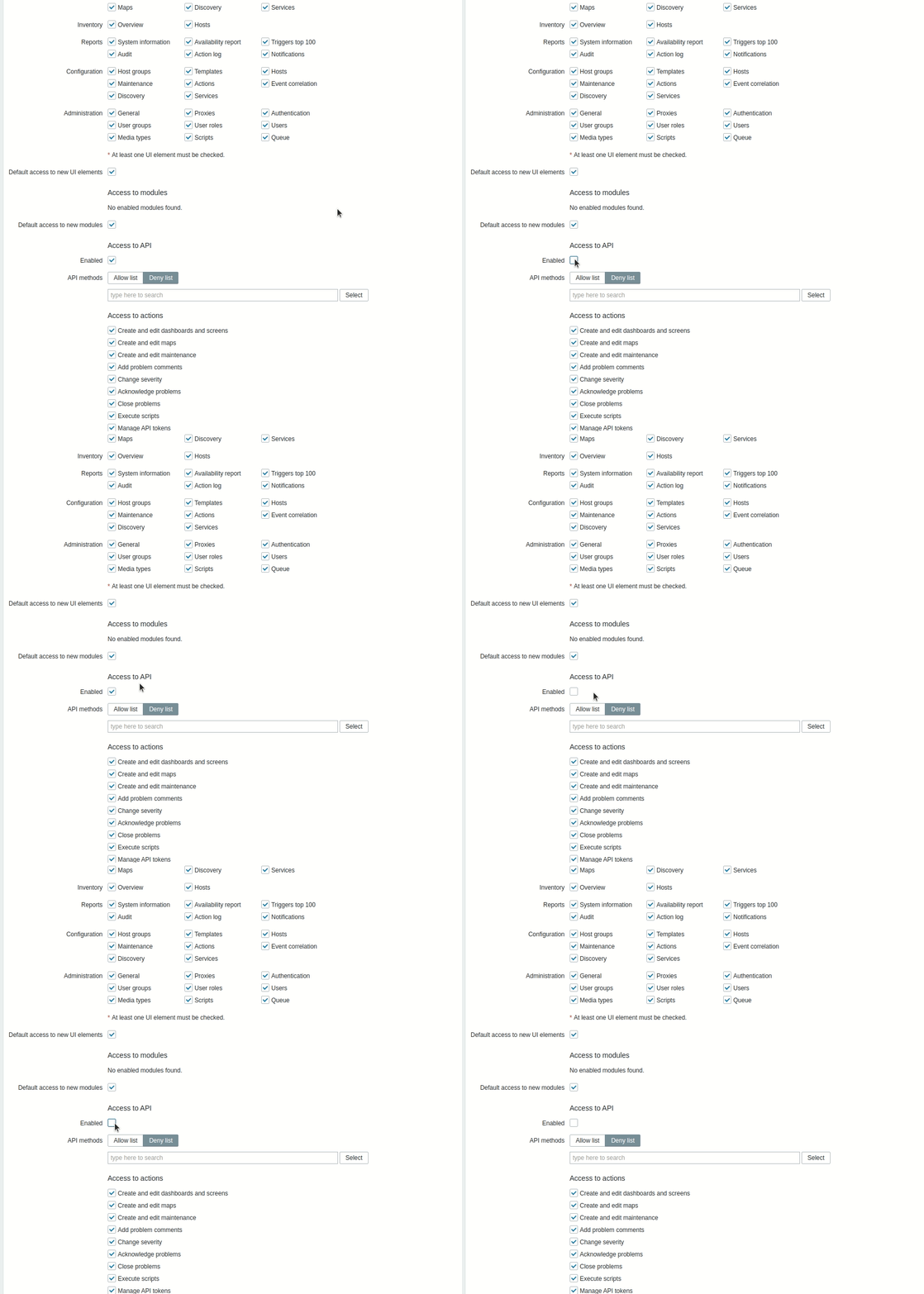
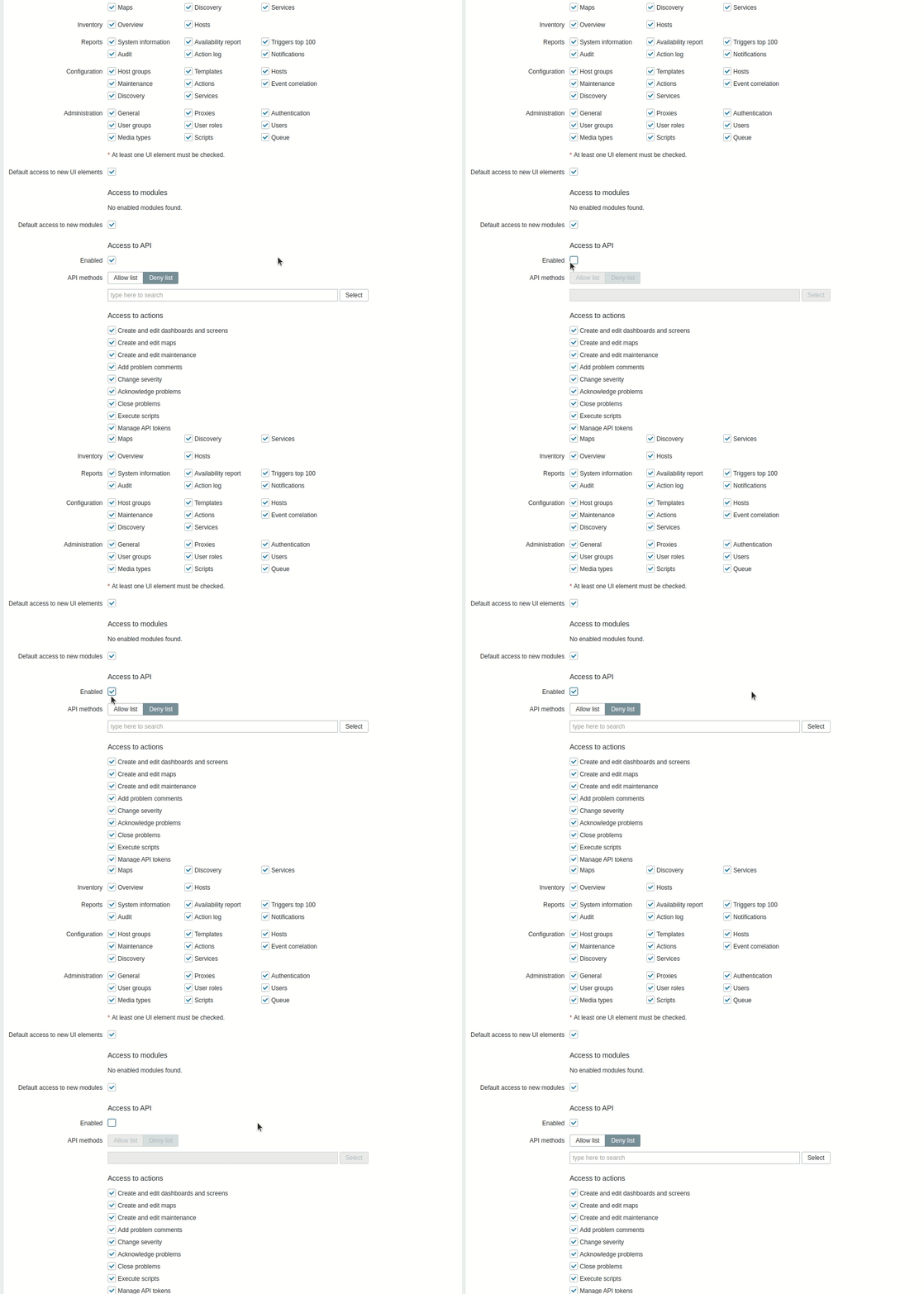
Enabled/disabled Access to API displayed incorrectly for new Super Admin

XMLWordPrintable

    • Type: Problem report
    • Resolution: Unresolved
    • Priority: Trivial
    • None
    • Affects Version/s: 5.2.7rc1, 5.4.0beta3
    • Component/s: Frontend (F)

      Steps to reproduce:

      1. Create new Super Admin role.
      2. Login as created super admin.
      3. Go to your role Edite page.
      4. Check/uncheck "Access to API"

      Result:
      Access to API fields, doesn't become grey as it should.
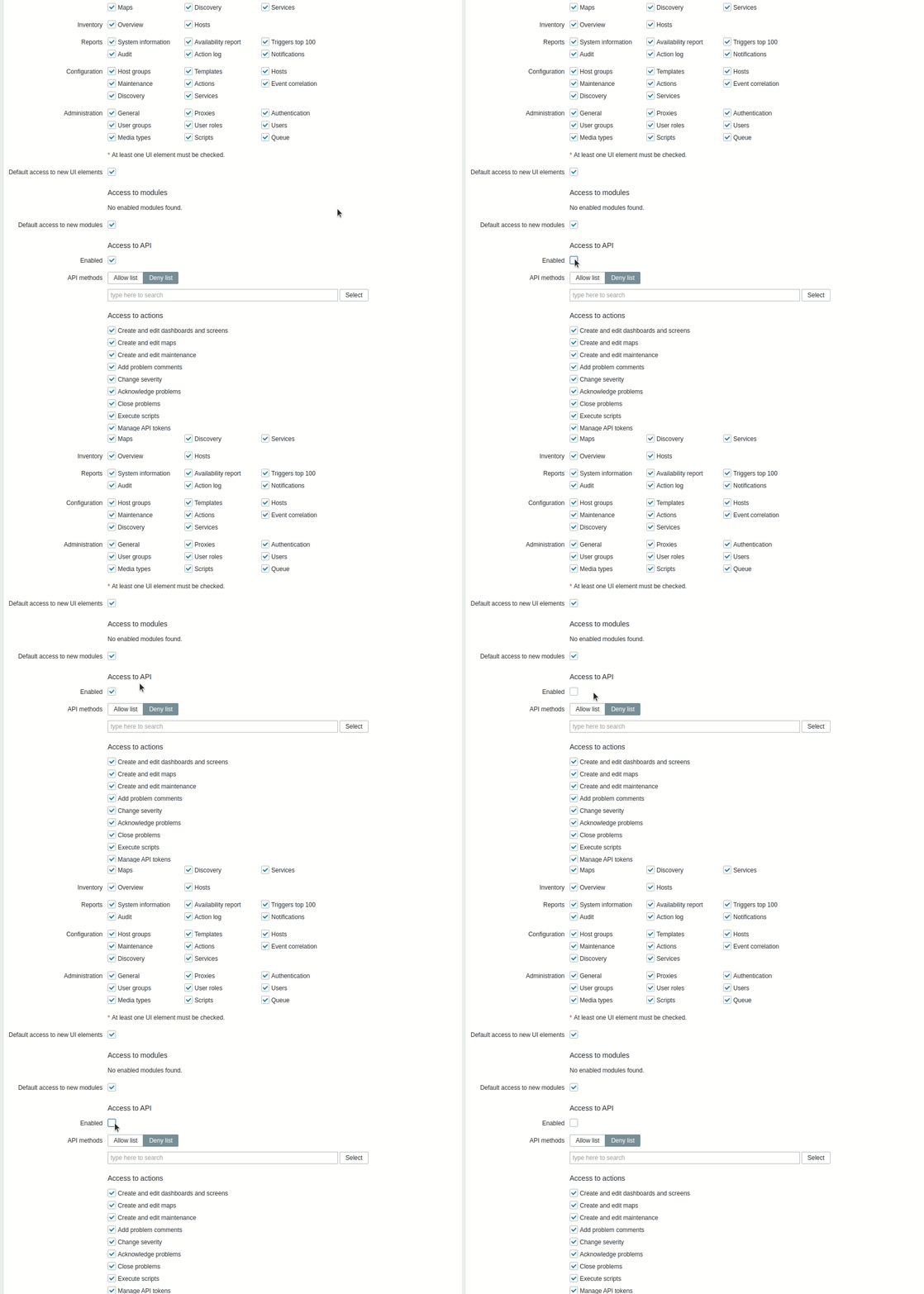

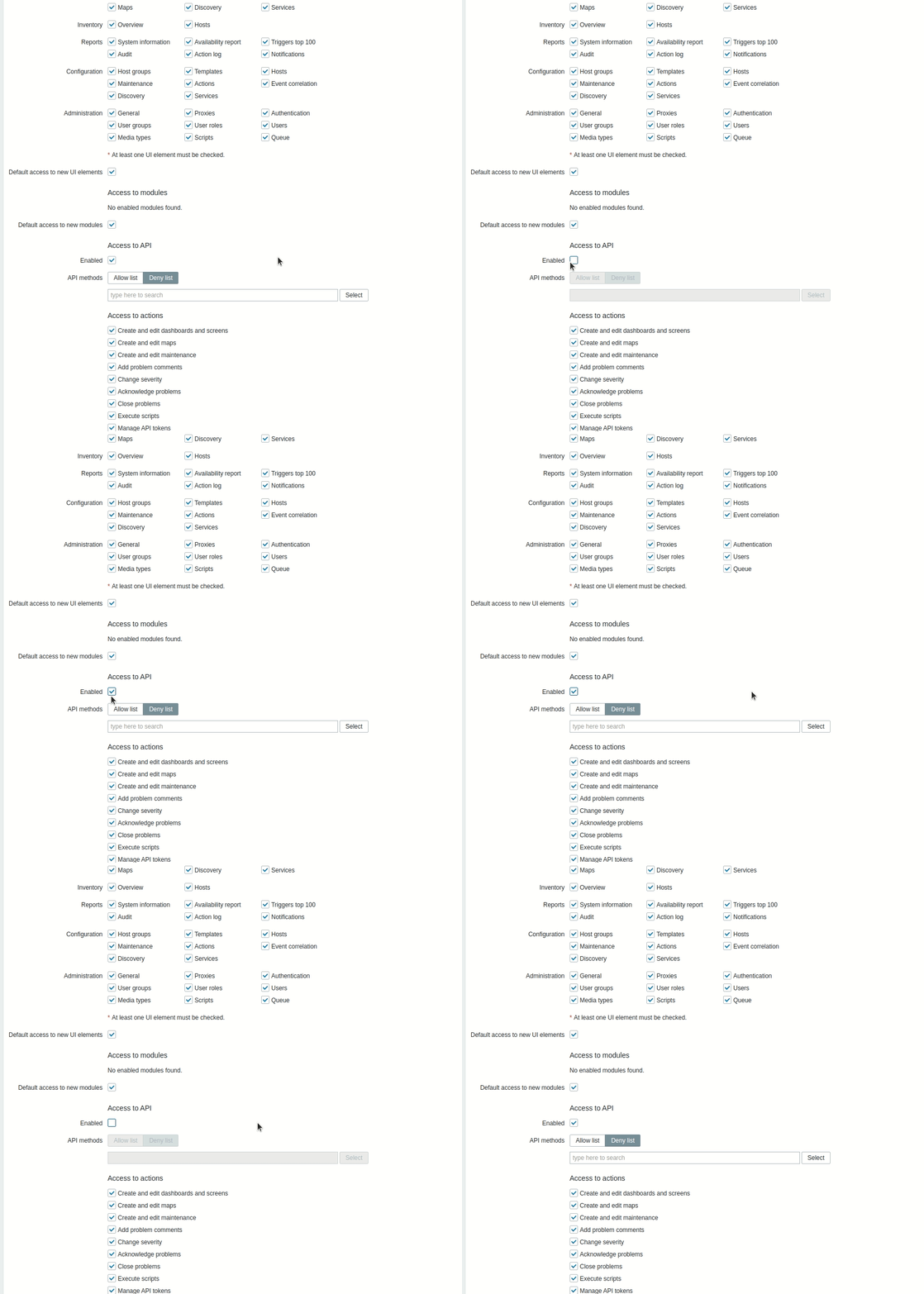
      Expected:
      fields become grey
            Assignee:
            Zabbix Development Team
            Reporter:
            Sergejs Maklakovs
            Votes:
            0 Vote for this issue
            Watchers:
            1 Start watching this issue

              Created:
              Updated: