Zabbix Scheduled report generation error : Cannot accept incoming connection for peer

XMLWordPrintable

    • Type: Incident report
    • Resolution: Fixed
    • Priority: Trivial
    • None
    • Affects Version/s: None
    • Component/s: None
    • None

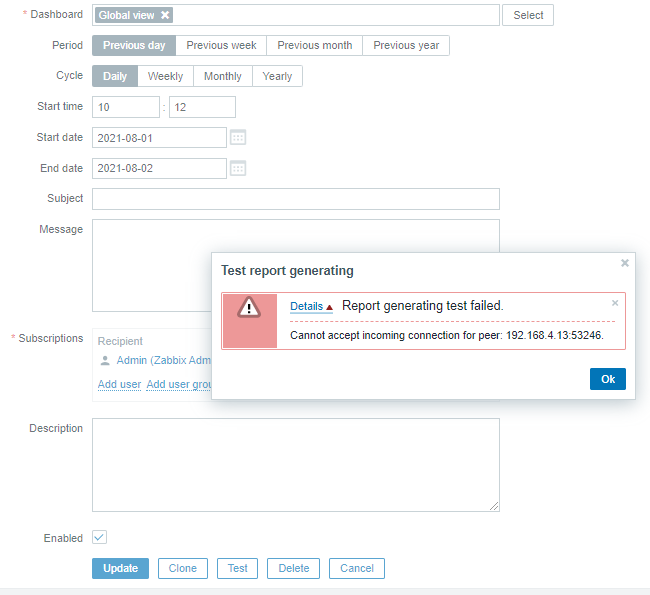
      I'm running Zabbix appliance 5.4.2 on Oracle VM Virtualbox. While clicking on 'Test' button to create Scheduled reports it showing an error :- Cannot accept incoming connection for peer :192.168.4.13:41280. The port number is changing dynamically. Somebody please help.
            Assignee:
            Zabbix Support Team
            Reporter:
            Akhil S
            Votes:
            0 Vote for this issue
            Watchers:
            2 Start watching this issue

              Created:
              Updated:
              Resolved: