-
Type:
Problem report
-
Resolution: Fixed
-
Priority:
 Trivial
-
None
-
Affects Version/s: 5.4.4
-
Component/s: Server (S)
-
Environment:Centos 8
Steps to reproduce:
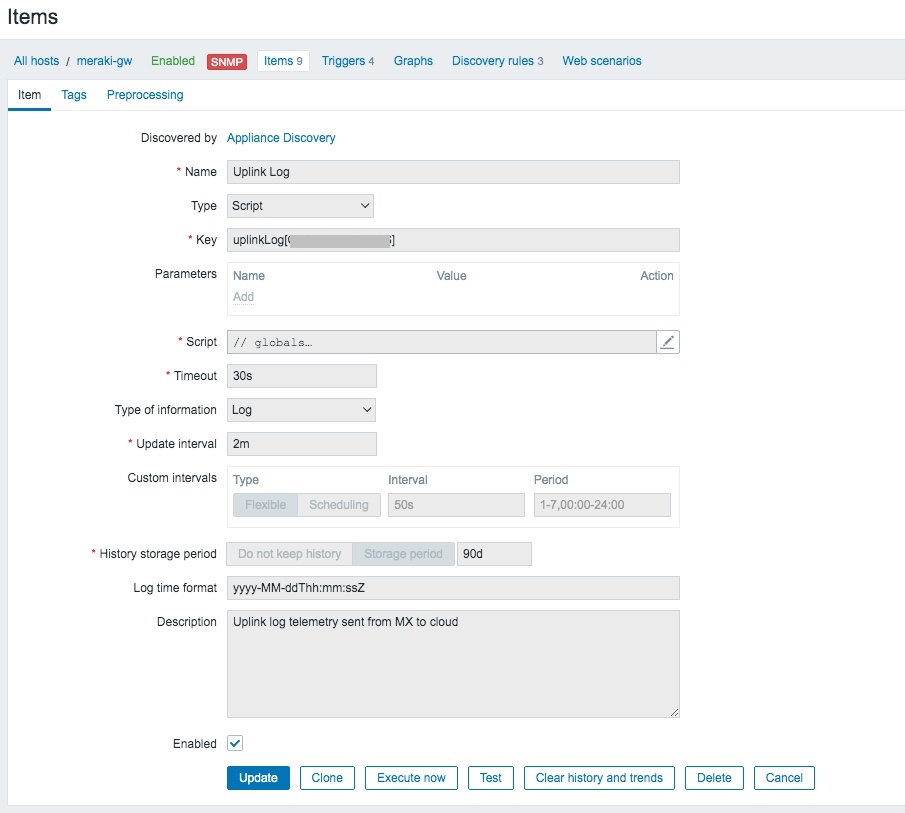
- Create a new item of type 'script' with type of information 'log', and add a matching log time format (yyyy-MM-ddThh:mm:ssZ). Insert script that outputs log data in the form: "<timestamp> <data>\n"
- Navigate to Monitoring->Latest Data. Select host and then new script item 'history'.
Result:
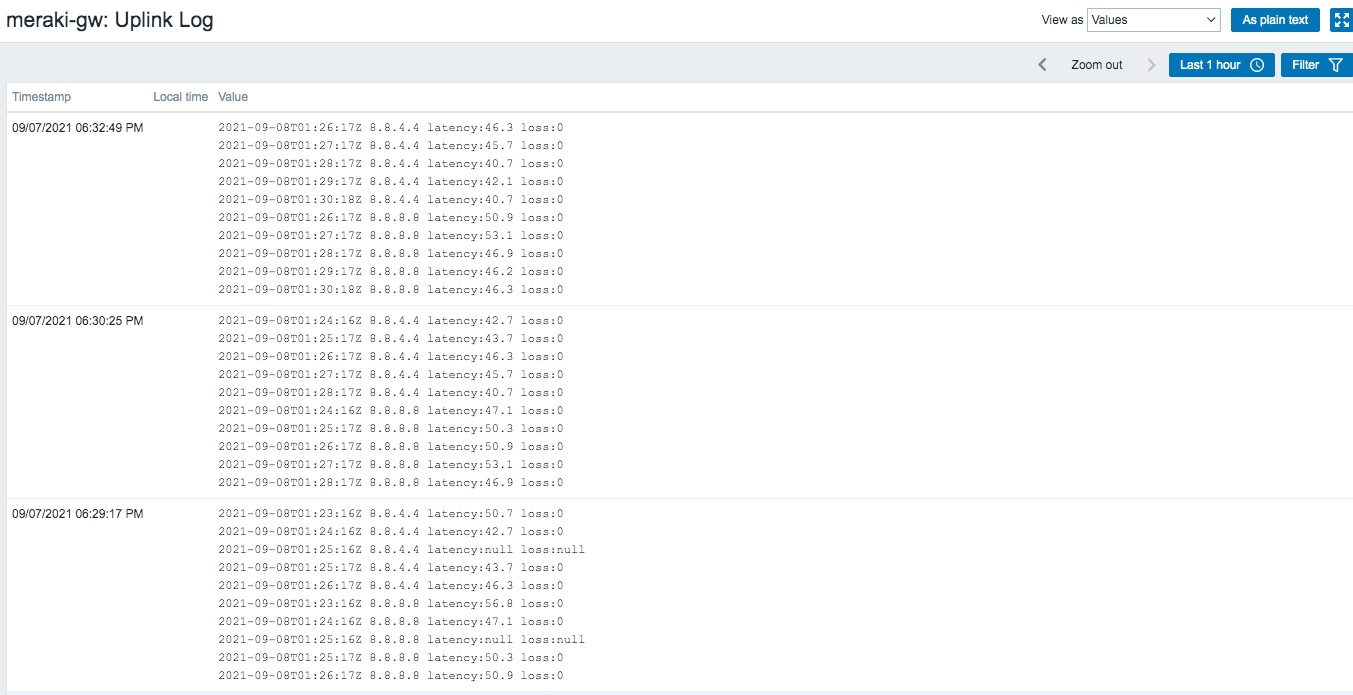
See screenshot. All lines are grouped together with a single (zabbix) timestamp.
Expected:
Each line of log data would parsed individually with matching timestamp.