-
Type:
Problem report
-
Resolution: Fixed
-
Priority:
 Trivial
-
Affects Version/s: 5.4.5rc1, 6.0.0alpha3
-
Component/s: API (A)
-
Sprint 80 (Sep 2021)
-
0.25
Steps to reproduce:
- Create scheduled report with Subject and Message
- Go to "Scheduled reports" list page.
- Disable report. (or you can enable already enabled report)
Result:
Subject and message removed.
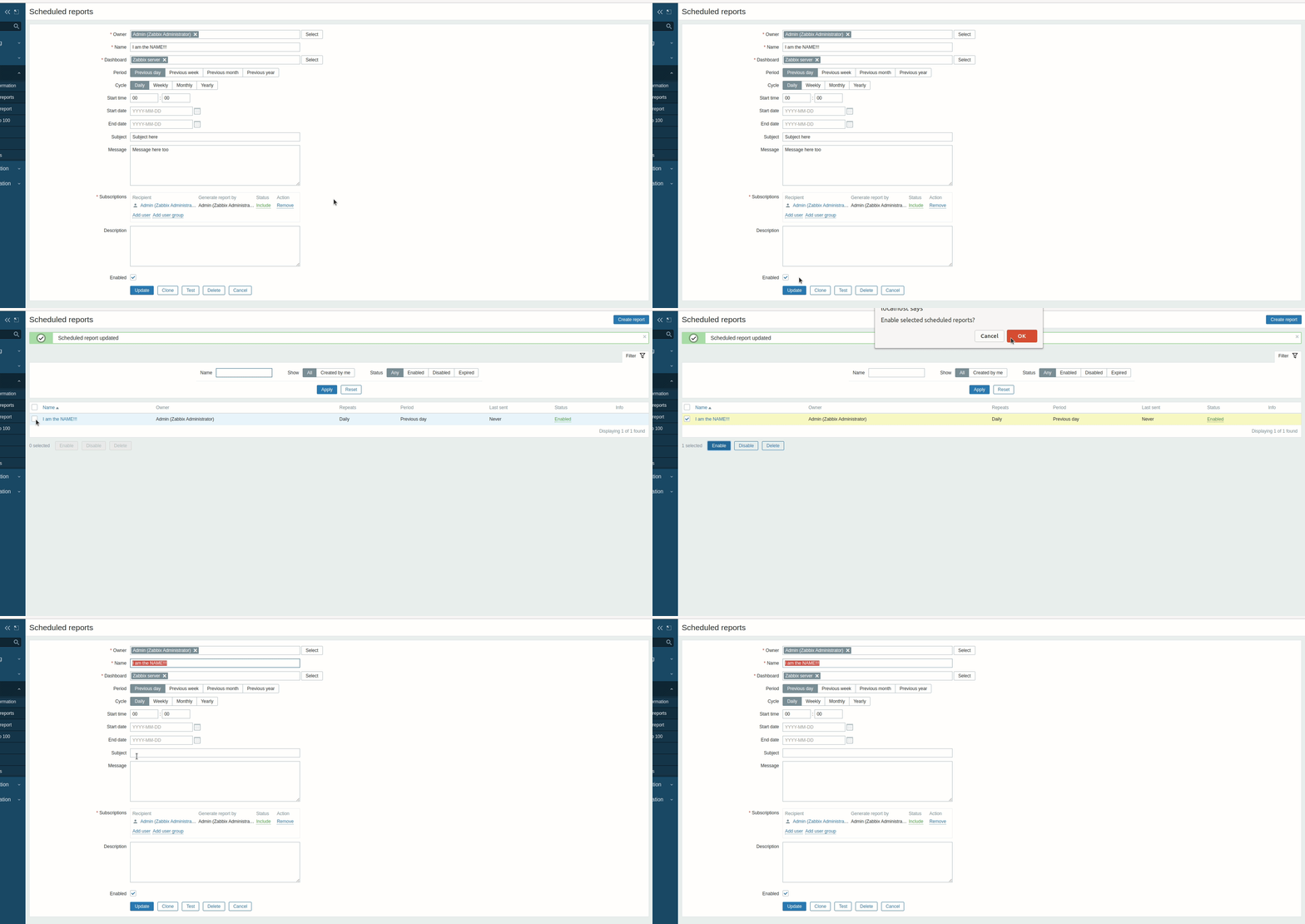
Expected:
No changes in report.
Subject and message still exists.


