-
Type:
Problem report
-
Resolution: Unresolved
-
Priority:
 Trivial
-
None
-
Affects Version/s: 5.4.4, 6.0.0alpha2
-
Component/s: None
-
None
Steps to reproduce in Zabbix 6.0:
- Navigate to Monitoring -> Services;
- Switch to edit mode;
- Press "Create service" to open modal dialog with service creation form;
- Put the mouse pointer caret into some input text field and press enter on your keyboard. Don't release the key.
Result:
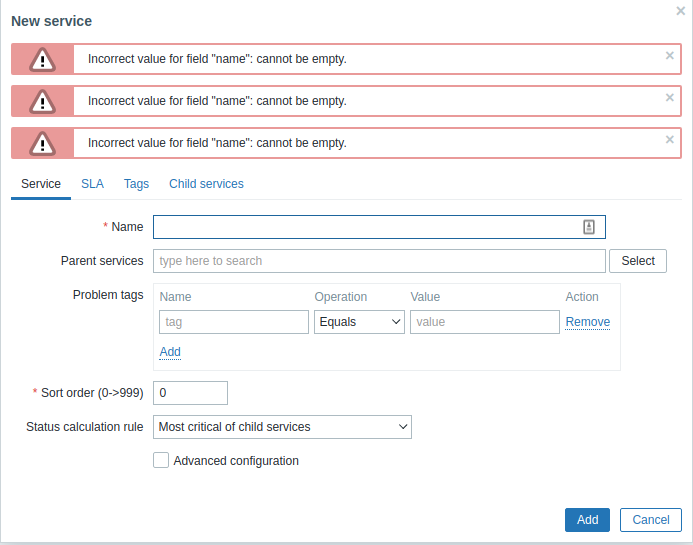
Form is not frozen after first submit and multiple error message boxes are added at the top.