-
Type:
Problem report
-
Resolution: Incomplete
-
Priority:
 Trivial
-
None
-
Affects Version/s: 5.4.7
-
Component/s: None
-
Environment:Windows Server 2008 R2, Windows Server 201*
Hello,
I am currently distributing Zabbix Agent 2 via .msi script.
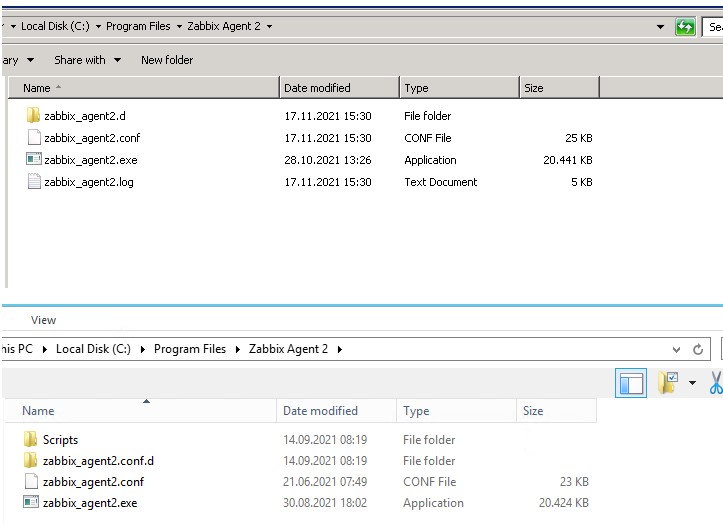
Here noticed that the folder structure is different.
On a server 2008 R2 this structure is created.
c:\program files\zabbix agent 2\zabbx_agent2.d
On a Server 2012 R2 this structure is created.
c:\program files\zabbix agent 2\zabbx_agent2.conf.d
The include parameter points to the zabbix_agent2.conf.d folder for me so I ran into issues here on the 2008 R2 systems.
Is it possible to configure the .msi so that the structure is identical on all systems?