-
Type:
Problem report
-
Resolution: Won't fix
-
Priority:
 Trivial
-
None
-
Affects Version/s: 7.0.1
-
Component/s: Frontend (F)
-
Environment:Debian 12
Steps to reproduce:
- Create a new dashboard.
- Create a new widget and set its type to Honeycomb.
- Configure the widget to display some data.
- Save the widget and the dashboard.
- Configure sharing of the dashboard to give another user or group read-only access to the dashboard.
- Open the dashboard as a user that has such access to the dashboard.
Result:
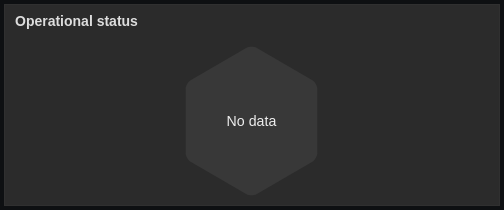
The honeycomb widget displays only one cell. This cell is labelled as "No data".
Expected:
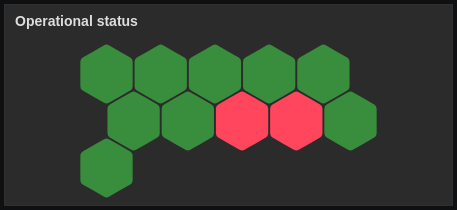
The honeycomb widget is displayed exactly the same way as for the creator/owner.