-
Type:
Problem report
-
Resolution: Unresolved
-
Priority:
 Major
Major
-
None
-
Affects Version/s: 7.0.17, 7.4.1, 8.0.0alpha1
-
Component/s: Documentation (D), Frontend (F)
-
None
-
Support backlog
Steps to reproduce:
- Navigate to Monitoring -> Problems -> Create custom filter
- Click on the cogwheel button in the filter tab -> In the modal, select Override time period selector
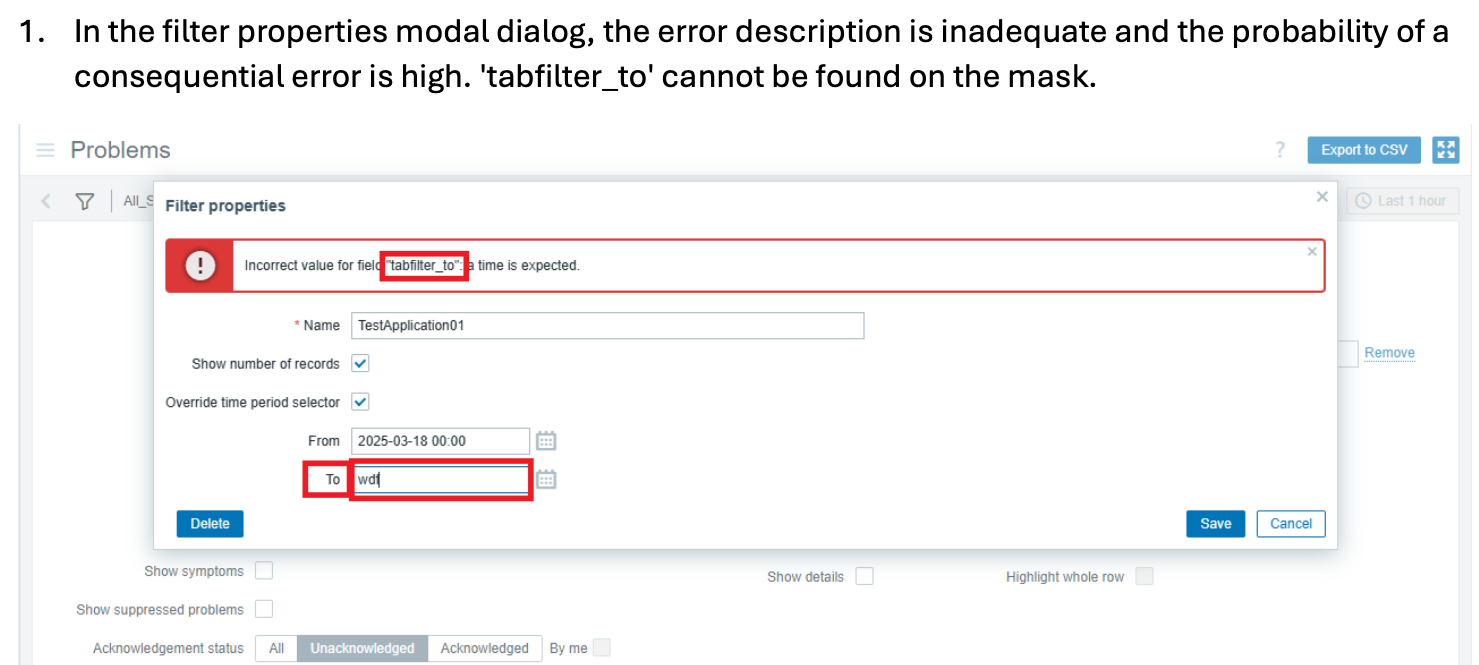
- Add random values or remove all values in From/To inputs, click Save
Result:
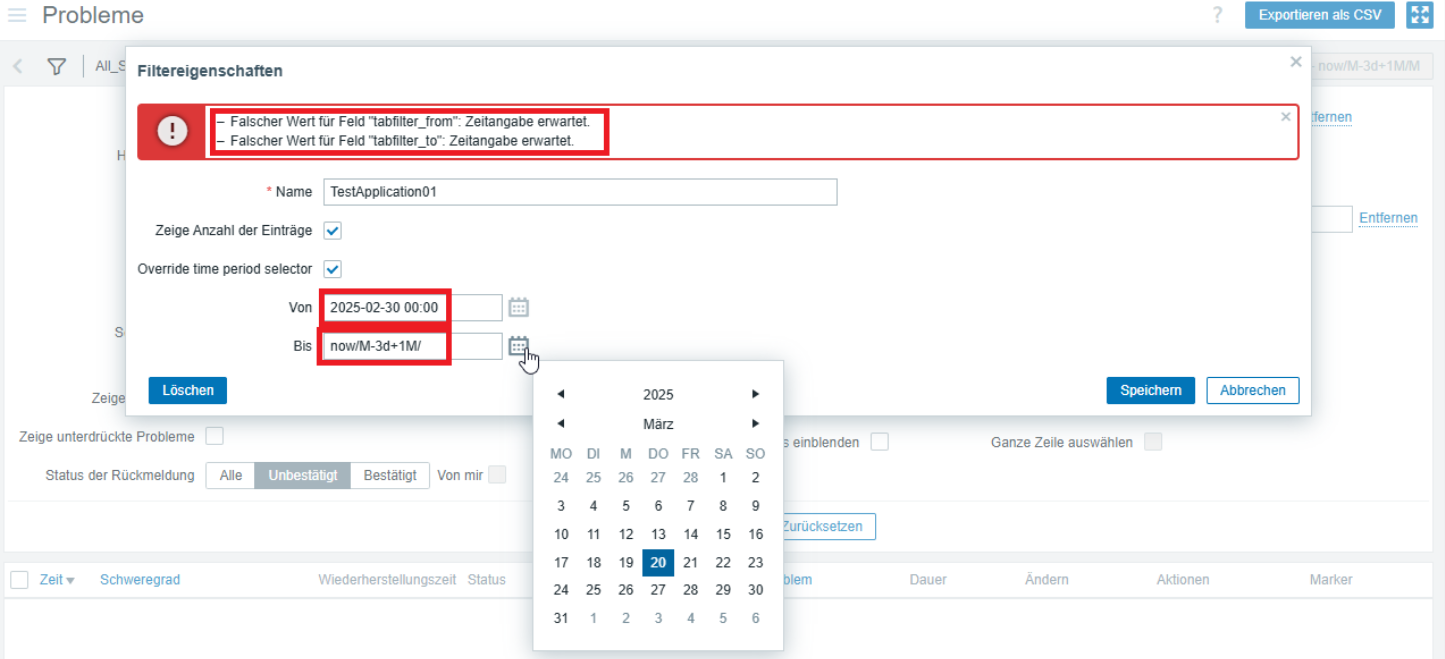
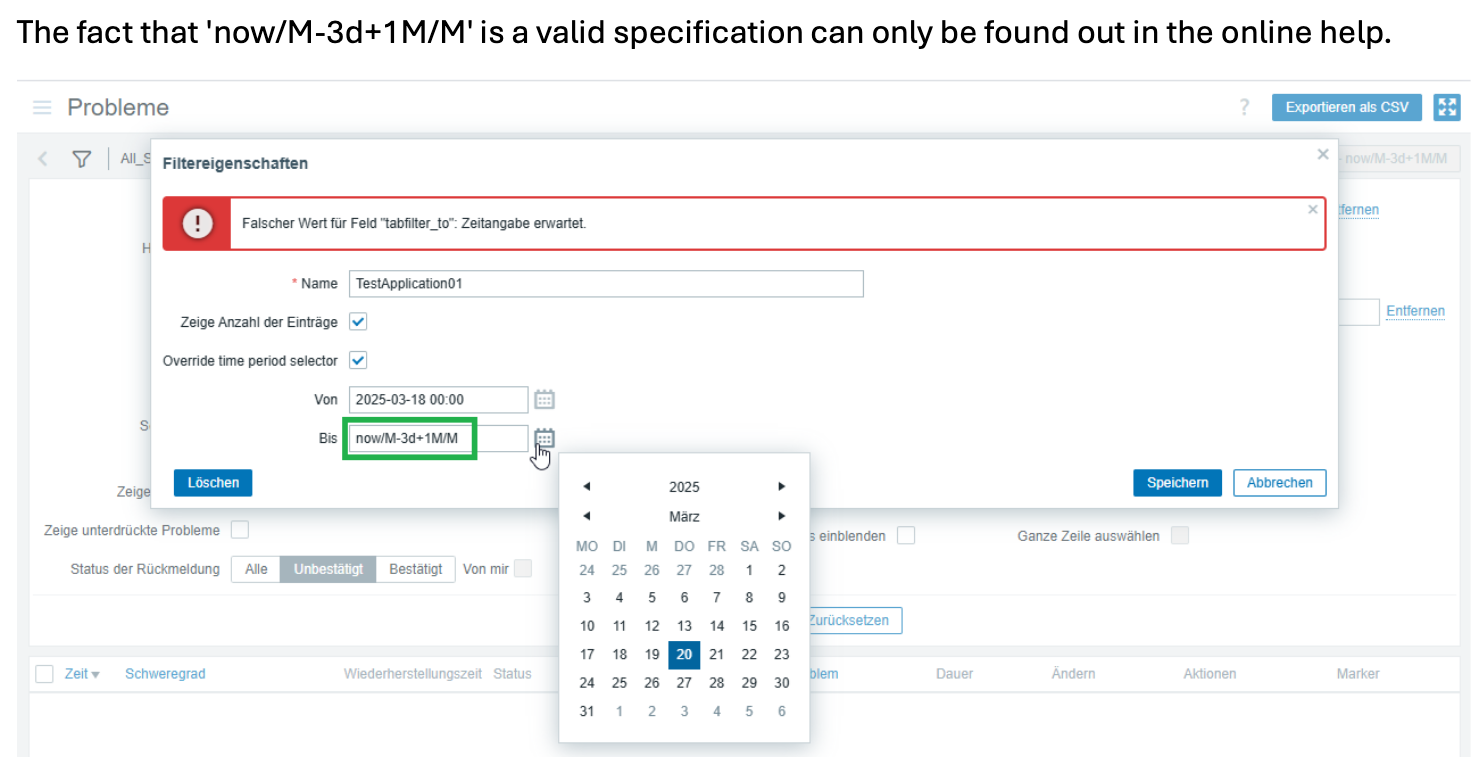
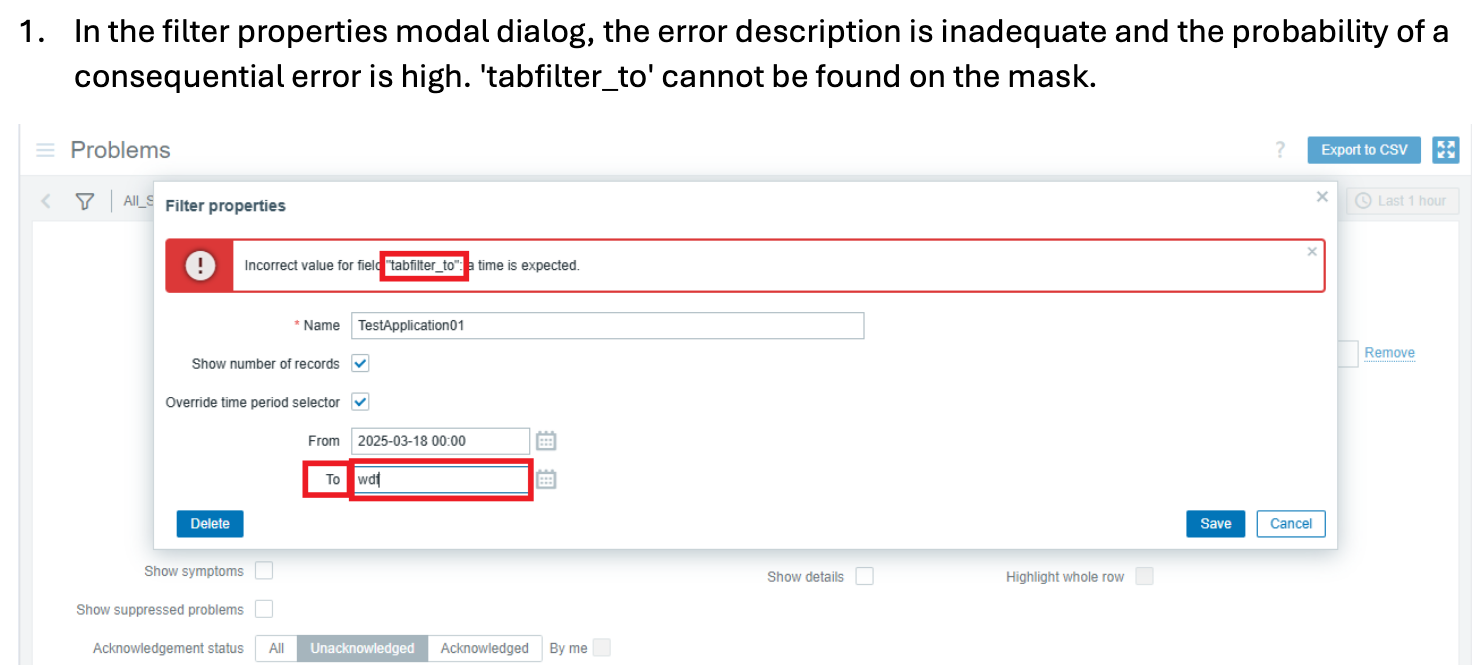
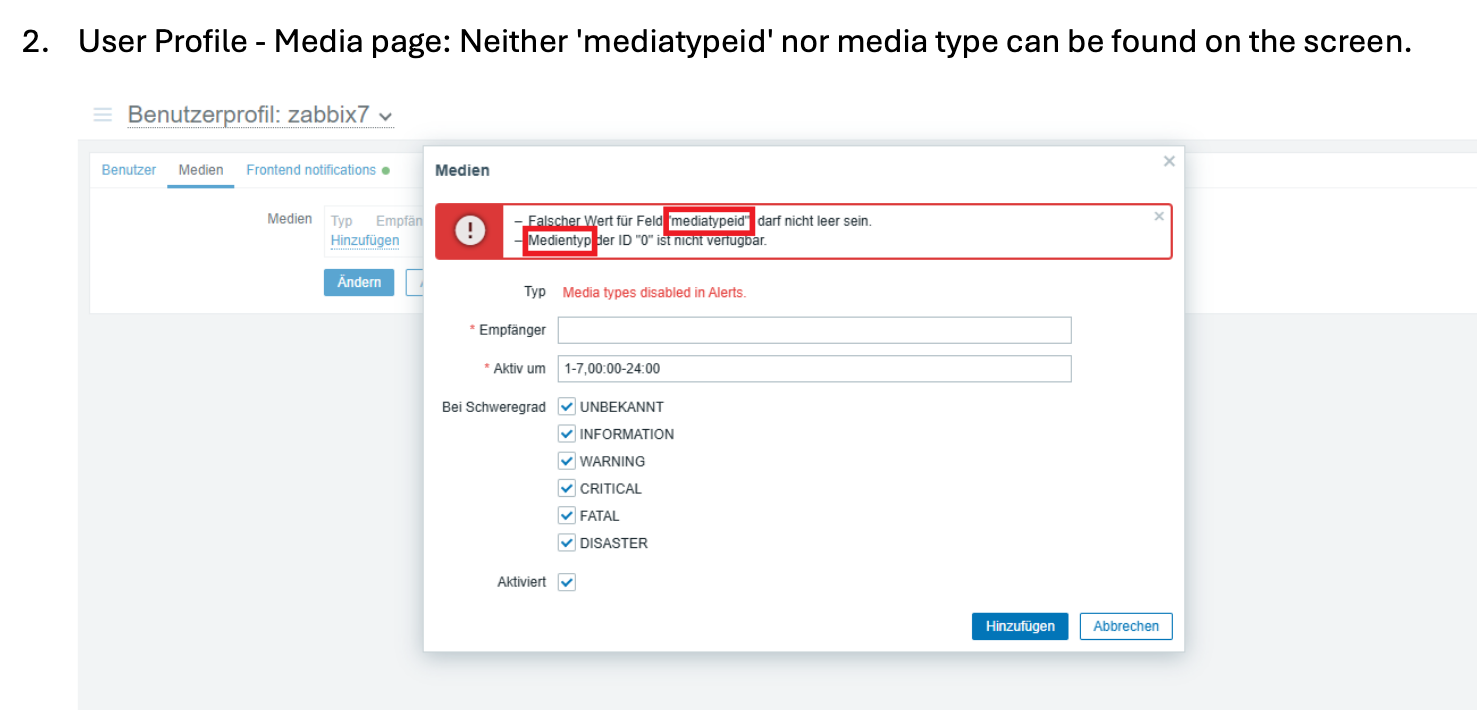
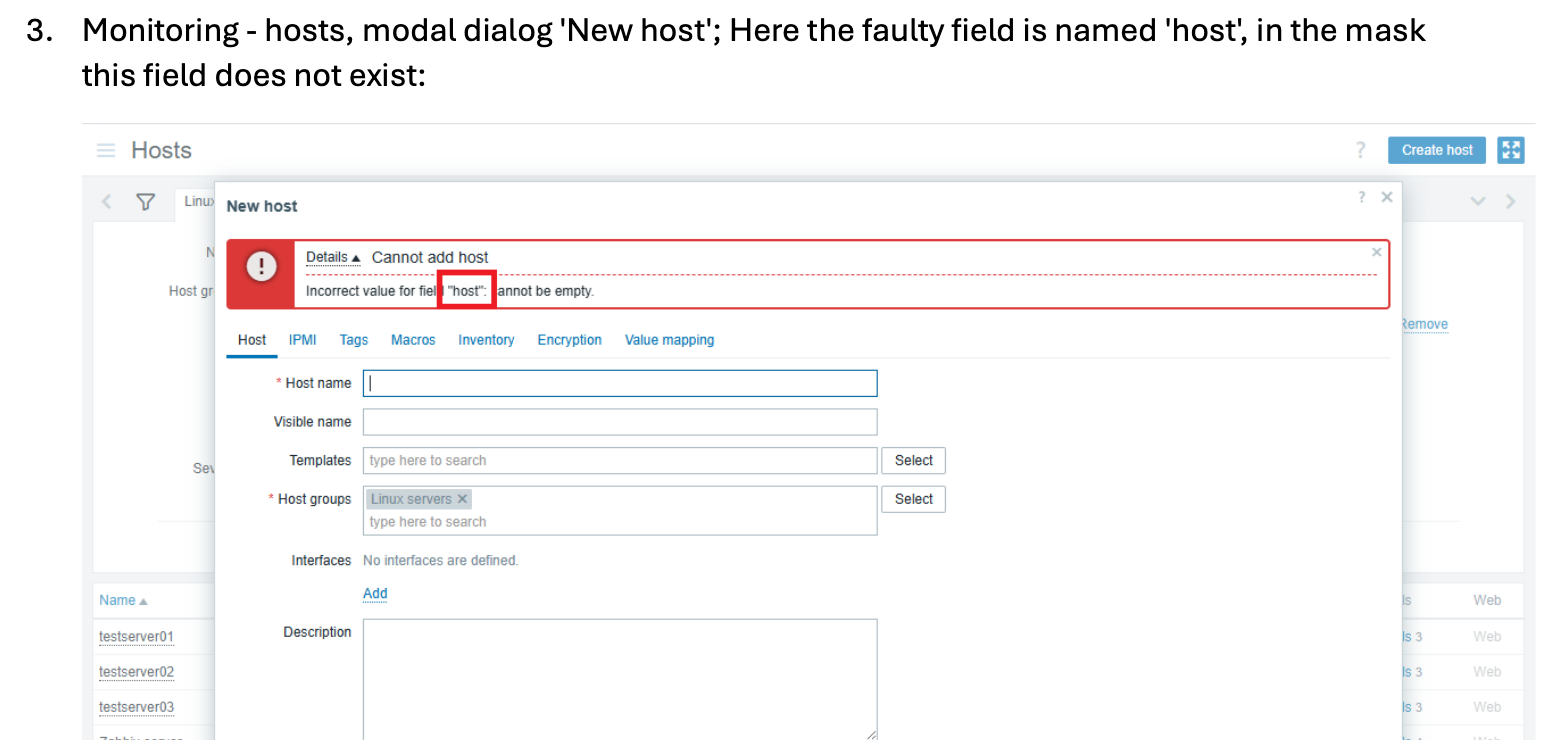
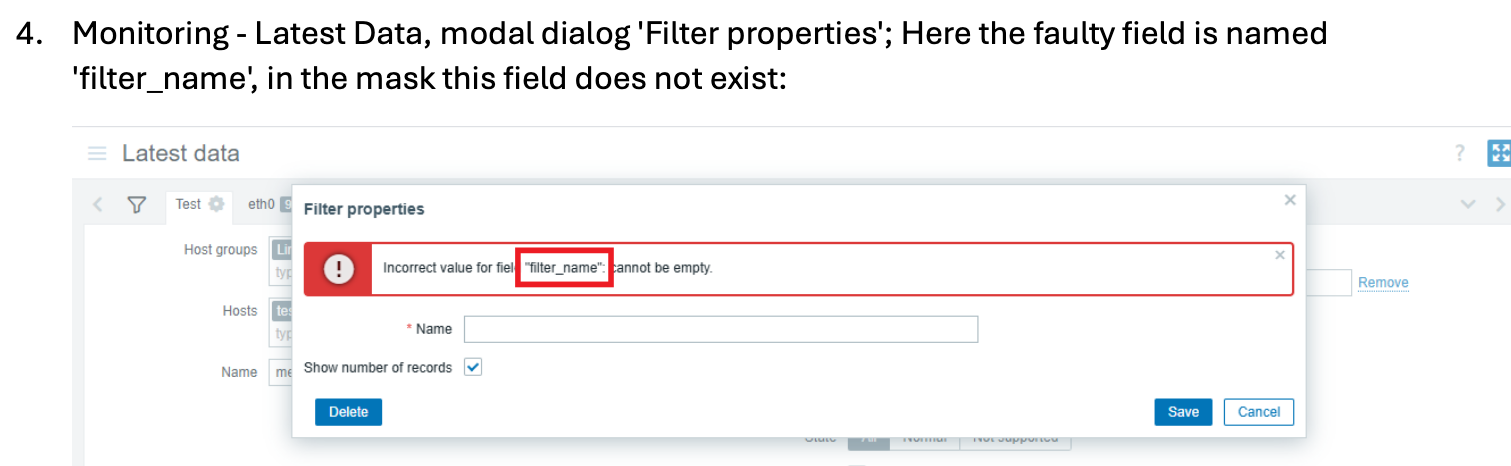
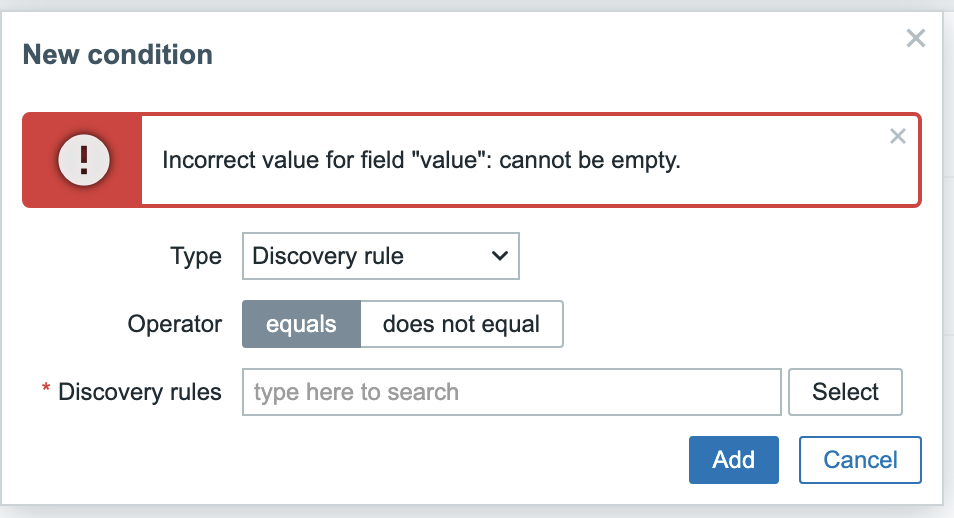
See screenshots
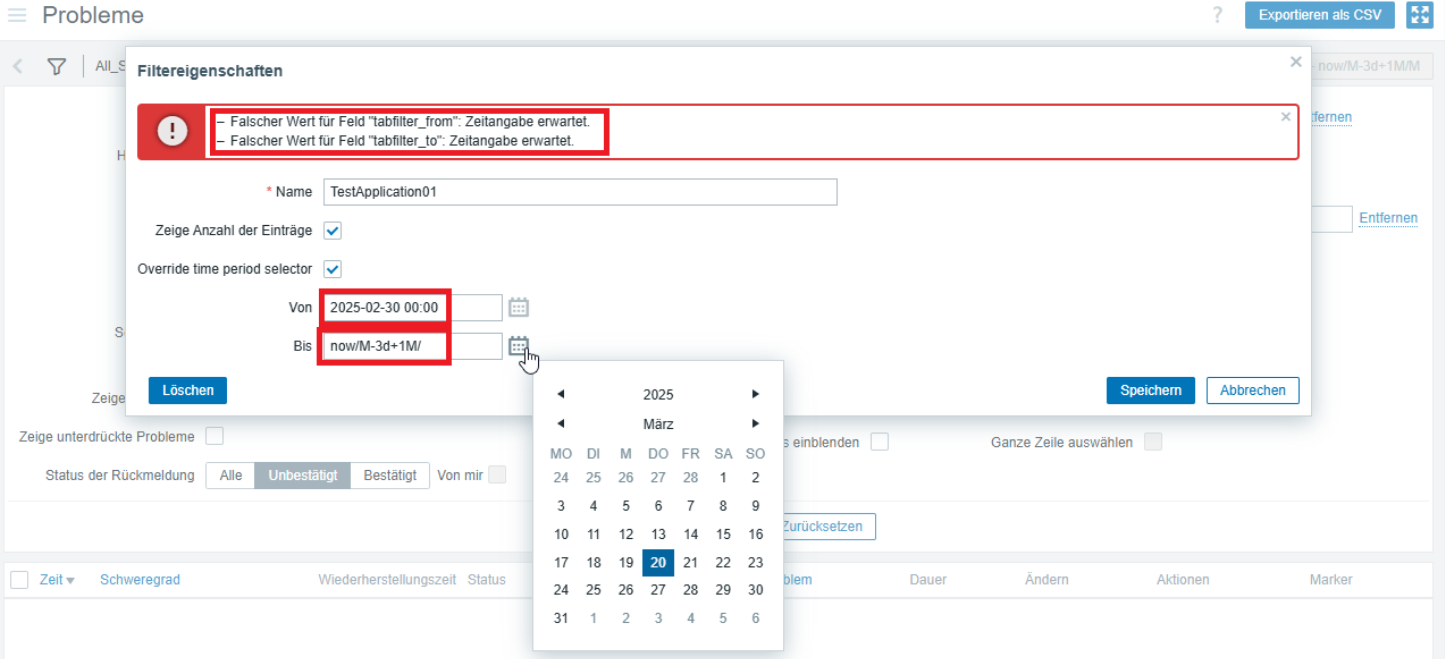
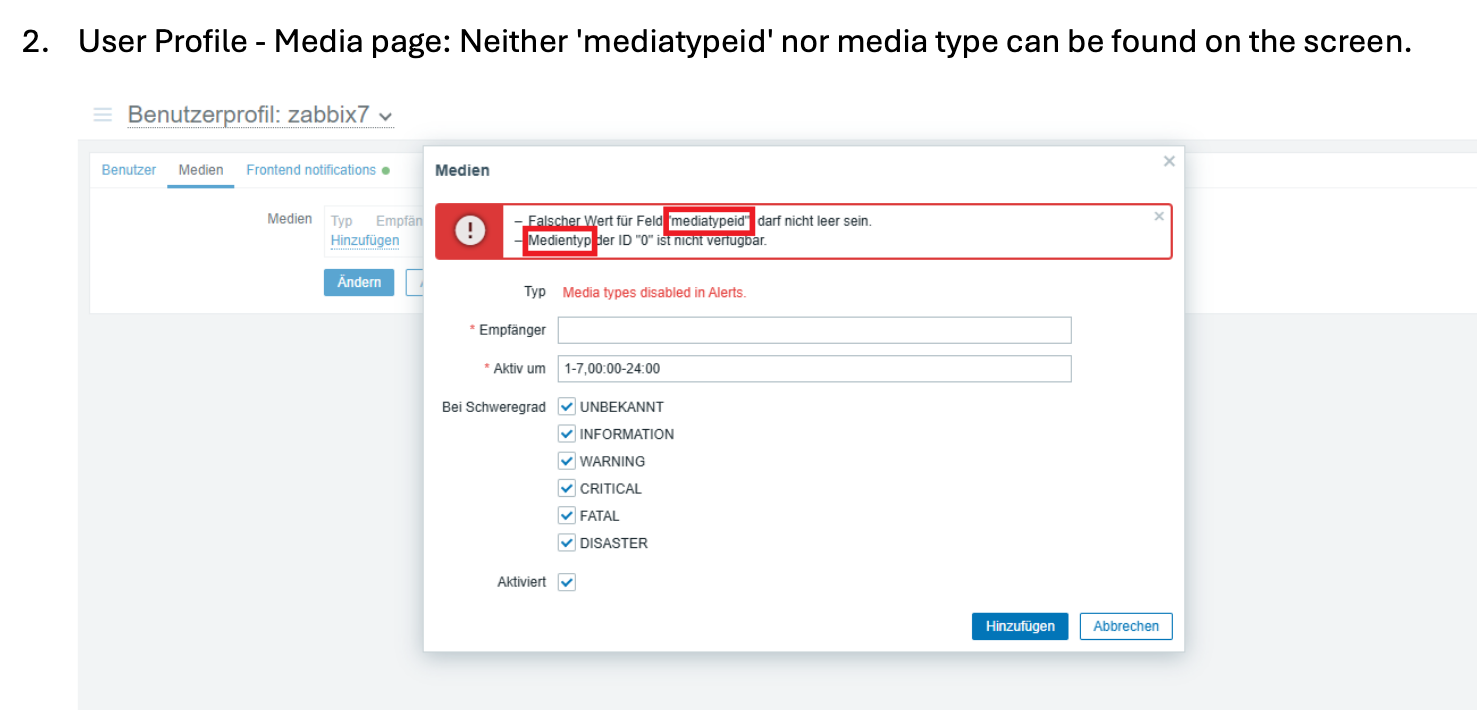
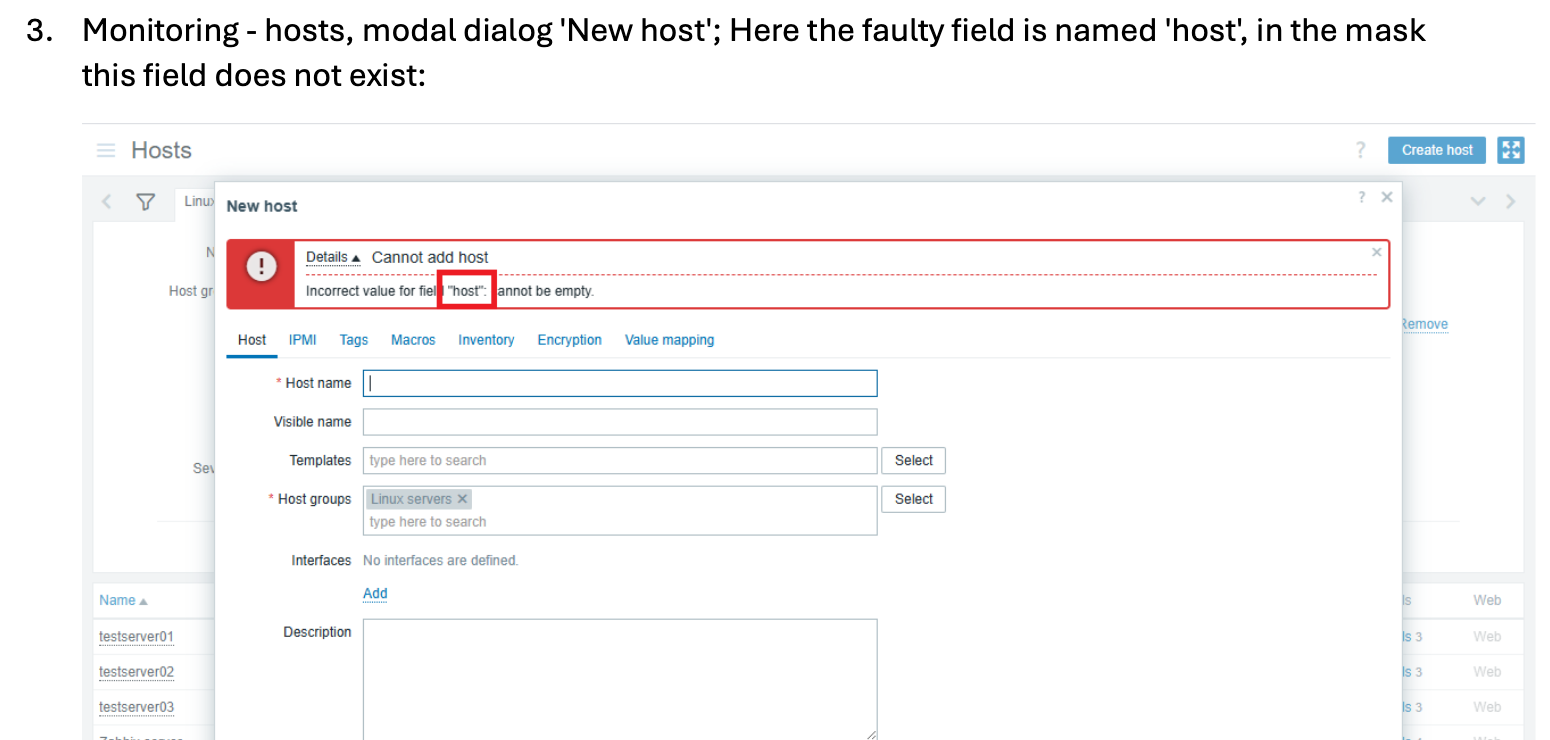
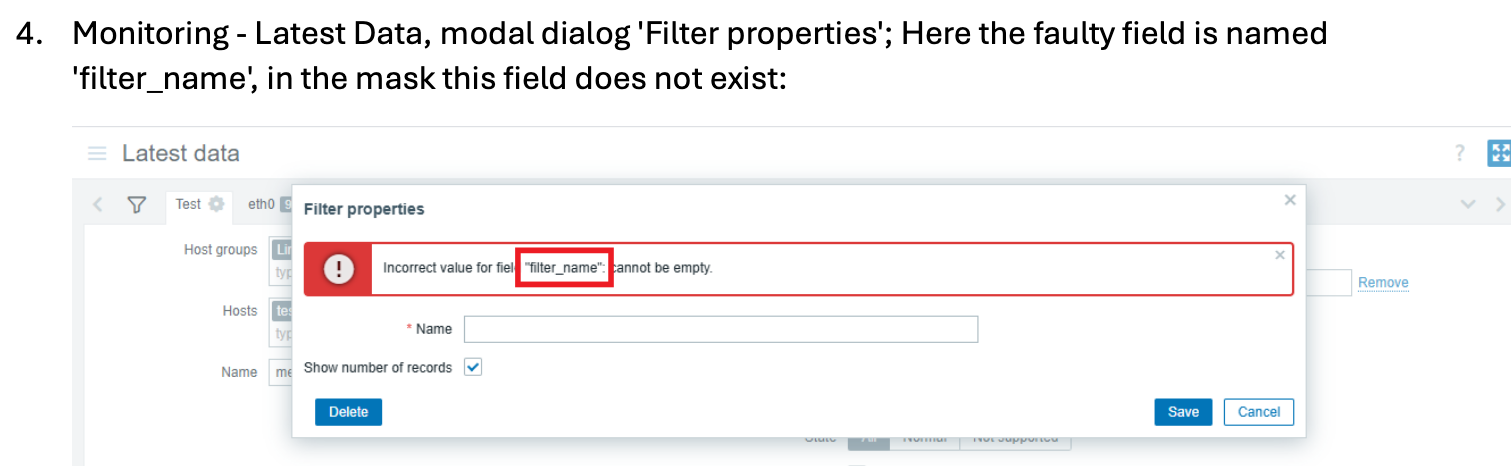
Expected:
1. Consistent labels:
- Ensure that the error message texts match the field names in the form.
2. Offer assistance directly in the form:
- Provide hints for inputs requiring specific values, such as 'now/M-3d+1M/M' directly next to the corresponding fields or in an accessible tooltip.
- Provide examples of correct input values nad format.
3. Highlight affected fields:
- Describe errors in text form and identify the affected field. The cursor must
be placed in the incorrect input field. - Error messages should be descriptive and help users recover from errors.
4. Screen reader output:
- Ensure that all error messages are descriptive and accessible by screen readers.
5. Use of color coding
- Use color highlights only in addition to textual information.
6. If possible, implement client-side validation
- Verify the field values in real time and across all fields before
the form is submitted. - Immediately display and describe errors.
PRIMARY WCAG VIOLATIONS:
| 3.3.1 Error Identification | A | Error not described in text; generic messages | Screen readers can't announce meaning |
| 4.1.2 Name, Role, Value | A | Error not linked to field via aria-describedby | Screen reader can't associate error with field |
| 4.1.3 Status Messages | AA | Error not announced (no alert role/live region) | Screen reader users never learn error exists |
| 1.3.1 Info and Relationships | A | Error only visual (red border, icon, color) | Blind users can't perceive error at all |
| 3.3.3 Error Suggestion | AA | No helpful suggestions on how to fix | All users struggle to fix the problem |