-
Type:
Problem report
-
Resolution: Duplicate
-
Priority:
 Trivial
-
None
-
Affects Version/s: 7.4.4rc1, 8.0.0alpha1
-
Component/s: Frontend (F)
Steps to reproduce:
- Open the trigger configuration form.
- Enter a new value for Event name field.
- Press the Enter key to save.
- When the alert message appears, press Enter again to confirm it.
Result: After confirming the alert, the user is redirected to the zabbix.php page.
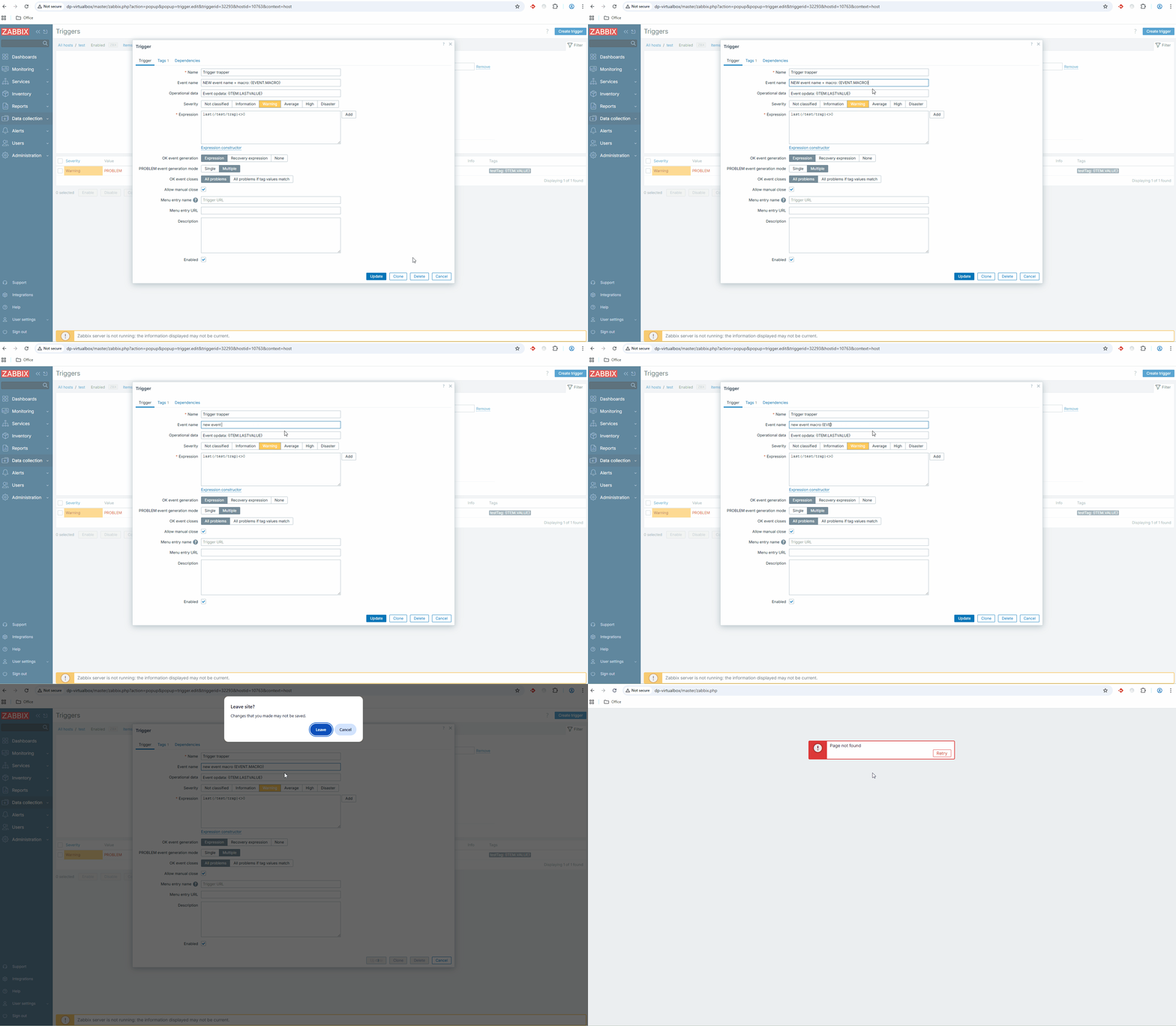
Expected: The user successfully updates the trigger configuration and is redirected to the list of triggers for the previously selected host.
Note: The issue may not reproduce immediately. Try successfully updating the trigger configuration first, then repeat this scenario again.
- duplicates
-
-
- Closed
-