-
Type:
Problem report
-
Resolution: Won't fix
-
Priority:
 Trivial
-
None
-
Affects Version/s: 6.0.43rc1, 7.0.22rc1, 7.2.15rc1, 7.4.6rc1, 8.0.0alpha2
-
Component/s: Frontend (F)
Steps to reproduce:
- Add a new/Update an exising SLA form, choose custom schedule, check one day
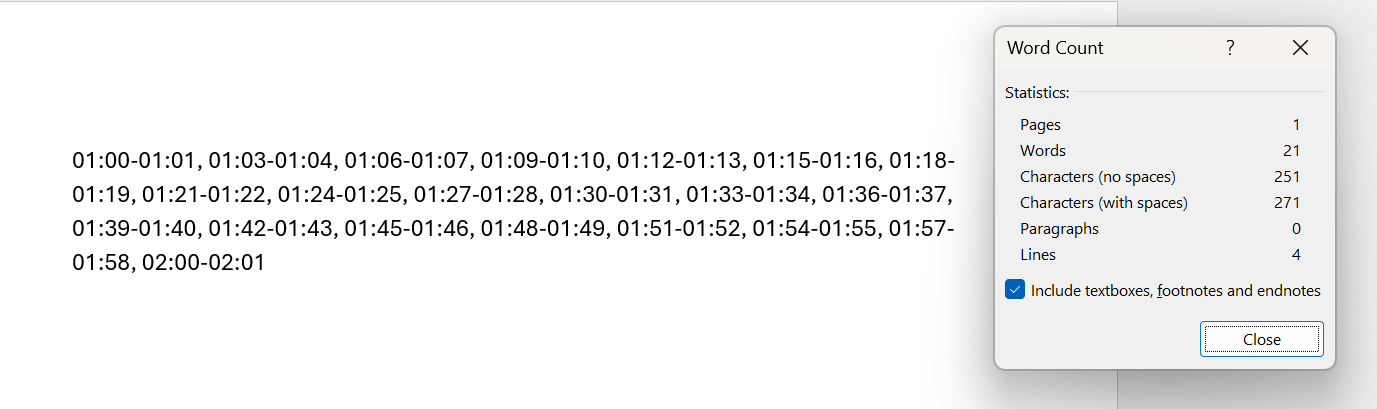
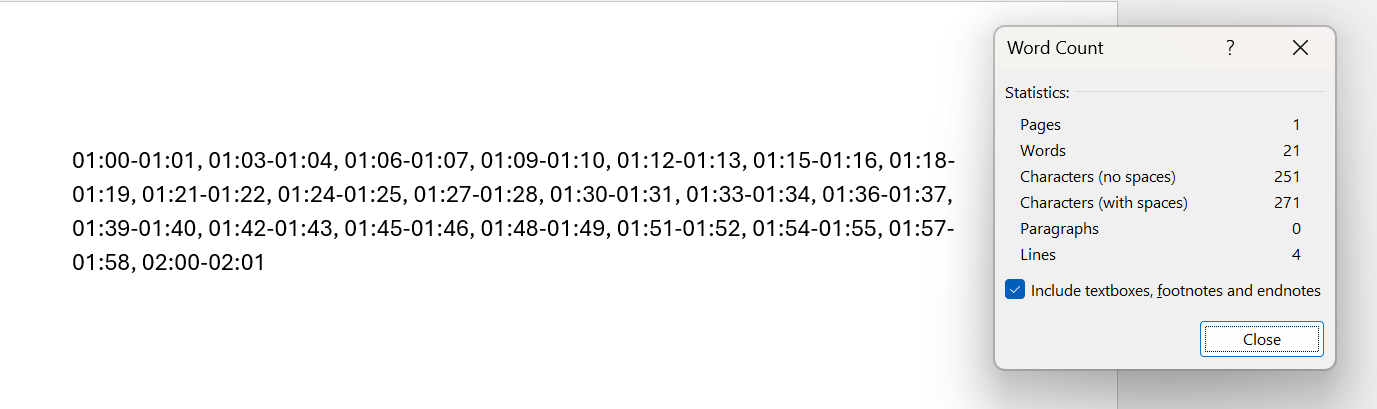
- In the day input field enter 21 pairs of time in format hh:mm-hh:mm WITHOUT SPACES INBETWEEN PAIRS, that adds up to 251 char and 255 is the max allowed. You can paste the following values:
01:00-01:01,01:03-01:04,01:06-01:07,01:09-01:10,01:12-01:13,01:15-01:16,01:18-01:19,01:21-01:22,01:24-01:25,01:27-01:28,01:30-01:31,01:33-01:34,01:36-01:37,01:39-01:40,01:42-01:43,01:45-01:46,01:48-01:49,01:51-01:52,01:54-01:55,01:57-01:58,02:00-02:01 - Save the form
- Reopen the form, observe the time field - there are spaces added after each pair (after the comma separating pairs)
- The character count with spaces now is 271
- Try changing the minute of the last time pair - change it from 02:00-02:01 to 02:00-02:02; it is not possible - after deleting the last char you can't enter a new one
- Delete the last time pair (02:00-02:01) completely, leaving the 01:57-01:58 as the last pair, press Enter on you keyboard; a message "Please shorten this text to 255 characters or less (you are currently using 258 characters)." is displayed
- Update the form, observe the form being updated successfully
Actual: space added inbetween time pairs in custom schedule time input field
Expected: no space should be added inbetween pairs to avoid situations like in step 6 and 7