-
Type:
Problem report
-
Resolution: Fixed
-
Priority:
 Trivial
-
Affects Version/s: 7.0.22, 7.4.6, 8.0.0alpha1
-
Component/s: Frontend (F)
-
S26-W18/19
-
1
Description:
When a user configures Working time for a single day of the week (for example, Monday) and then views an item graph in Latest data, the working period is displayed only once instead of being shown for every corresponding weekday within the selected time range.
Steps to reproduce:
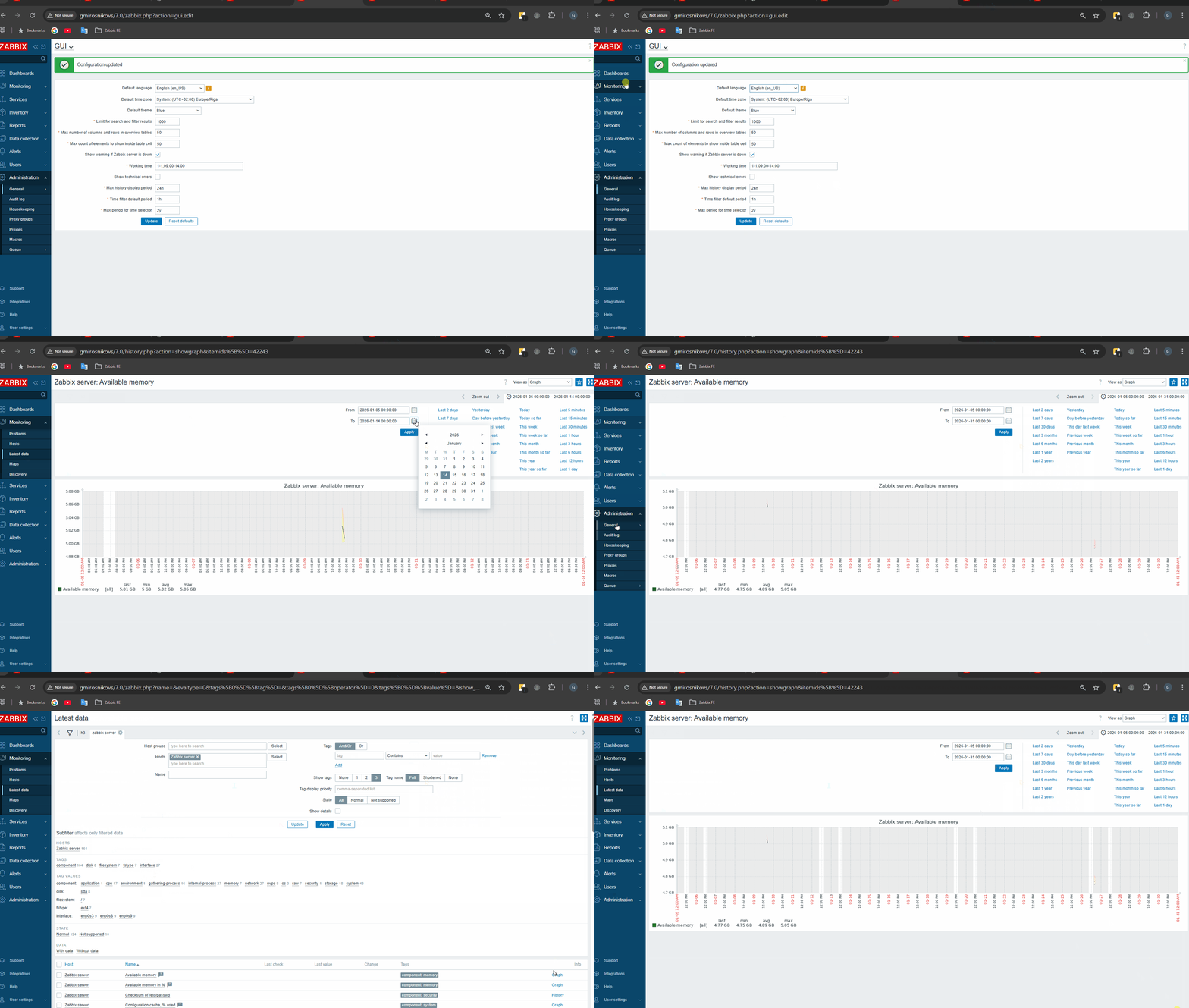
- Go to "Administration" -> "General" -> "GUI""
- Set Working time to: "1-1,09:00-14:00"
- Click "Update"
- Go to "Latest data" Open any item "Graph"
- Select a custom time period covering a full month (e.g. January)
Result:
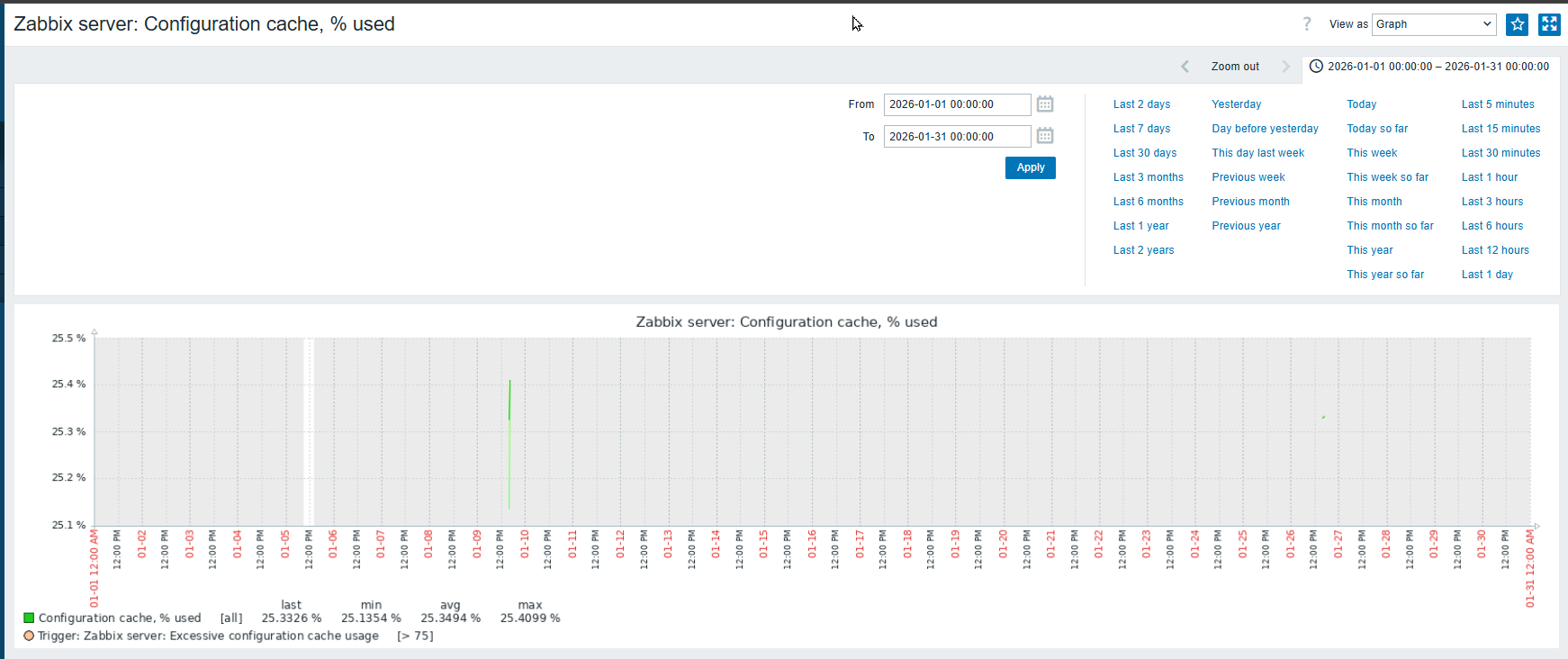
Working time is highlighted only for a single day in the graph instead of being repeated weekly.
Only one day is displayed with a white background (working time).
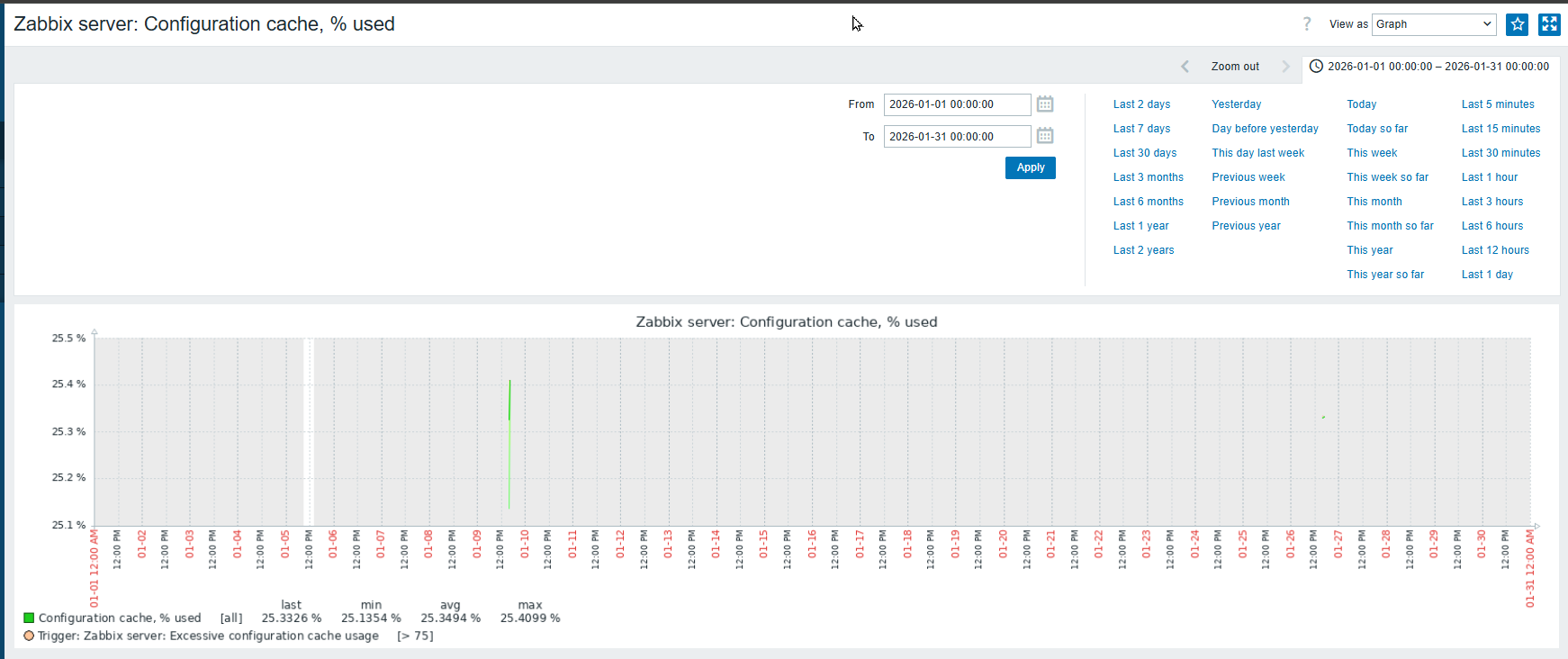
Please see screencast in attachment
Expected:
Working time should be displayed on the graph for every Monday within the selected time period.