-
Type:
Problem report
-
Resolution: Fixed
-
Priority:
 Trivial
-
Affects Version/s: 7.4.7rc1, 8.0.0alpha2
-
Component/s: Frontend (F)
-
S26-W08/09, S26-W10/11, S26-W12/13
-
0.5
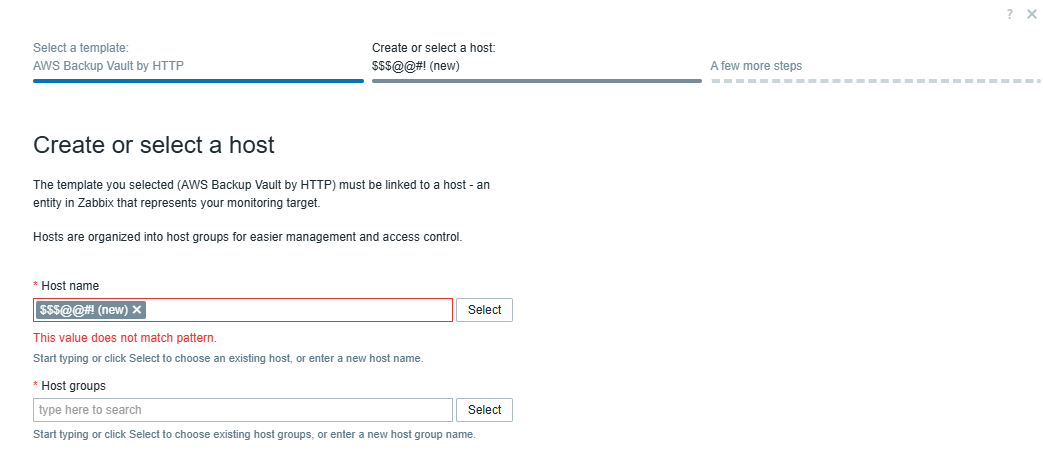
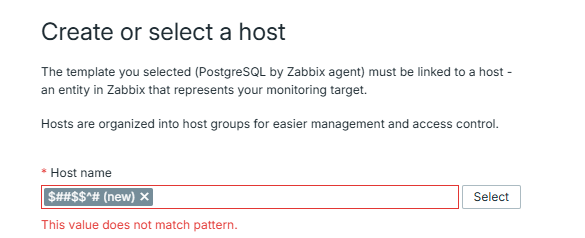
Problem description: The inline error message, that is displayed if a value with invalid symbols is used in "Host name" field in host configuration wizard, is misleading:
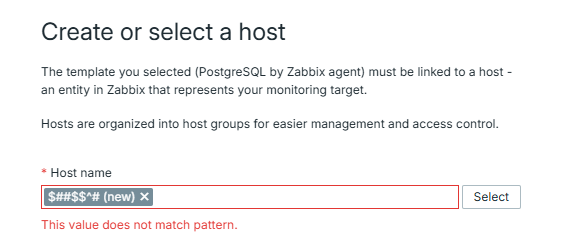
The message states, that the value does not match a certain pattern, even though the actual problem is that the value includes symbols that cannot be used in host names. This message is even more misleading in context of the host wizard, because in this case the user not only can specify some new host name, but he can also select an existing host, which can be located by the part of its name (or in other words - pattern). This may cause the user to think that he can only selecy existing hosts here, which is wrong.
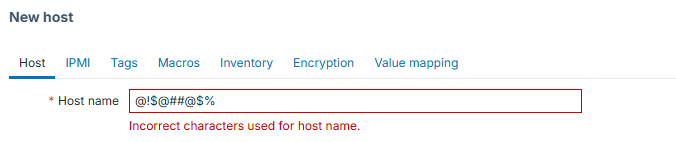
In regular host creation form the message clearly points out the exact cause of the problem:
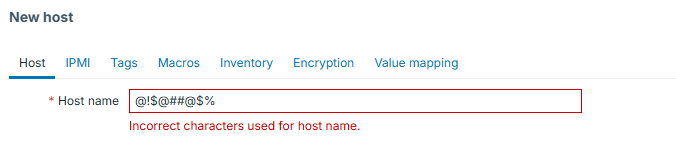
Steps to reproduce:
- Navigate to Data collection => Hosts
- Click on the "Host wizard" button
- Select any template in the first view and press "Next"
- Enter an invalid host name in "Host name" field
- Remove focus from the "Host name" field
Result: the following inline error is observed: "This value does not match pattern."
Expected: same erro message as in regular host configuration form is expected: "Incorrect characters used for host name."