-
Type:
Problem report
-
Resolution: Unresolved
-
Priority:
 Trivial
-
Affects Version/s: 7.0.23rc1, 7.4.7rc1, 8.0.0alpha1, 8.0.0alpha2
-
Component/s: Frontend (F)
-
S26-W06/07, S26-W38/39, S26-W40/41
-
0.5
Steps to reproduce:
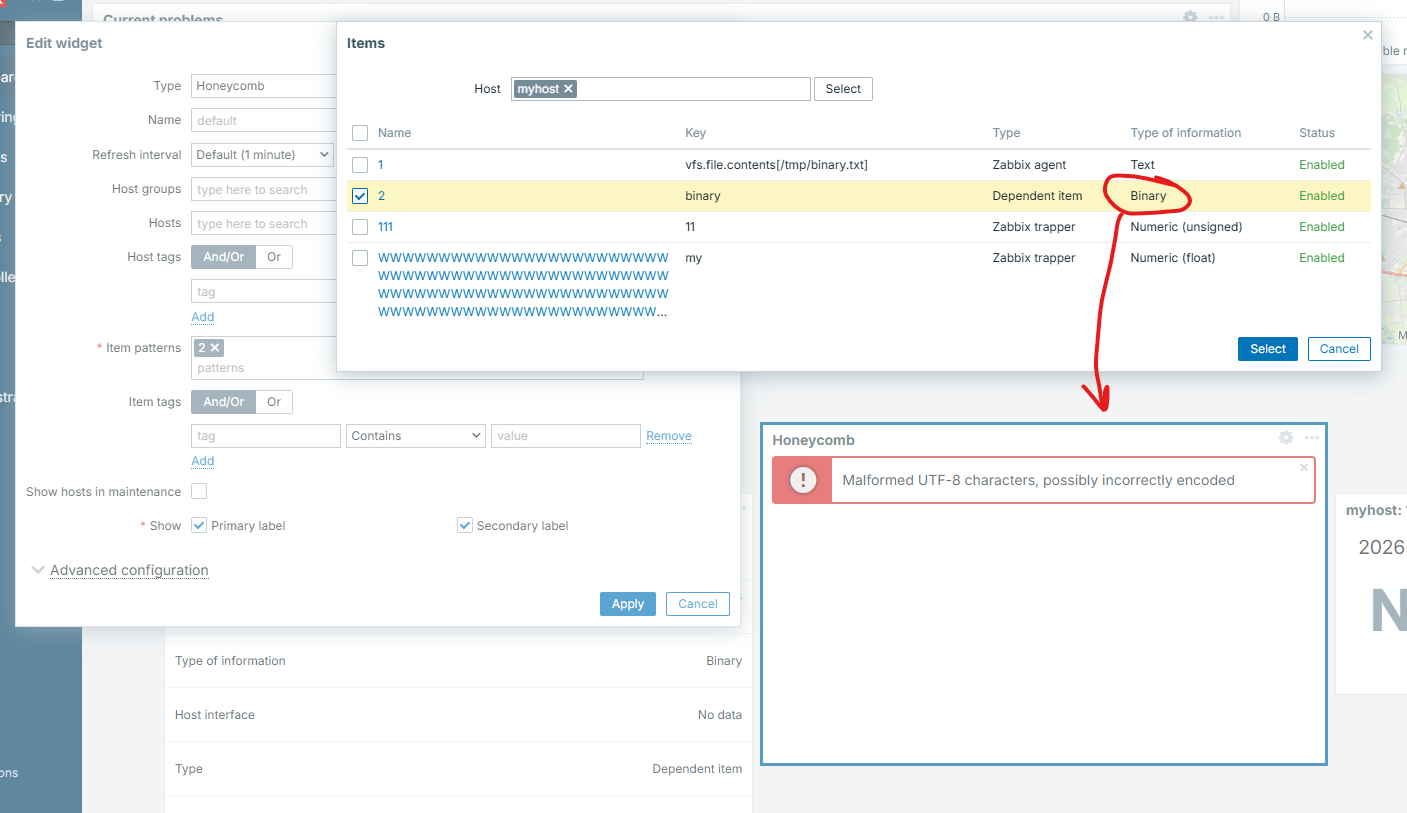
- Create an item with Type of information = Binary (dependent item).
- Ensure the item contains binary data (screenshot).
- Add this item to a Honeycomb dashboard widget.
- Save the widget.
Result:
Honeycomb widget displays an error message:
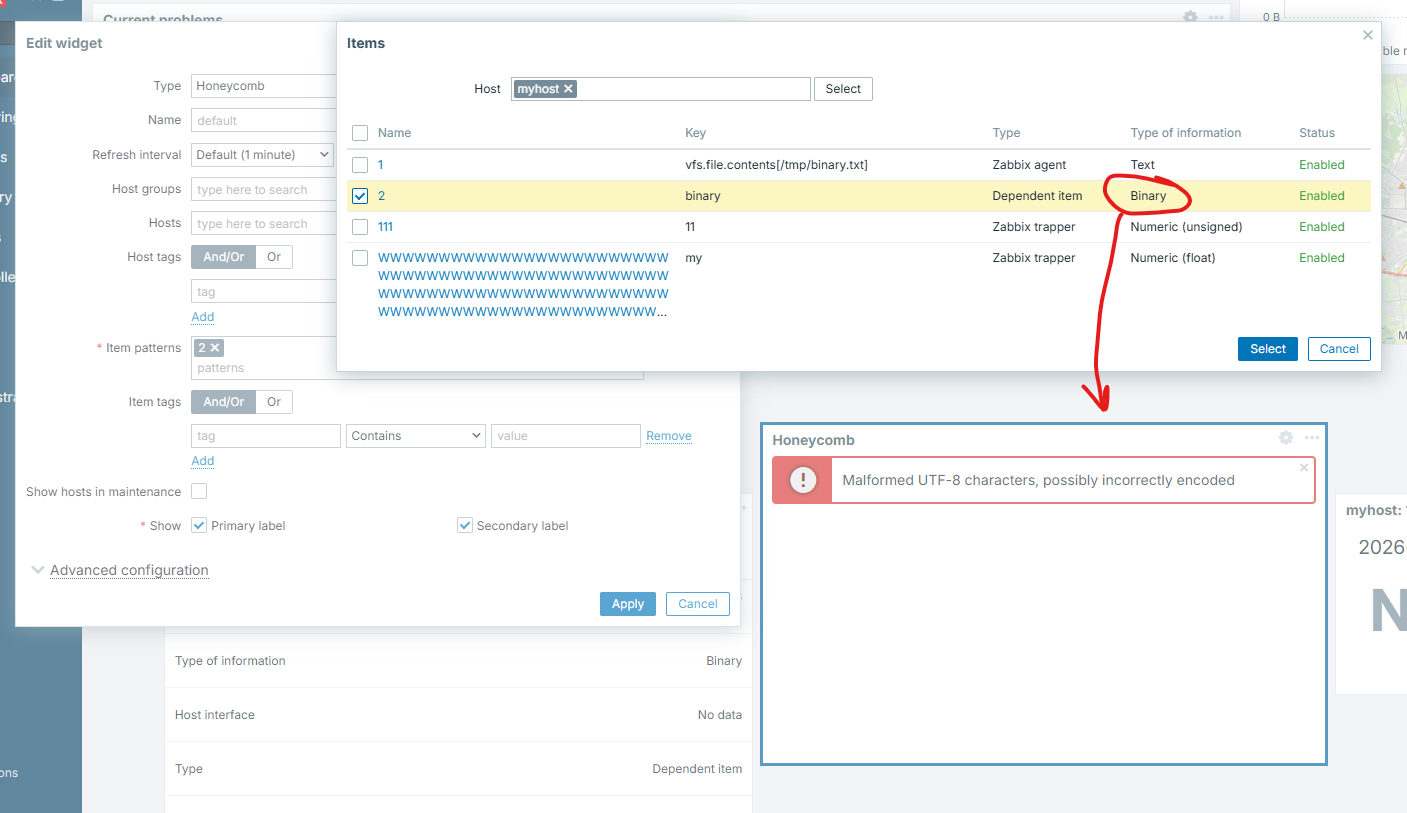
Expected:
Honeycomb widget should accept binary items and render them without attempting to decode or interpret their contents.