-
Type:
Problem report
-
Resolution: Fixed
-
Priority:
 Trivial
-
Affects Version/s: 8.0.0beta1
-
Component/s: API (A), Frontend (F)
-
Prev.Sprint, S26-W12/13
-
0.5
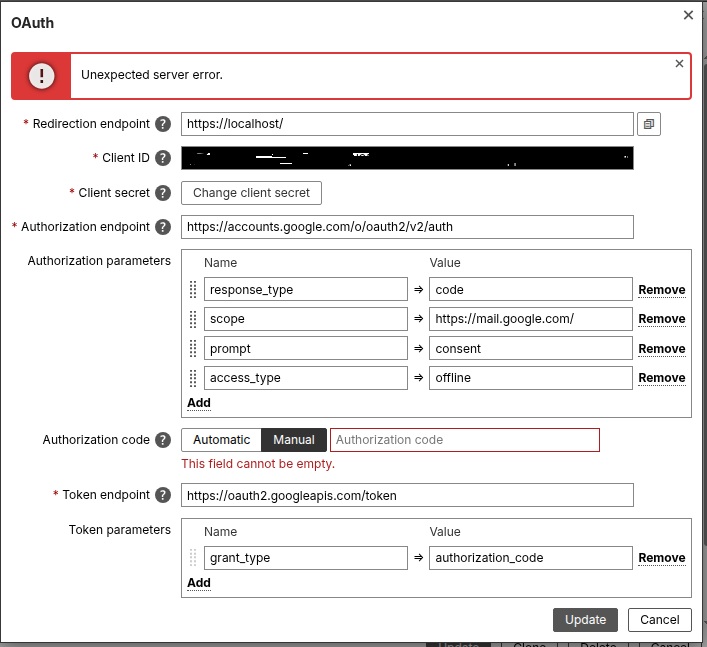
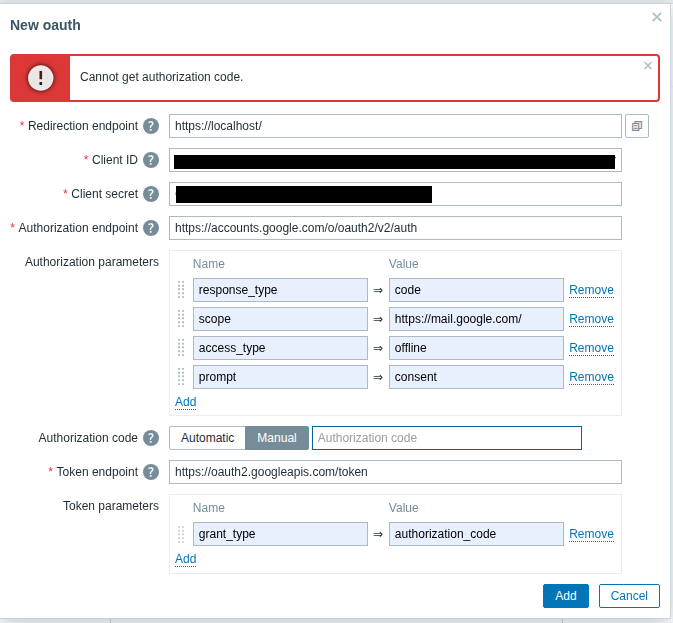
Error message "Unexpected server error" is displayed instead of "Cannot get authorization code.", if OAuth token configuration was incomplete.
Steps to reproduce:
- Open Alerts -> Media types
- Create media type:
Type: Email
Email provider: Generic SMTP
SMTP server: smtp.gmail.com
SMTP server port: 587
Email: add any email
Authentication -> OAuth - Click configure OAuth tokens
- Add any values to mandatory fields (if doesn't have a previously configured Gmail account)
- Click Update
- Close the pop-up window that appeared and see the error message
Result:
"Unexpected server error"
See screenshot:
Expected:
Message "Cannot get authorization code." should be displayed. (Behavior from 7.4 version)
See screenshot:
- caused by
-
ZBXNEXT-9744 Introduce inline form validation - Media type form
-

- Closed
-


