-
Type:
Problem report
-
Resolution: Fixed
-
Priority:
 Trivial
-
Affects Version/s: 7.0.24
-
Component/s: Templates (T)
-
None
-
Sprint candidates
-
0.2
Steps to reproduce:
- Use MS Teams webhook template
- Use instructions in said template to configurate MS Teams and Zabbix
- Make intentional configuration error on Zabbix side - incomplete webhook adress paste into Media configuration
- Prepare Host, trigger, trigger action
- Trigger a problem
- Wait for Zabbix to fail 3 attempts to send message to Teams
- Check error message in Teams
- Check server logs
Result:
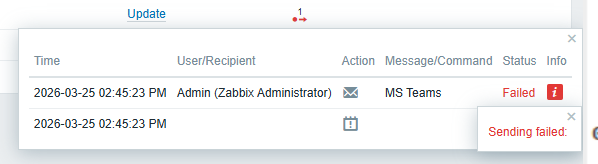
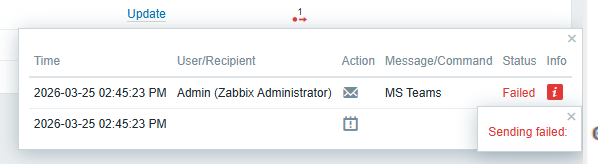
Zabbix frontend response:
Server logs:
67174:20260325:144523.487 [MS Teams Webhook] FAILED with response:
 67174:20260325:144523.487 [MS Teams Webhook] notification failed:
 67175:20260325:144533.399 [MS Teams Webhook] FAILED with response:
 67175:20260325:144533.400 [MS Teams Webhook] notification failed:
 67173:20260325:144543.503 [MS Teams Webhook] FAILED with response:
 67173:20260325:144543.503 [MS Teams Webhook] notification failed:
Expected:
Atleast on server log level some more information on where failure appeared