-
Type:
Problem report
-
Resolution: Unresolved
-
Priority:
 Trivial
-
Affects Version/s: 7.0.26rc1, 7.4.10rc1, 8.0.0beta1
-
Component/s: Frontend (F)
-
S26-W20/21, S26-W22/23, S26-W38/39, S26-W40/41, S26-W44/45
-
0.5
Steps to reproduce:
- Go to "Administration" -> "Macros"
- Add macro with multiline value. Click "Update"
- Go to "Data collection" -> "Host" -> "Create host"
- Go to "Macros" tab -> "Inherited and host macros"
- Add any template to the host and click "Update" button
- Go to "Macros" tab -> "Inherited and host macros"
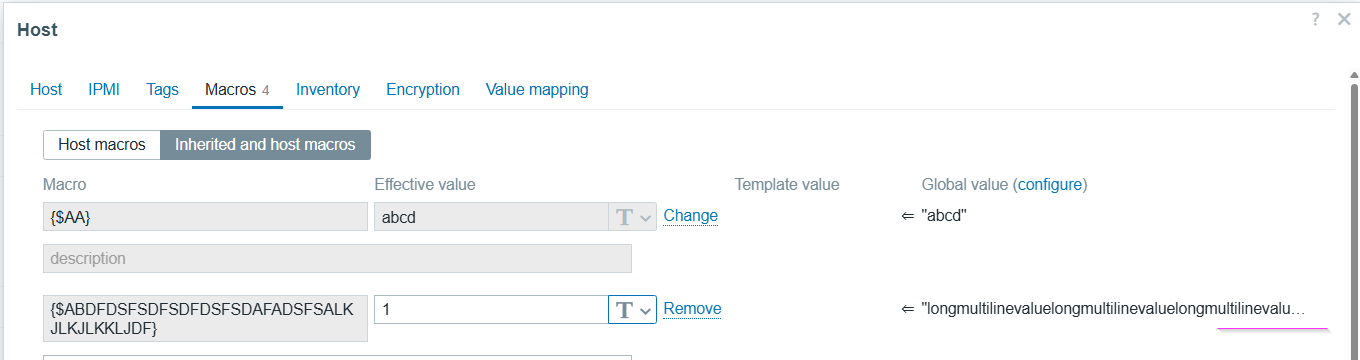
Result:
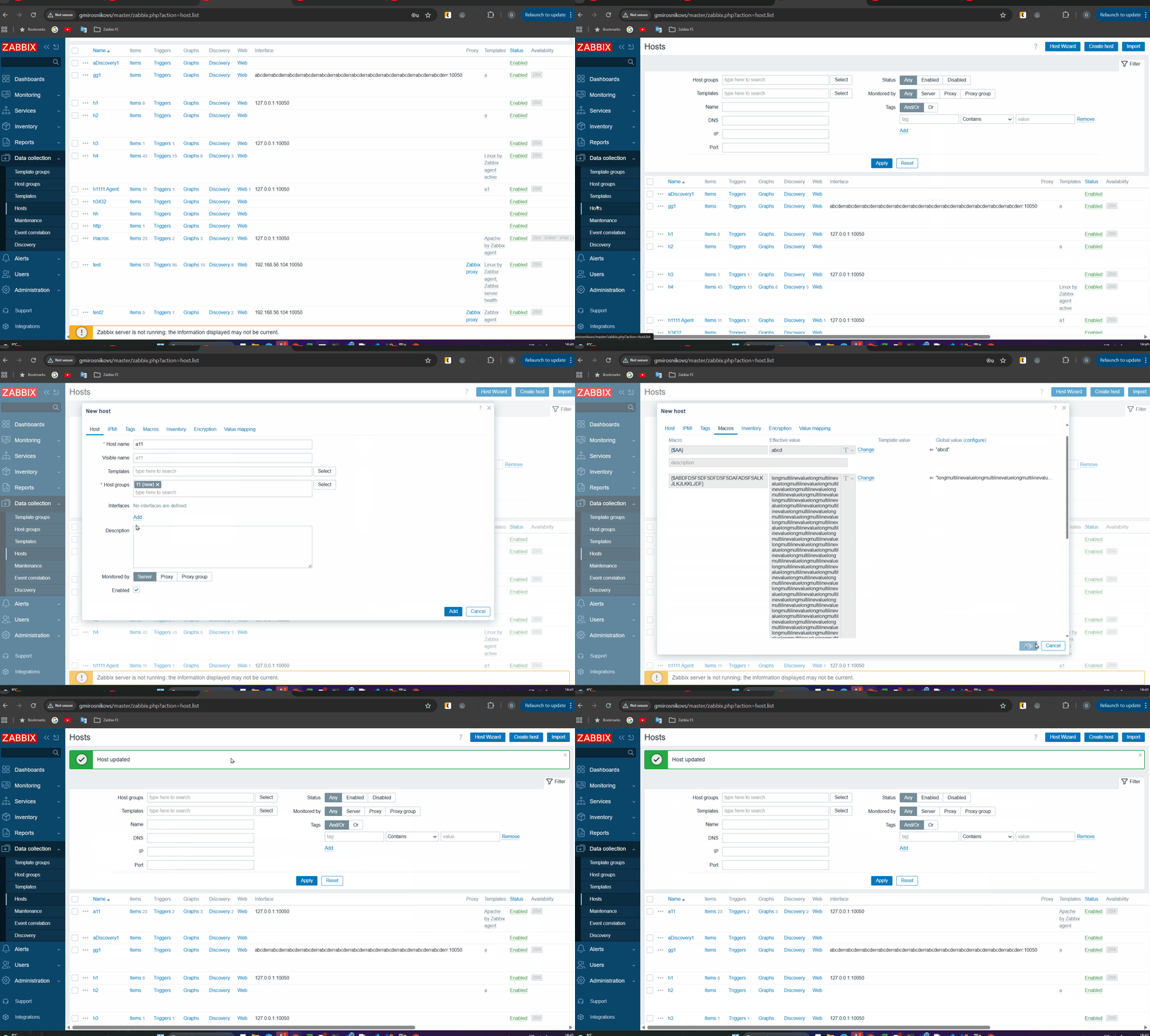
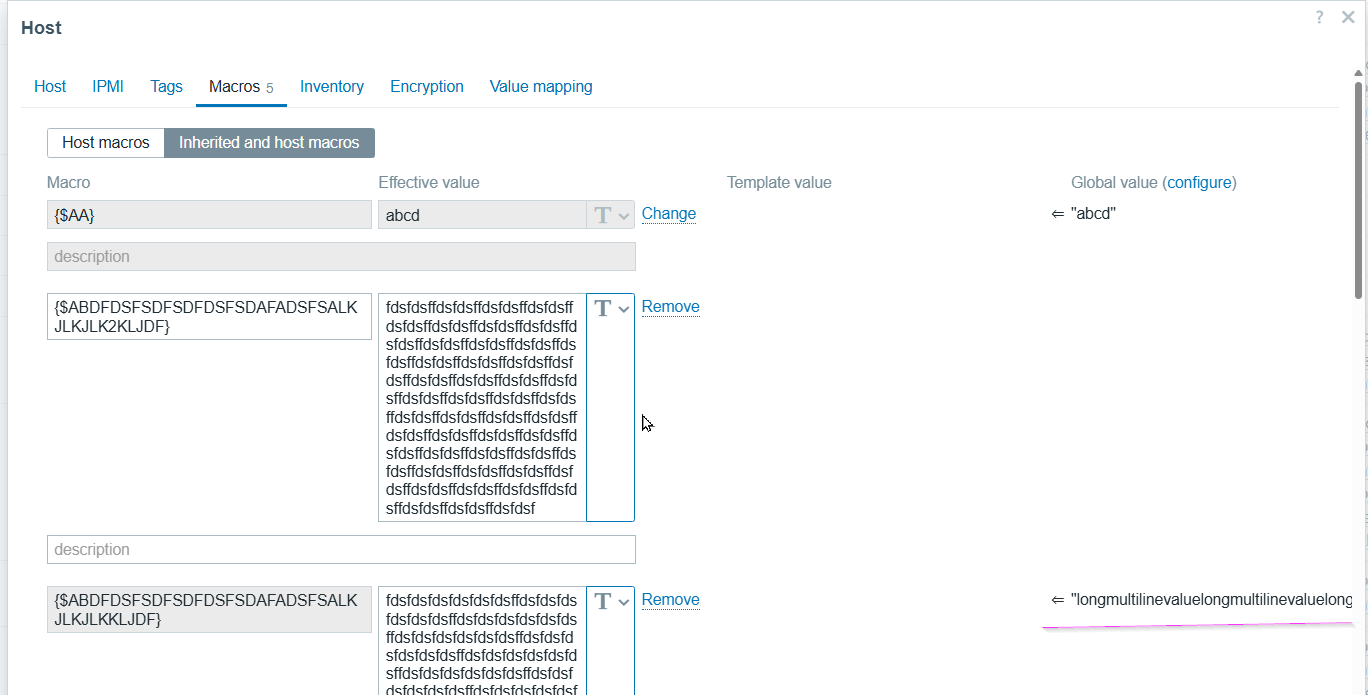
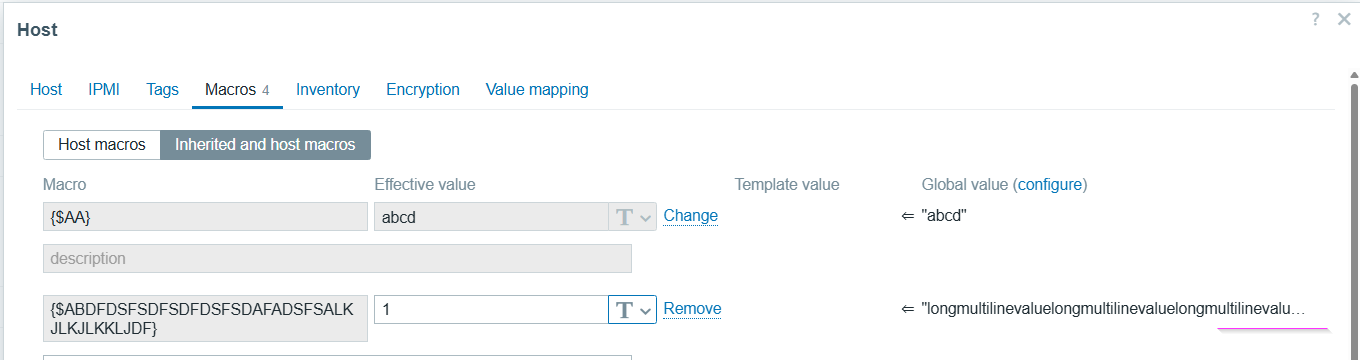
Page layout changed. There is no "..." after macro global value. Sometimes "Effective value" width is changed as well.
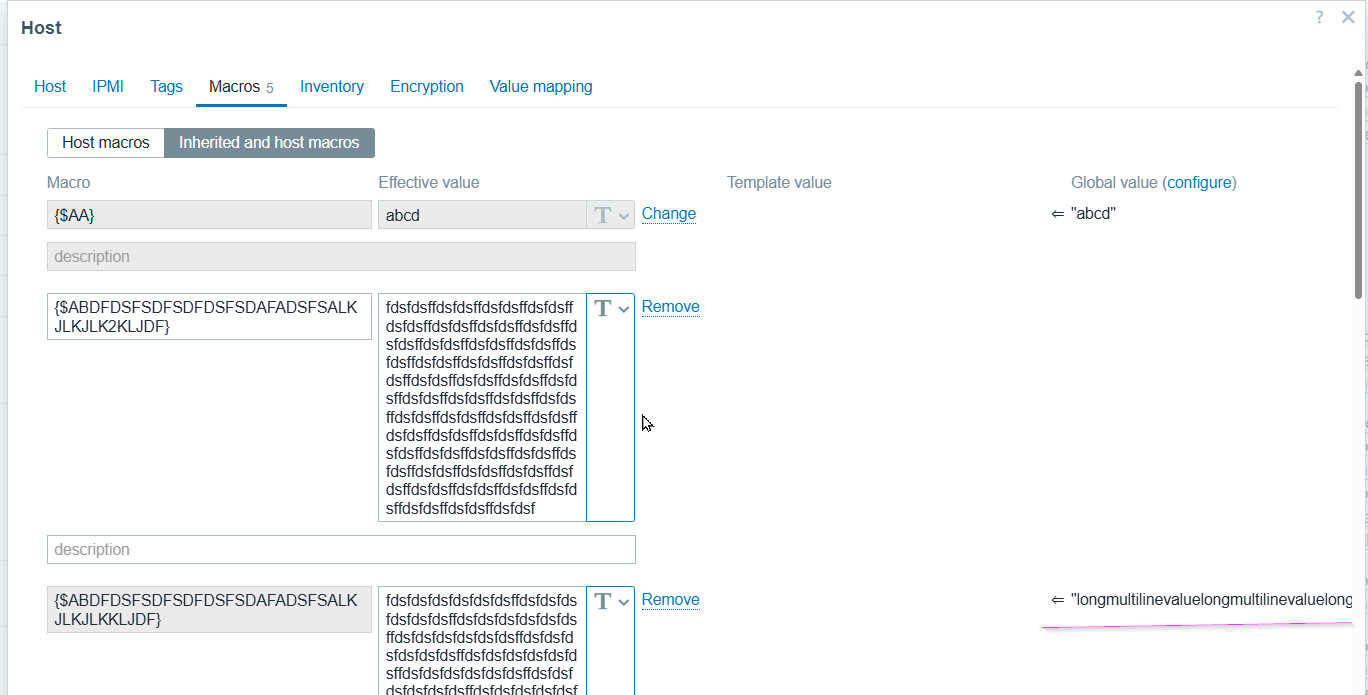
Please see screencast:
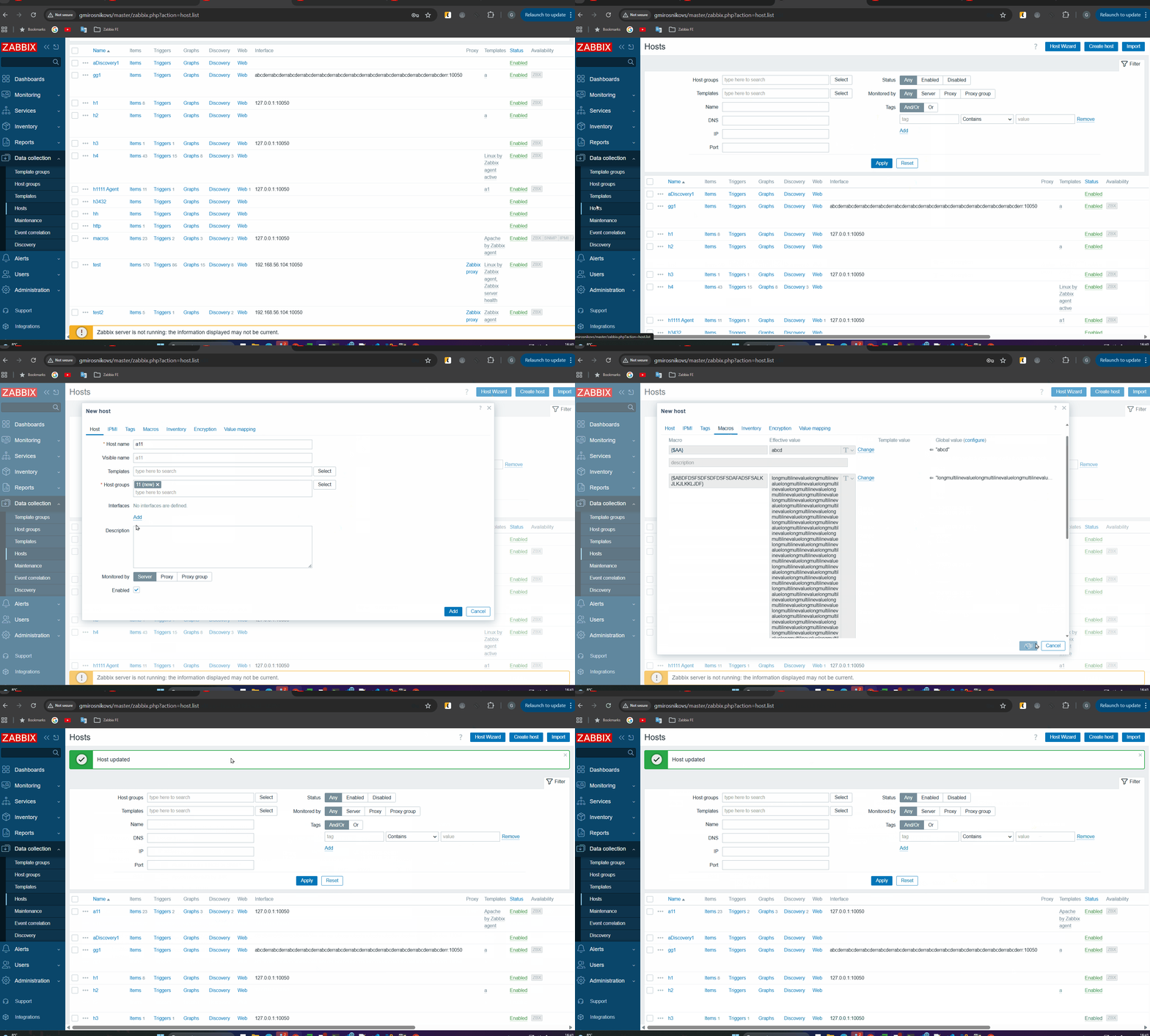
Expected:
Layout and Macro global value should look the same as before adding template