-
Type:
Problem report
-
Resolution: Unresolved
-
Priority:
 Trivial
-
Affects Version/s: 8.0.0beta1
-
Component/s: Frontend (F)
-
S26-W20/21, S26-W22/23, S26-W38/39, S26-W40/41
-
0.5
In Monitoring > Latest data, after entering part of an item name in the Name filter, the page shows a list of items that match the filter. Some of these items display an error in the Info column. The error can be opened by clicking it.
If the Name filter value is changed while the error popup is open and Apply is clicked, the filter is not applied. The URL in the search bar changes, but the item list does not refresh until the error popup is closed.
Steps to reproduce:
- Go to Monitoring > Latest data.
- In the Name filter, enter part of an item name.
- Open an error from the Info column in one of the listed items.
- Change the Name filter value.
- Click Apply
Result:
The filter is not applied until the error popup is closed.
Expected:
The filter should be applied immediately after clicking Apply, even if the error popup is open. 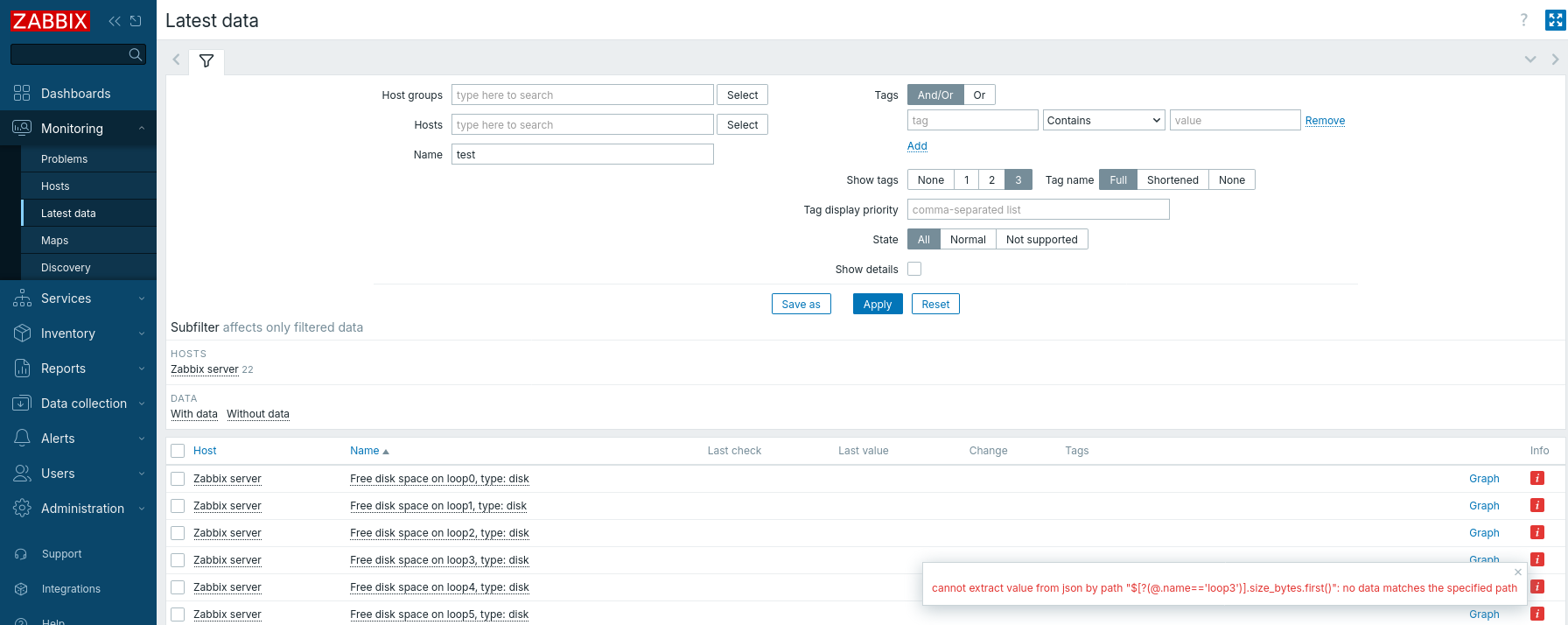

- caused by
-
-

- Closed
-


