-
Type:
Incident report
-
Resolution: Unresolved
-
Priority:
 Trivial
-
None
-
Affects Version/s: 7.4.9
-
Component/s: Frontend (F)
-
None
We have identified an issue with the Problems widget when using both "Host groups" and "Exclude host groups" filters together with user permissions.
Scenario:
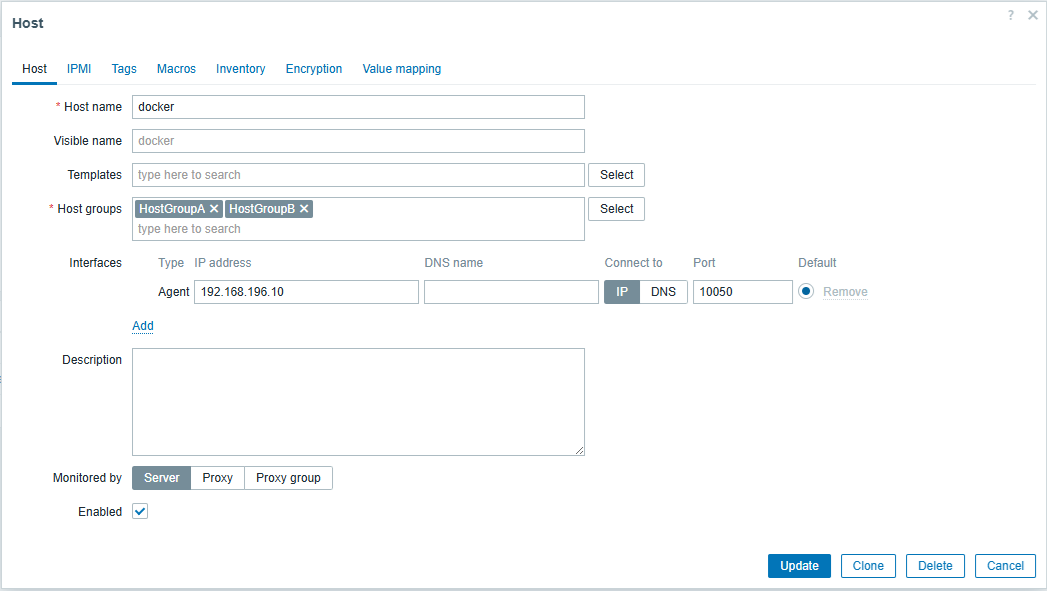
A host is assigned to two host groups:
- Host Group 1
- Host Group 2
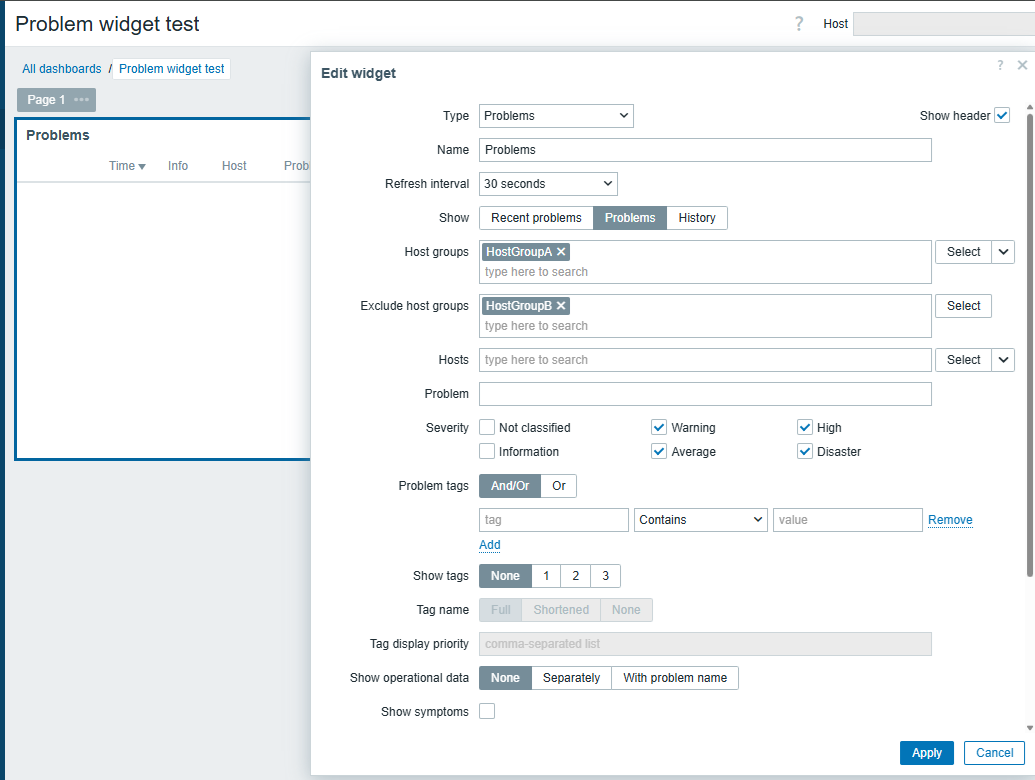
In the Problems widget configuration:
- Host Group 1 is selected under "Host groups"
- Host Group 2 is selected under "Exclude host groups"
A restricted user has permissions only for Host Group 1.
The same user has no permissions for Host Group 2.
The affected host is a member of both groups.
Actual result:
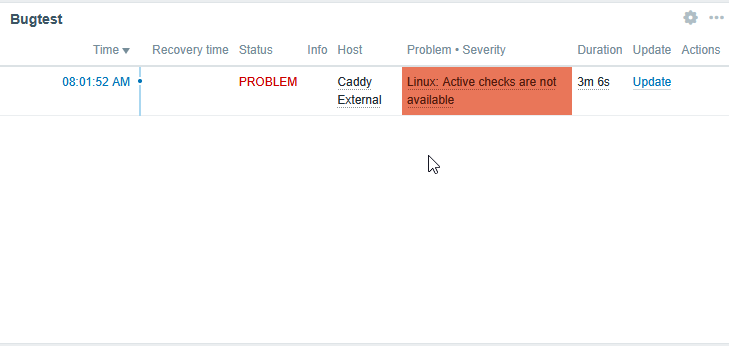
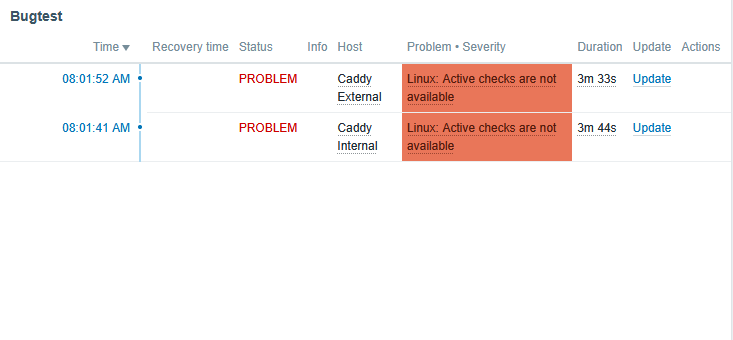
When logging in as the restricted user, the Problems widget still shows problems for the affected host, even though the host is part of the host group configured under "Exclude host groups".
It seems that the "Exclude host groups" filter is not applied correctly when the logged-in user does not have permissions to view the excluded host group.
Expected result:
The Problems widget should apply the configured "Exclude host groups" filter regardless of whether the logged-in user has explicit permissions for the excluded host group.
If a host belongs to a host group configured under "Exclude host groups", problems for that host should not be displayed in the widget.
Steps to reproduce:
1. Create two host groups:
- Host Group 1
- Host Group 2
2. Add the same host to both host groups.
3. Trigger a problem on this host.
For example, stop the Zabbix agent service to generate an availability problem.
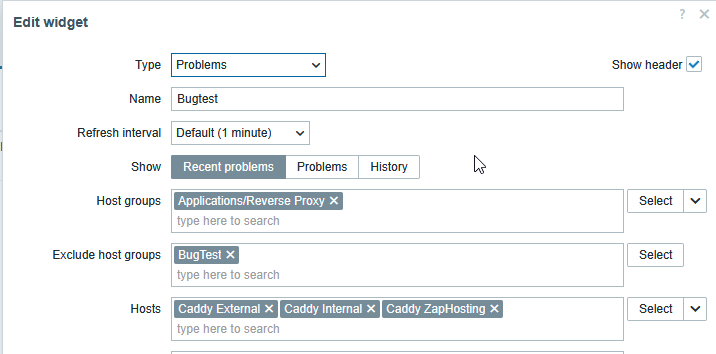
4. Configure a dashboard Problems widget with:
- Host groups: Host Group 1
- Exclude host groups: Host Group 2
5. Create or use a restricted user who has permissions only for Host Group 1.
6. Make sure the restricted user has no permissions for Host Group 2.
7. Log in as the restricted user and open the dashboard containing the Problems widget.
8. Compare the result with an administrator user.
Observed behavior:
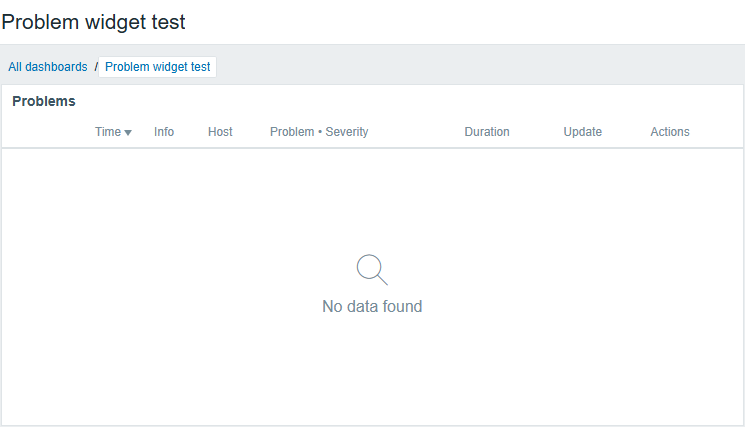
- As administrator, the widget behaves as expected and the excluded host group is taken into account.
- As restricted user, the widget shows problems for the affected host, although the host is part of the excluded host group.