-
Type:
Incident report
-
Resolution: Duplicate
-
Priority:
 Trivial
-
None
-
Affects Version/s: None
-
Component/s: Frontend (F)
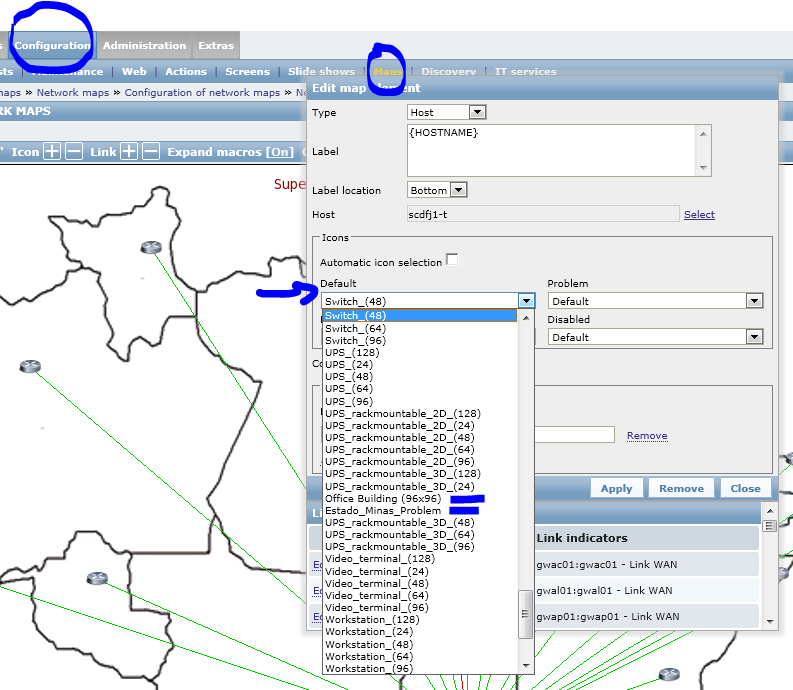
I would like to suggest to sort this (and all) droplists in Zabbix. The original zabbix icon's name where sorted. As soon as I added another icon (image) it was inserted in a random position in the drop list. Now I have a bunch of custom images scattered along this drop list, even though they have the same pattern of name. See attached Image for more detail. Thank you.
- duplicates
-
-
- Closed
-