-
Type:
Change Request
-
Resolution: Unresolved
-
Priority:
 Minor
Minor
-
None
-
Affects Version/s: 7.0.22
-
Component/s: Frontend (F)
Problem:
After configuring the scheduled reporting feature I also noticed that the email is automatically sent to every single email media that’s defined on the selected users.
Feature proposal:
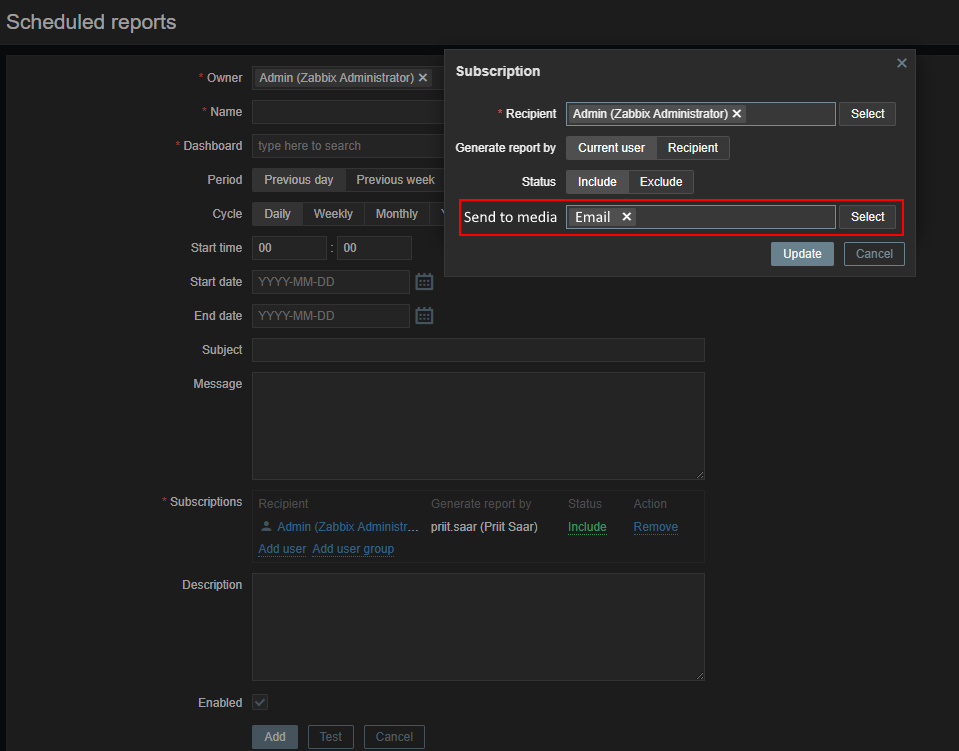
Add a filter for what email media to send to for a user.
I attached example concept of how I imagine it could work:
If "Status" is set to "Include" then there is another box below which allows selecting which email medias should be used for sending the report. If it's set to exclude then this option should be hidden as the user is excluded.
At least 1 email media must be selected to allow update.
Background/reasoning:
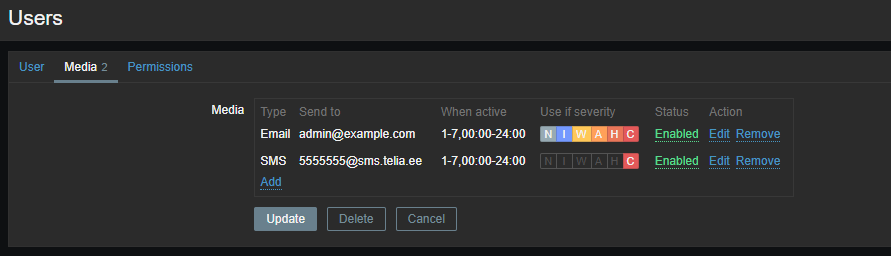
This is an issue in our case as we use a 2nd email media to send SMS to engineers using a feature of local provider called email-2-sms. I attached an image showing how this setup looks for us to indicate why we need 2 email medias on one user.
The report PDF does not arrive in SMS of course however the subject and body are sent. If they are empty then the sms is just a single ":" character.
I can work around this by creating a script instead which also sends an email.
However it seems like a simple addition to add to Zabbix and would make a lot of sense that we could filter out which email media should actually receive a report.