-
Type:
Change Request
-
Resolution: Won't fix
-
Priority:
 Trivial
-
None
-
Affects Version/s: None
-
Component/s: None
-
None
Need help installing zabbix 4.0 agent on Amazon Linux 2 AMI.
NAME="Amazon Linux"
VERSION="2"
ID="amzn"
ID_LIKE="centos rhel fedora"
VERSION_ID="2"
PRETTY_NAME="Amazon Linux 2"
ANSI_COLOR="0;33"
CPE_NAME="cpe:2.3:o:amazon:amazon_linux:2"
HOME_URL="https://amazonlinux.com/"
Amazon Linux release 2 (Karoo)
[root@ip-10-0-1-230 ec2-user]#
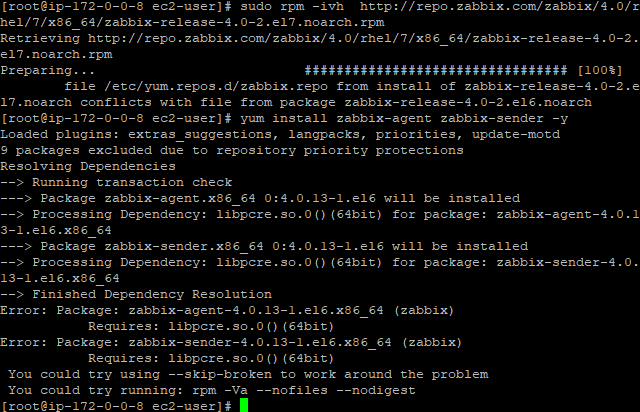
[root@ip-10-0-1-230 ec2-user]#{color:#ff0000} rpm -ivh http://repo.zabbix.com/zabbix/4.0/rhel/6/x86_64/zabbix-release-4.0-1.el6.noarch.rpm{color}
{color:#ff0000}Retrieving http://repo.zabbix.com/zabbix/4.0/rhel/6/x86_64/zabbix-release-4.0-1.el6.noarch.rpm{color}
warning: /var/tmp/rpm-tmp.wBW2wp: Header V4 RSA/SHA512 Signature, key ID a14fe591: NOKEY
Preparing... ################################# [100%]
Updating / installing...
 1:zabbix-release-4.0-1.el6 ################################# [100%]
[root@ip-10-0-1-230 ec2-user]#{color:#ff0000} yum install zabbix-agent zabbix-sender -y{color}
Loaded plugins: extras_suggestions, langpacks, priorities, update-motd
amzn2-core | 2.4 kB 00:00:00
amzn2extra-docker | 1.3 kB 00:00:00
zabbix | 2.9 kB 00:00:00
zabbix-non-supported | 951 B 00:00:00
zabbix/x86_64/primary_db | 109 kB 00:00:00
zabbix-non-supported/x86_64/primary | 3.8 kB 00:00:00
zabbix-non-supported 15/15
9 packages excluded due to repository priority protections
Resolving Dependencies
--> Running transaction check
---> Package zabbix-agent.x86_64 0:4.0.13-1.el6 will be installed
--> Processing Dependency: libpcre.so.0()(64bit) for package: zabbix-agent-4.0.13-1.el6.x86_64
---> Package zabbix-sender.x86_64 0:4.0.13-1.el6 will be installed
--> Processing Dependency: libpcre.so.0()(64bit) for package: zabbix-sender-4.0.13-1.el6.x86_64
--> Finished Dependency Resolution
Error: Package: zabbix-agent-4.0.13-1.el6.x86_64 (zabbix)
 Requires: libpcre.so.0()(64bit)
{color:#ff0000}Error: Package: zabbix-sender-4.0.13-1.el6.x86_64 (zabbix){color}
{color:#ff0000} Requires: libpcre.so.0()(64bit){color}
 You could try using --skip-broken to work around the problem
 You could try running: rpm -Va --nofiles --nodigest
[root@ip-10-0-1-230 ec2-user]#