text-values-through-latest-data-page.png
two-columns-in-excel.png
text-values-through-latest-data-page.png
two-columns-in-excel.png
[ZBXNEXT-7448] Auto expand column width to length of maximum value Created: 2022 Jan 26 Updated: 2023 Jun 01 |
|
| Status: | Open |
| Project: | ZABBIX FEATURE REQUESTS |
| Component/s: | Frontend (F) |
| Affects Version/s: | 5.0.19, 6.0.0beta3 |
| Fix Version/s: | None |
| Type: | Change Request | Priority: | Minor |
| Reporter: | Aigars Kadikis | Assignee: | Zabbix Development Team |
| Resolution: | Unresolved | Votes: | 4 |
| Labels: | None | ||
| Remaining Estimate: | Not Specified | ||
| Time Spent: | Not Specified | ||
| Original Estimate: | Not Specified | ||
| Attachments: |
text-values-through-latest-data-page.png
two-columns-in-excel.png
|
| Description |
|
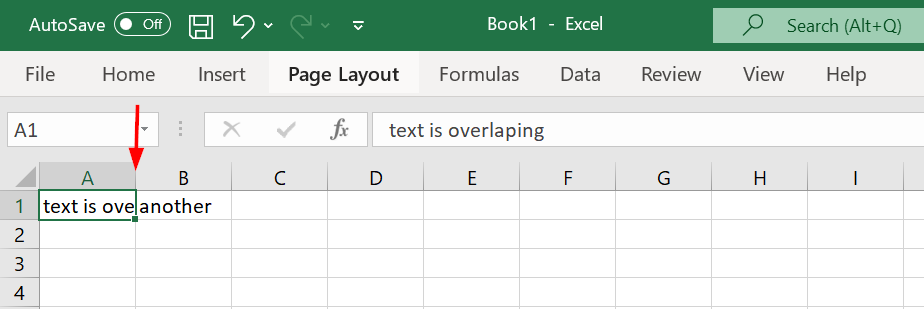
It would be nice to have an option to increase the width of a specific column. Set the size of column to the width, which matches the length of current maximum value on screen. Something similar like in MS Excel, we click between columns:
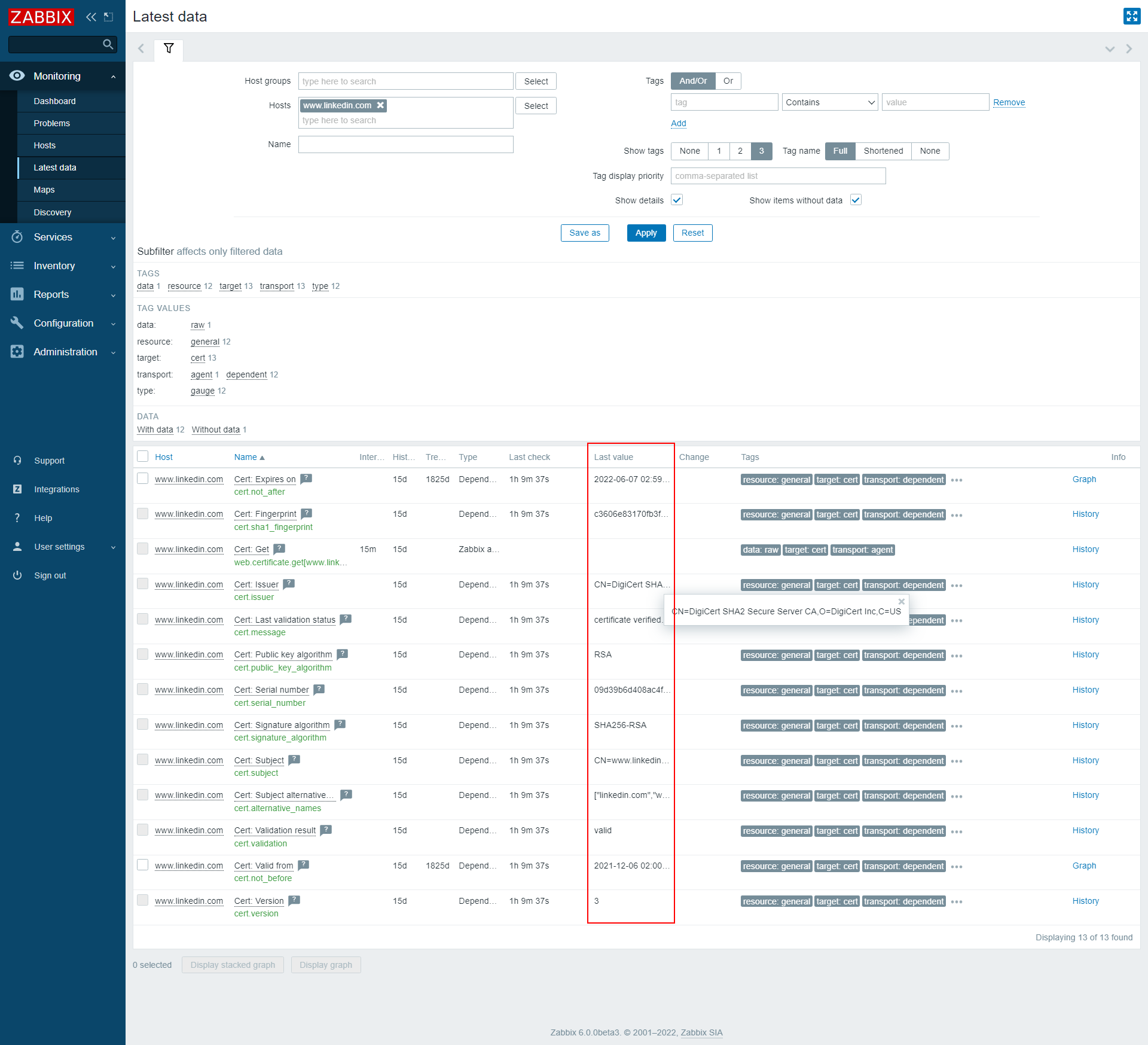
One example: Official SSL certificate monitoring template produces a lot of string values in the output:
Doing mouse over to each value is not productive. |