Zabbix Google SSO SignUp error

XMLWordPrintable

    • Type: Problem report
    • Resolution: Commercial support required
    • Priority: Trivial
    • None
    • Affects Version/s: 5.0.36
    • Component/s: Frontend (F)
    • Environment:
      Ubuntu 20.04.4 LTS

      Steps to reproduce:

      1. Login to Zabbix Dashboard with admin login
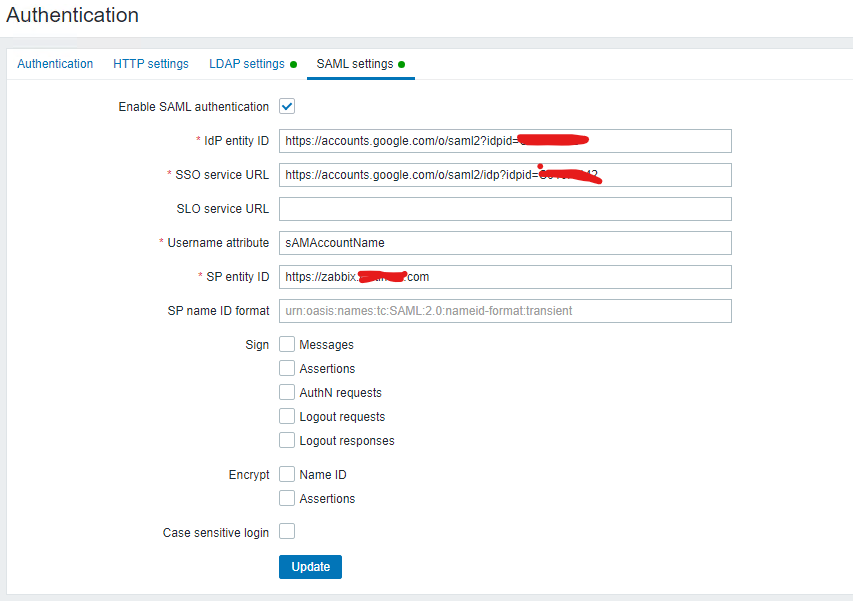
      2. In Administration option, click on Authentication >> SAML Setting
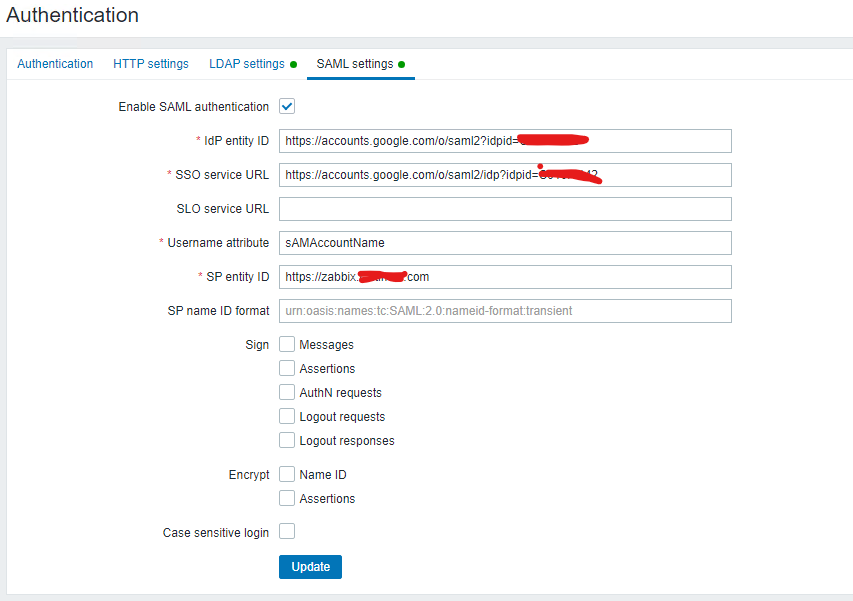
       

      3. Fill the SSO related information.

      4. Click on Option "Sign in with Single Sign-On (SAML)

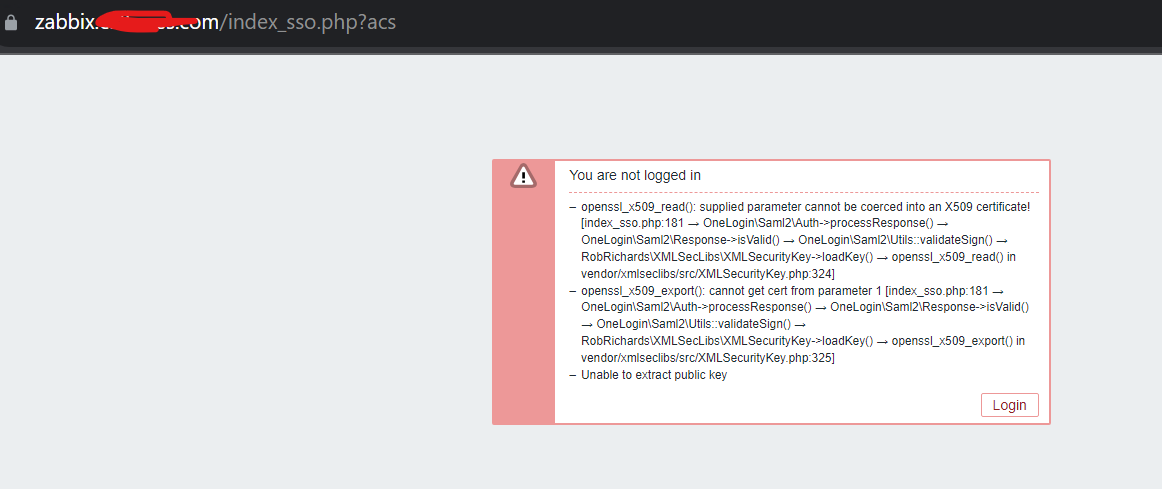
      5. After inserting gmail account details getting error.

      Result:
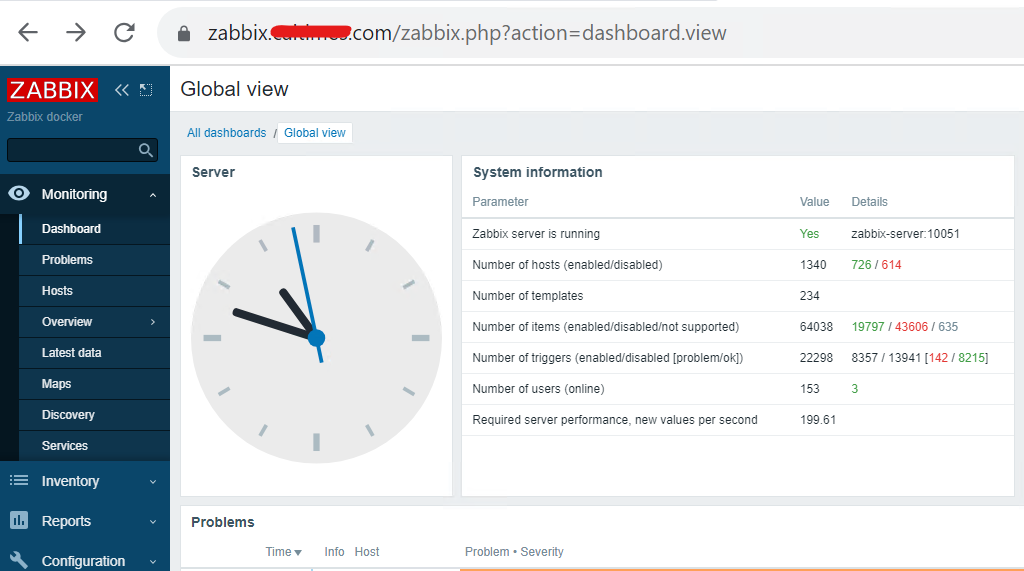
      See screenshot.
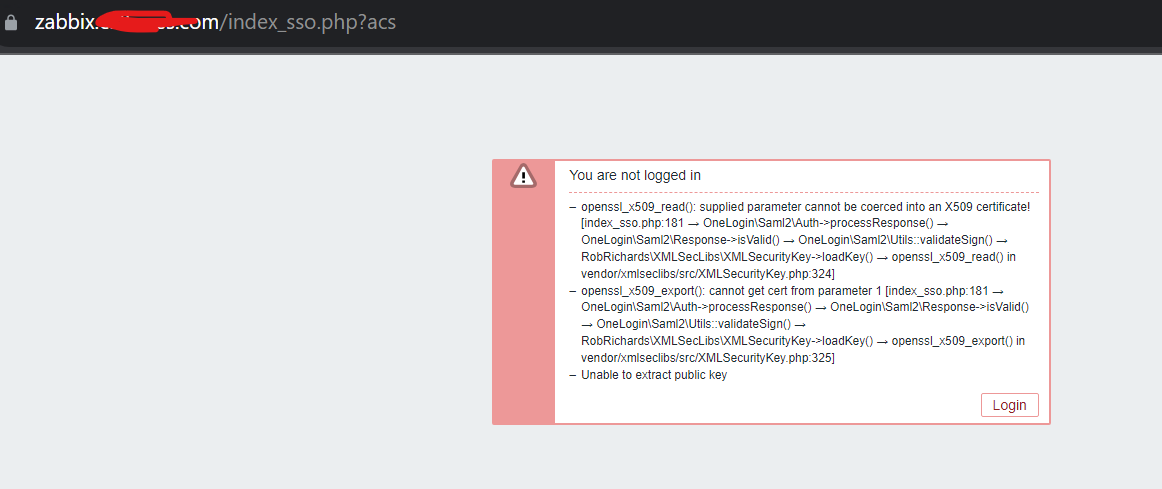
      Expected:
      See screenshot....


        1. image-2023-08-01-23-11-27-346.png
          38 kB
          Nadeem Shaikh
        2. image-2023-08-01-23-17-07-327.png
          44 kB
          Nadeem Shaikh
        3. image-2023-08-01-23-18-41-568.png
          78 kB
          Nadeem Shaikh
        4. saml2_Tracer_Report.txt
          5 kB
          Nadeem Shaikh

            Assignee:
            Zabbix Support Team
            Reporter:
            Nadeem Shaikh
            Team A
            Votes:
            0 Vote for this issue
            Watchers:
            2 Start watching this issue

              Created:
              Updated:
              Resolved: