-
Type:
Incident report
-
Resolution: Cannot Reproduce
-
Priority:
 Trivial
-
None
-
Affects Version/s: None
-
Component/s: None
-
None
Steps to reproduce:
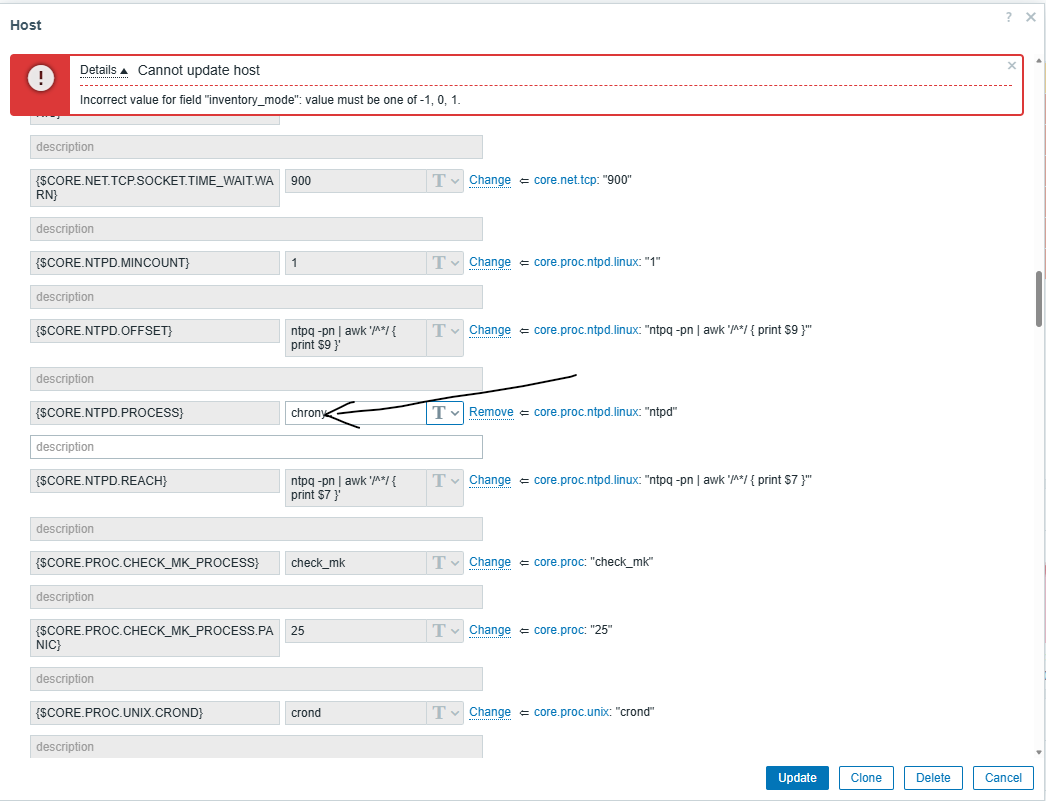
- Open a problematic host in Configuration → Hosts
- Go to Macros tab
- Modify the value of an existing macro (e.g. from ntpd to chronyd)
- Click Update
Expected result:
Macro value is updated successfully without any errors.
Actual result:
Update fails with host-inventory-related backend error shown in UI and debug panel.