-
Type:
Problem report
-
Resolution: Fixed
-
Priority:
 Trivial
-
Affects Version/s: 7.4.6, 8.0.0beta1
-
Component/s: Frontend (F)
-
S26-W10/11, S26-W16/17
-
1
Steps to reproduce:
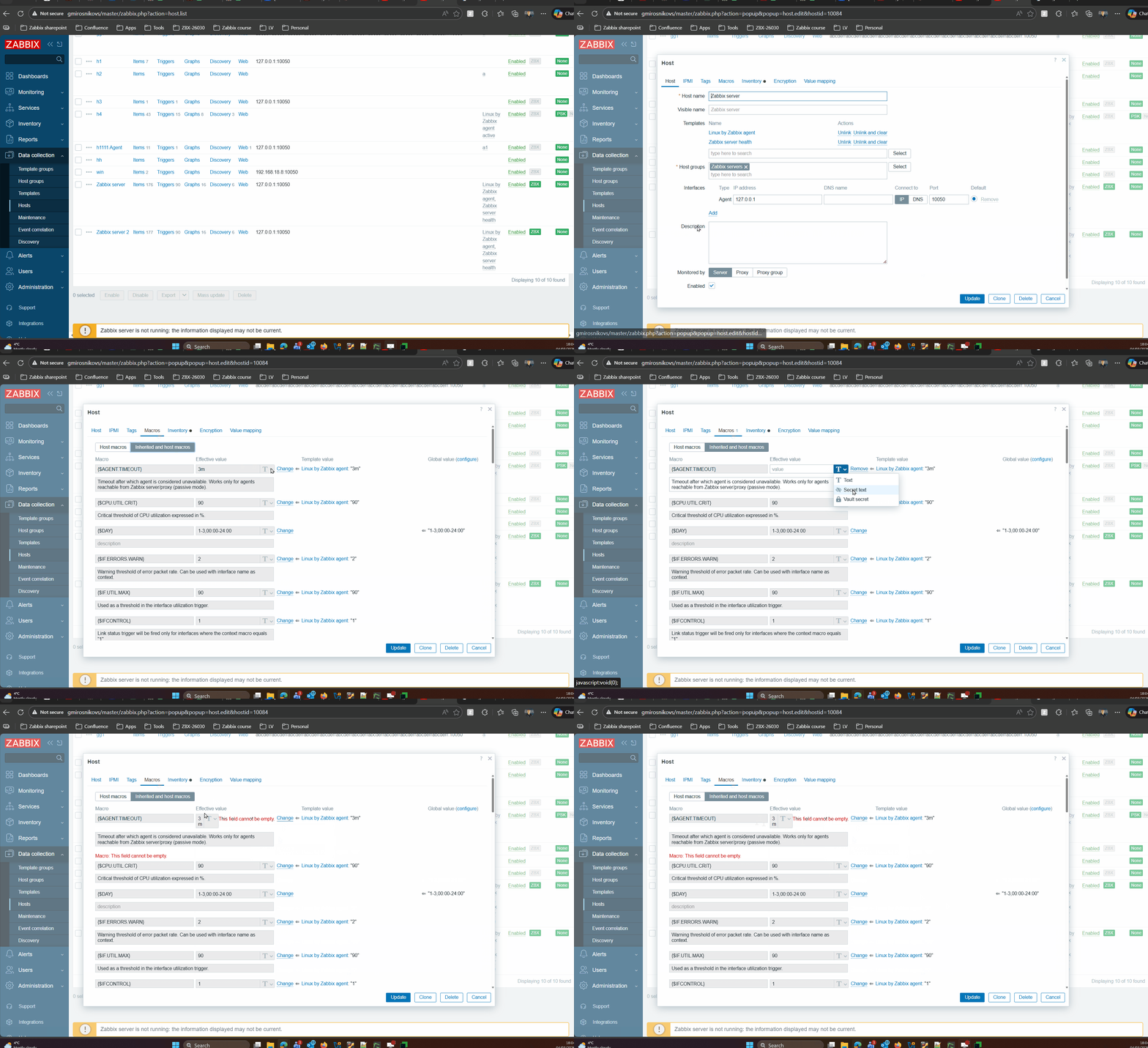
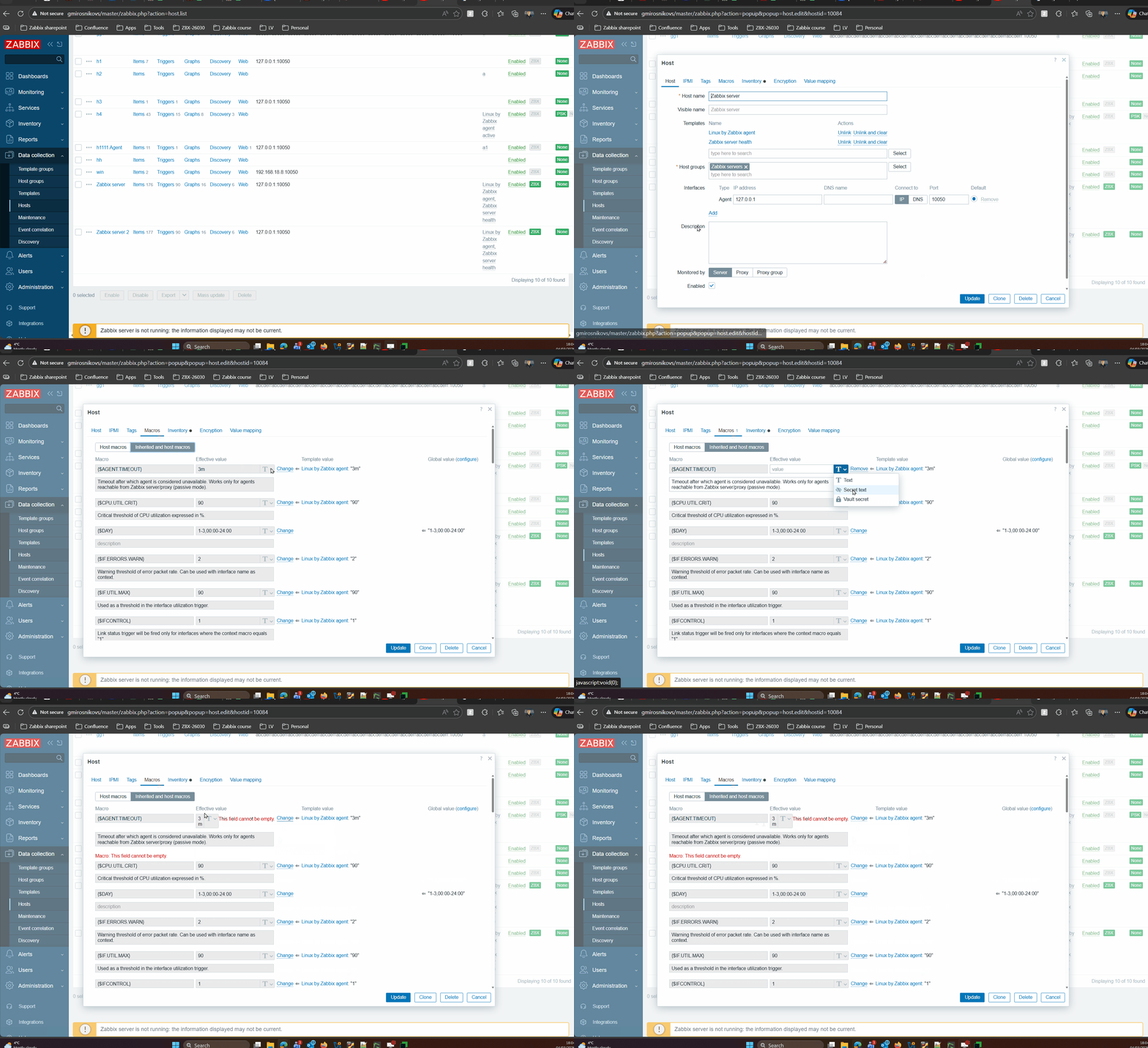
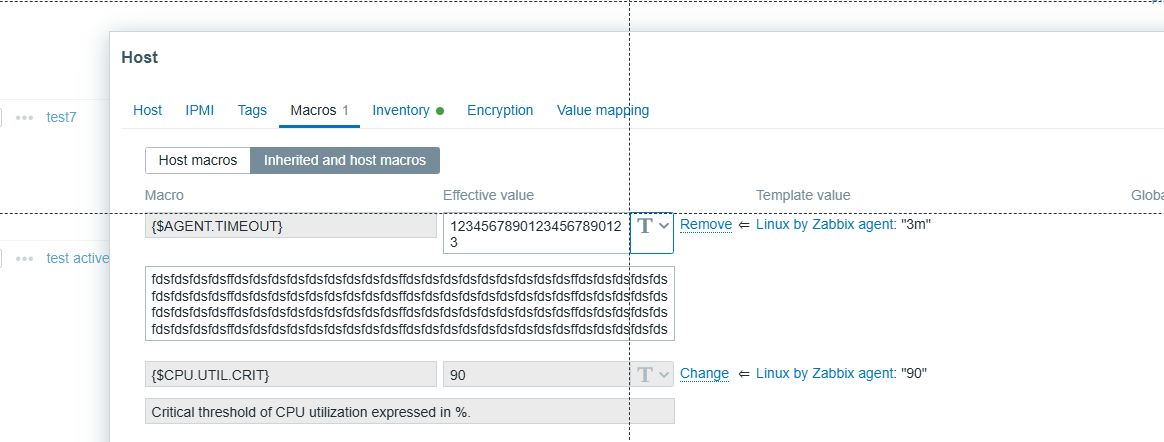
- Open any host with attached template
- Go to "Macros" tab
- Switch to "Inherited and host macros"
- Click "Change" next to "Effective value"
- Change type to "Secret text"
- Click "Remove"
Result:
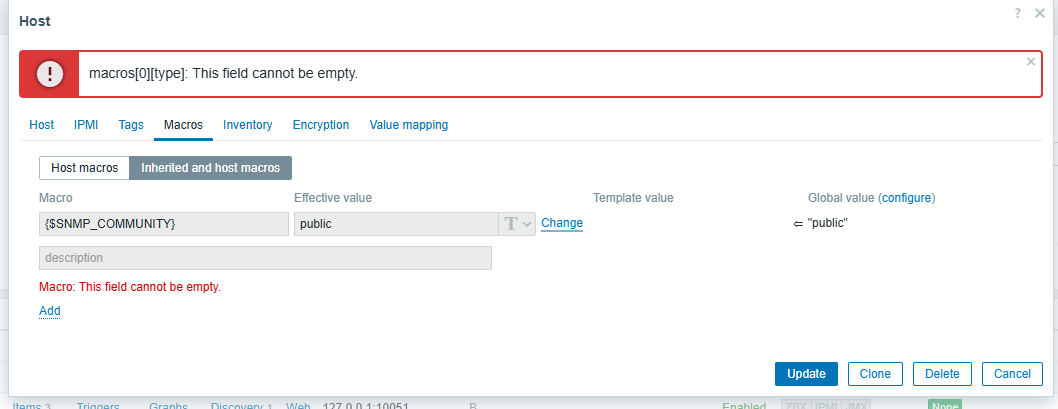
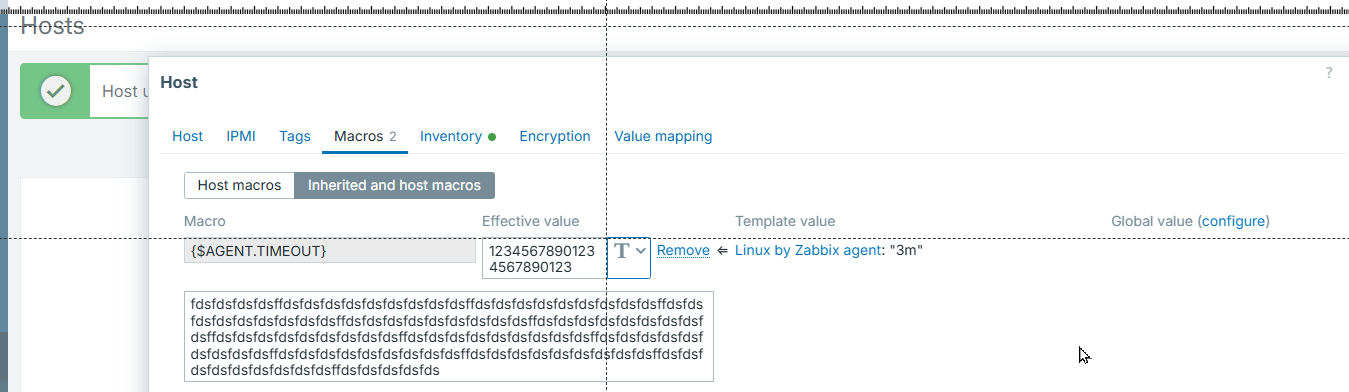
Inline validation error appear next to the field and breaks field width
Expected:
Inline validation error should appear under the field.
- is duplicated by
-
-
- Closed
-


