Inline validation error appears in wrong place in "Inherited and host macros" section

XMLWordPrintable

    • S26-W10/11, S26-W16/17
    • 1

      Steps to reproduce:

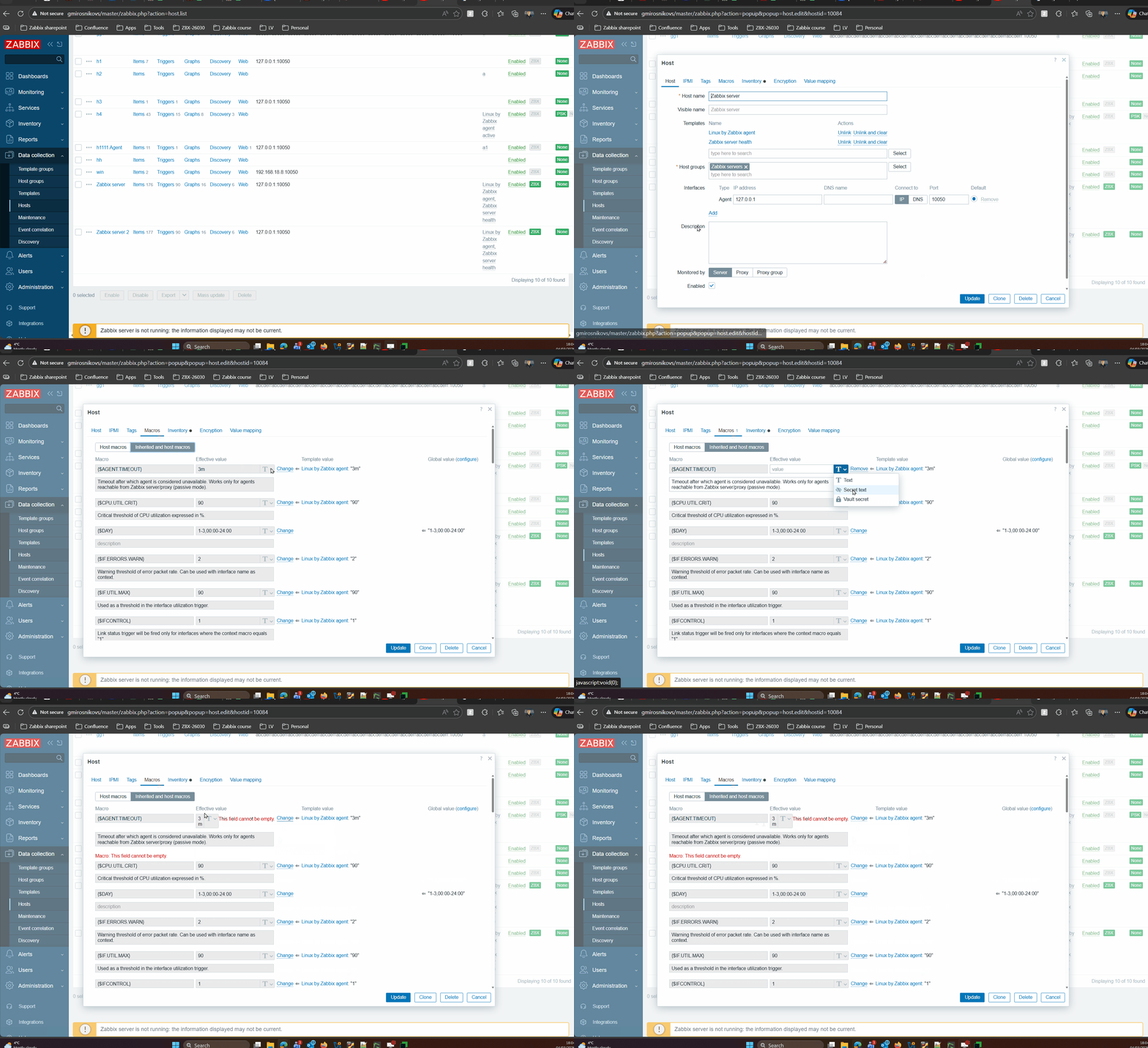
      1. Open any host with attached template
      2. Go to "Macros" tab 
      3. Switch to "Inherited and host macros"
      4. Click "Change" next to "Effective value"
      5. Change type to "Secret text"
      6. Click "Remove"

      Result:
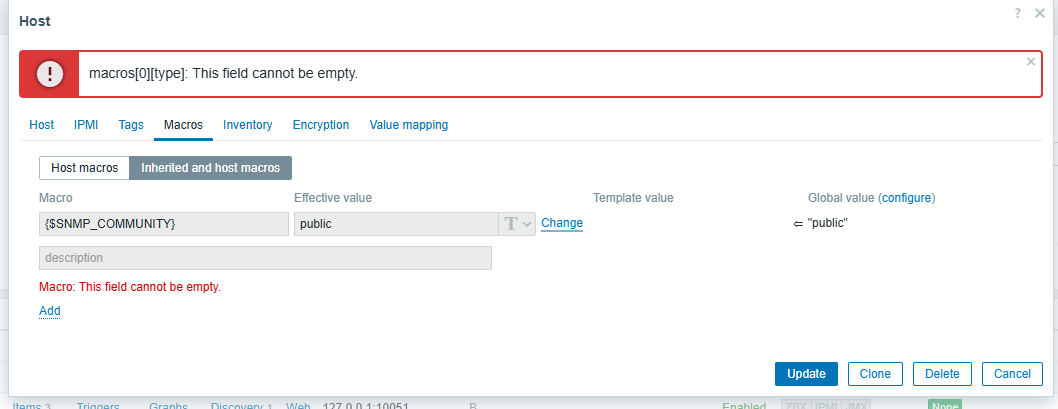
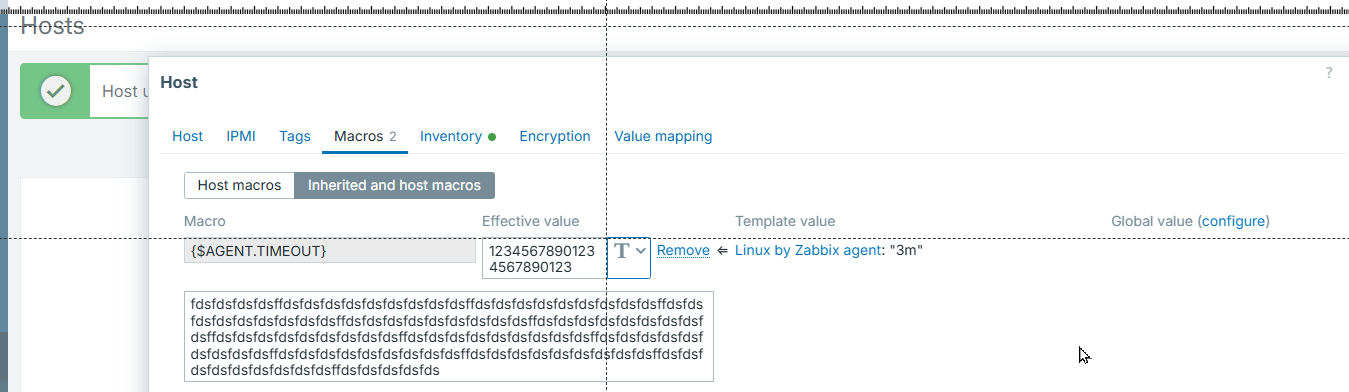
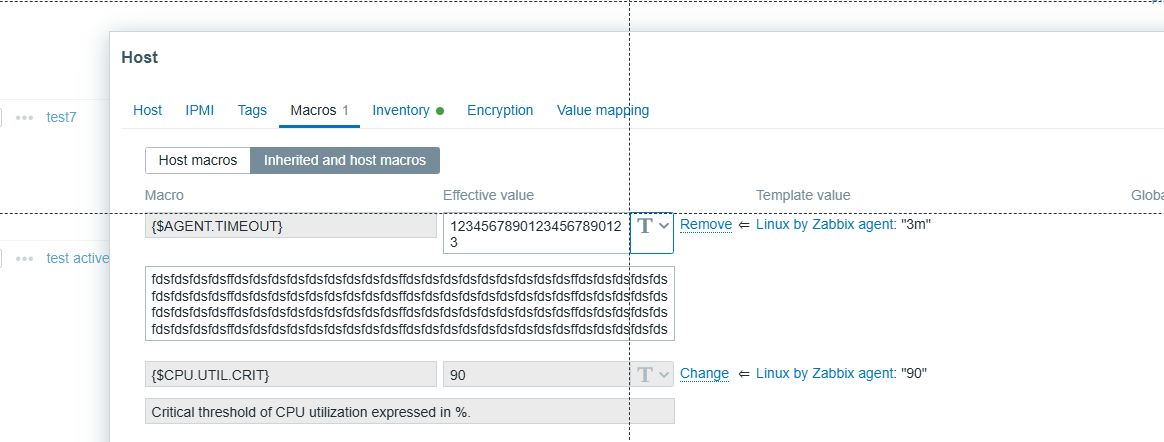
      Inline validation error appear next to the field and breaks field width
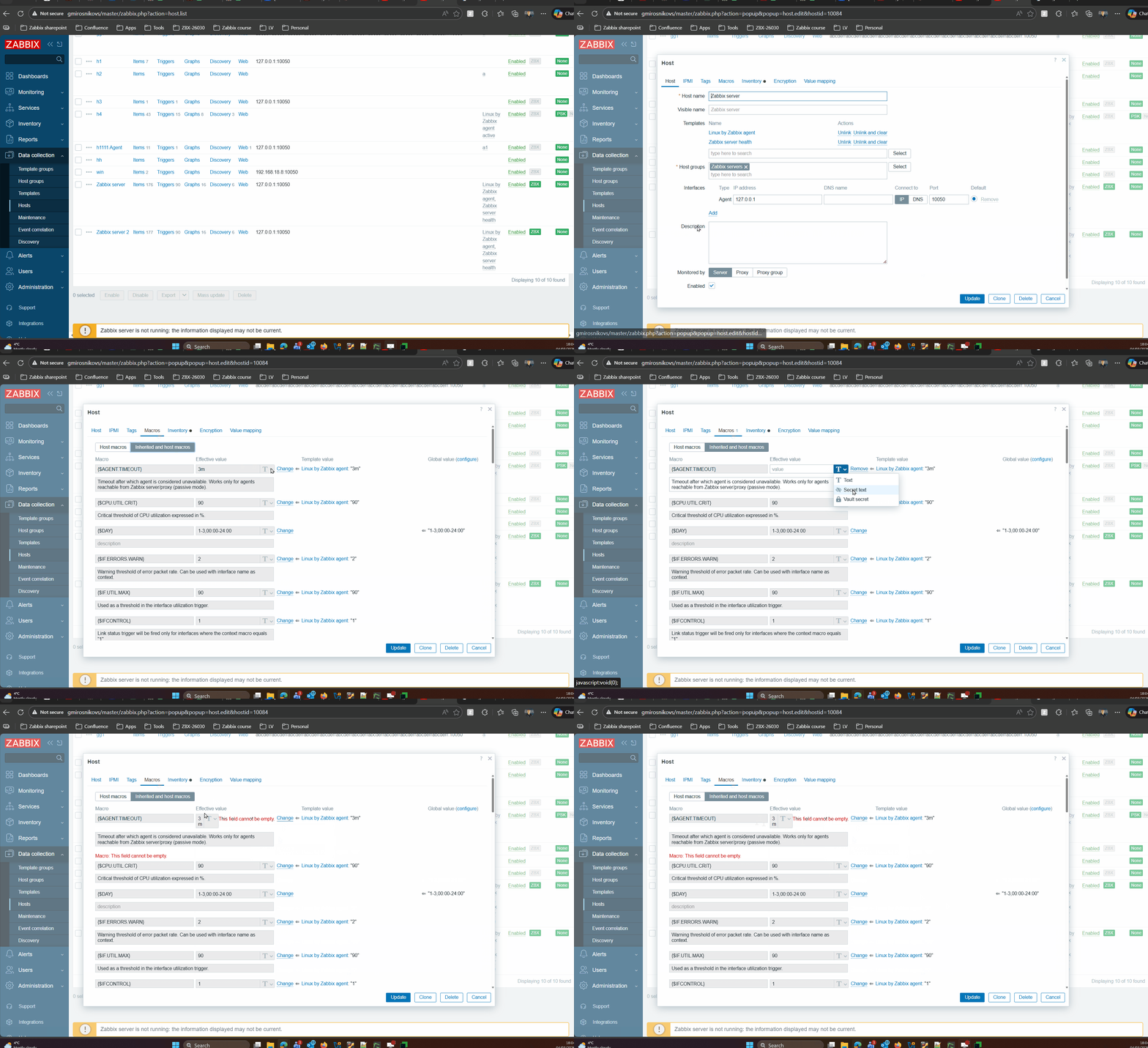

      Expected:
      Inline validation error should appear under the field. 

        1. image-2026-03-11-11-35-09-649.png
          36 kB
          Ginta Berzina
        2. image-2026-04-17-12-09-20-157.png
          58 kB
          Glebs Mirosnikovs
        3. macrosError3.gif
          852 kB
          Glebs Mirosnikovs
        4. screenshot-1.png
          36 kB
          Glebs Mirosnikovs

            Assignee:
            Glebs Mirosnikovs
            Reporter:
            Glebs Mirosnikovs
            Team B
            Votes:
            0 Vote for this issue
            Watchers:
            4 Start watching this issue

              Created:
              Updated:

                Estimated:
                Original Estimate - 16h
                16h
                Remaining:
                Time Spent - 10h 25m Remaining Estimate - 5h 35m
                5h 35m
                Logged:
                Time Spent - 10h 25m Remaining Estimate - 5h 35m
                10h 25m