ExportXMLWordPrintable

    • S26-W28/29
    • 1

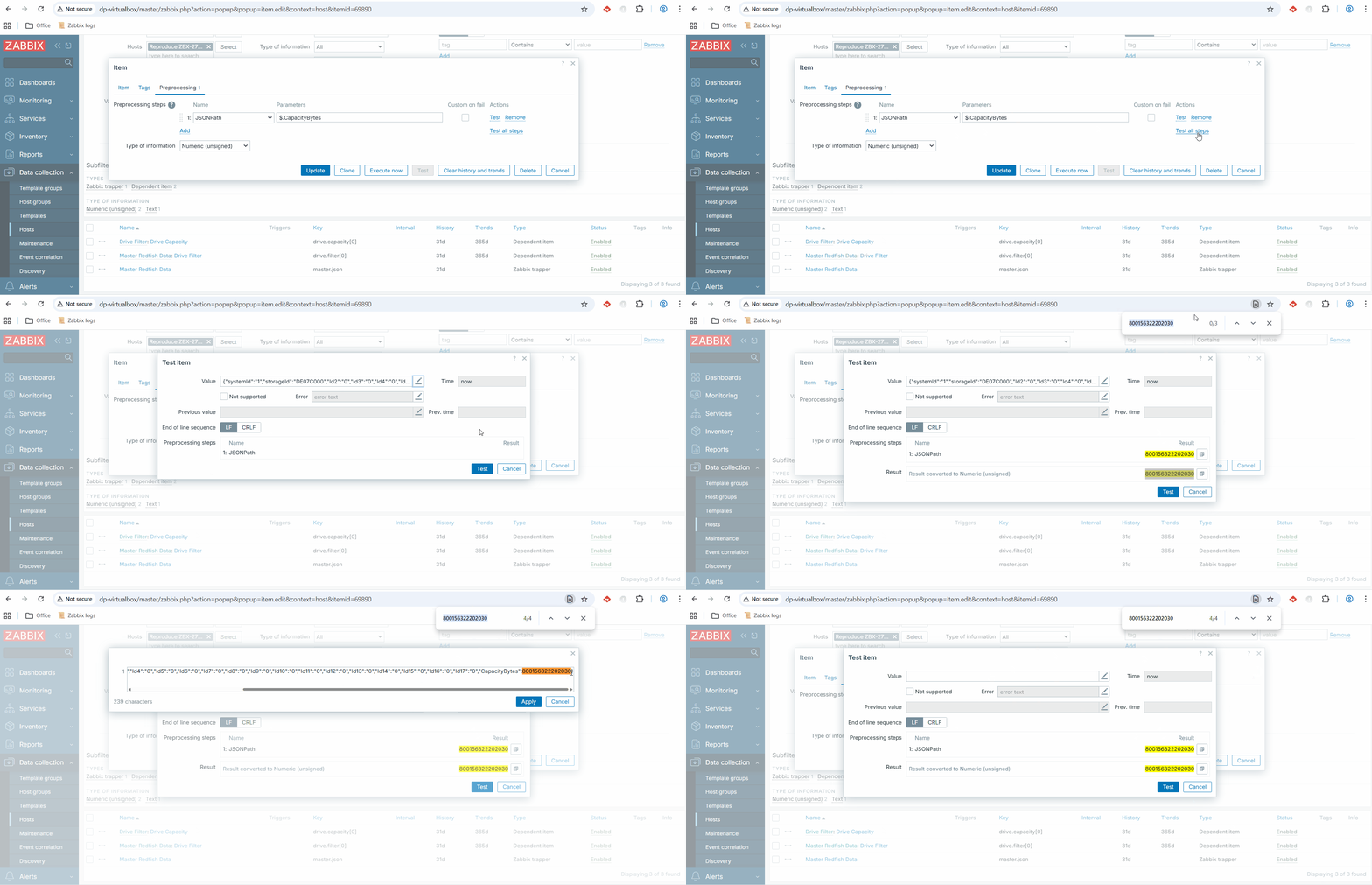
      Steps to reproduce:

      1. Navigate to Data collection -> Templates (or Hosts),
      2. Open any Item or Item prototype that has preprocessing steps,
      3. Go to the Preprocessing tab,
      4. Click the Test button (or Test all steps),
      5. In the opened "Test item" modal, observe the Value field and its preview,
      6. Start typing or editing the text in the Value and/or Previous value field.

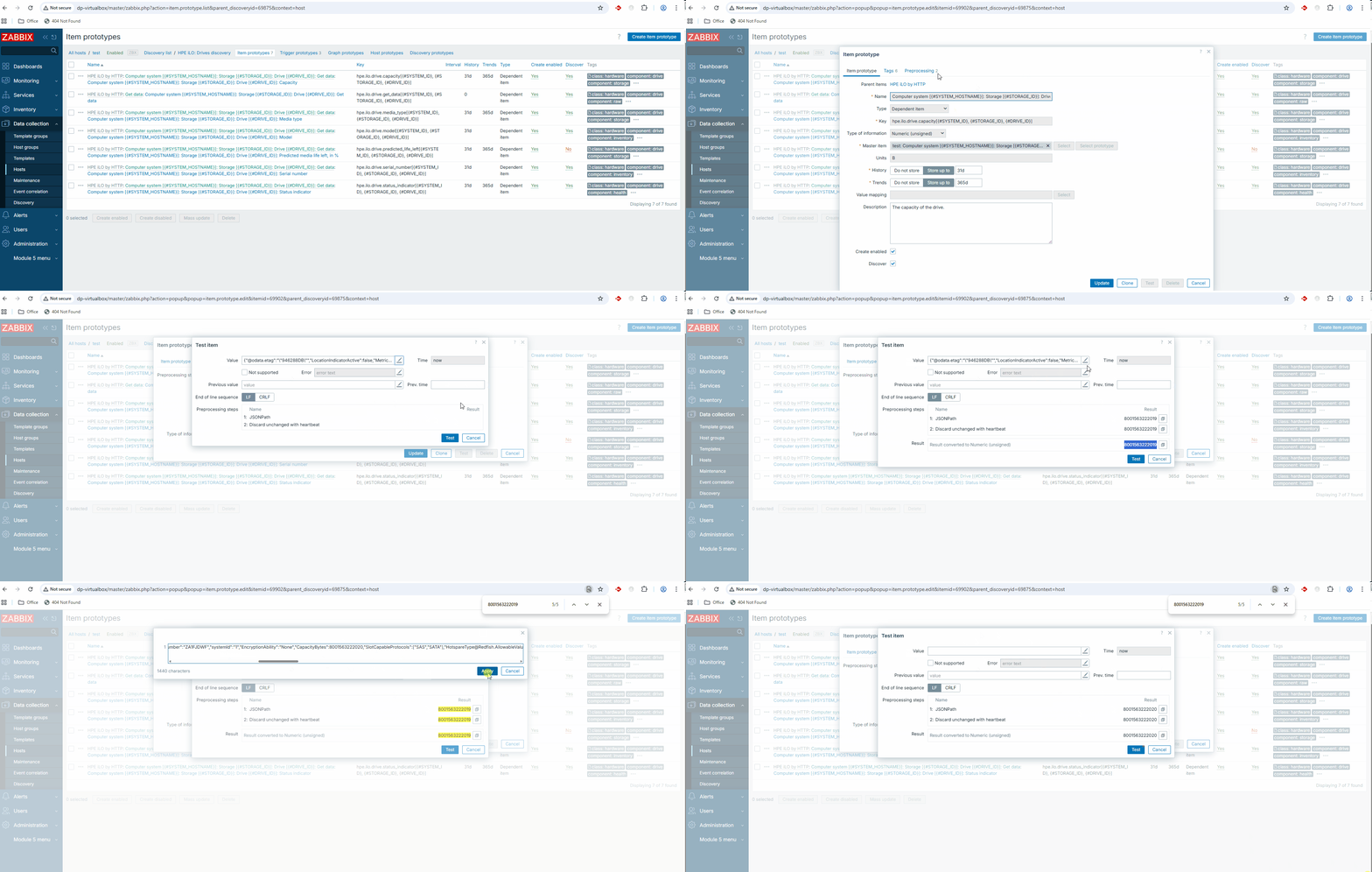
      Result: The preview disappears from the modal form. See video:
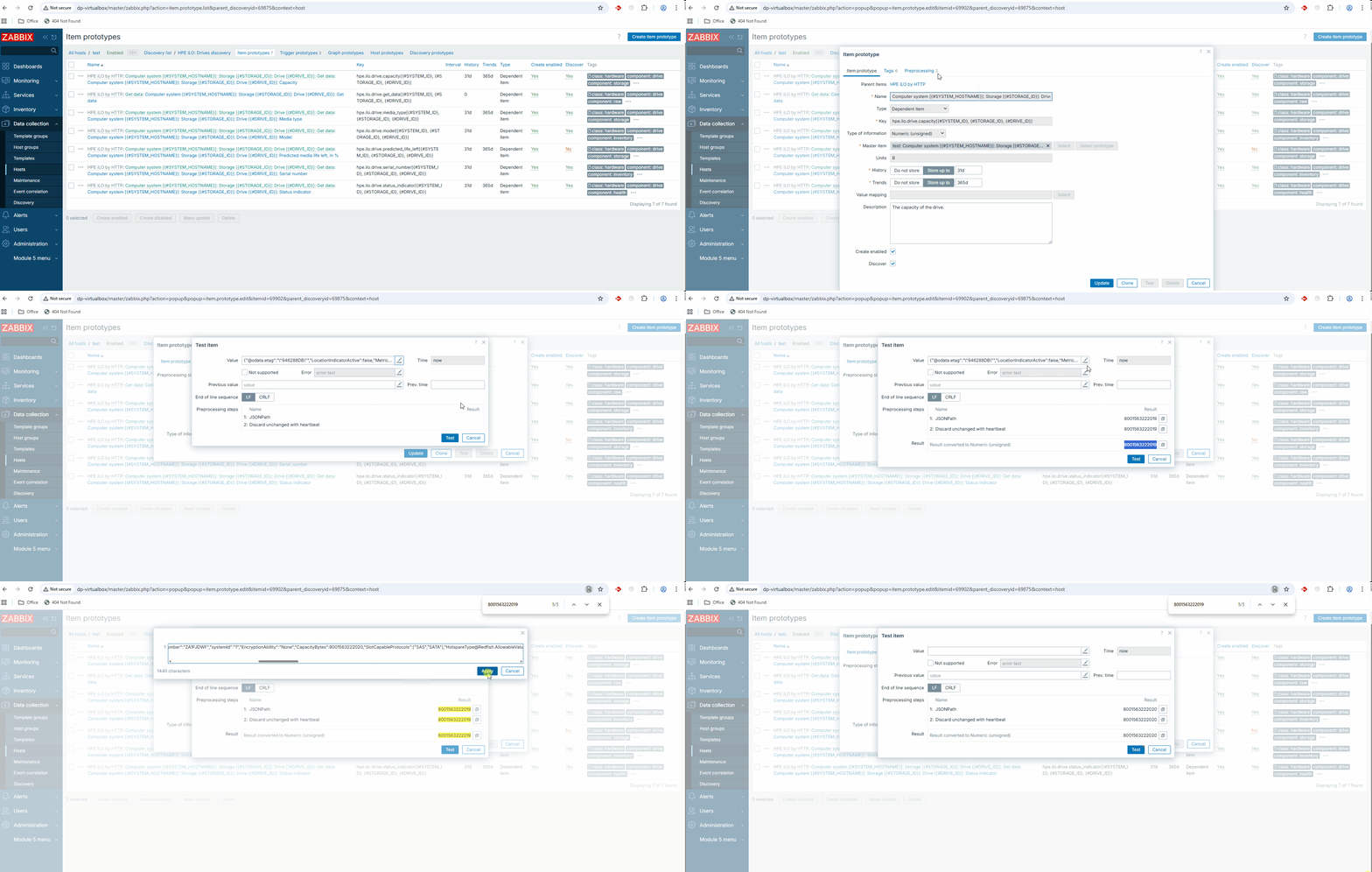
      Expected: The value preview should remain visible or update dynamically to reflect the changes, providing consistent feedback to the user while they are editing the test data.

        1. image-2026-07-08-09-59-35-087.png
          16 kB
          Verners Skalbins
        2. image-2026-07-08-10-02-51-611.png
          16 kB
          Verners Skalbins
        3. image-2026-07-08-10-04-37-259.png
          16 kB
          Verners Skalbins
        4. image-2026-07-08-10-22-46-843.png
          155 kB
          Verners Skalbins
        5. image-2026-07-16-10-35-26-110.png
          133 kB
          Verners Skalbins
        6. ZBX-27578 - additional info.gif
          1.08 MB
          Deniss Ponomarenko
        7. ZBX-27578 - description (actual).gif
          1.67 MB
          Deniss Ponomarenko
        8. ZBX-27578 - host to reproduce.yaml
          1 kB
          Deniss Ponomarenko

            Assignee:
            Aleksandrs Subins
            Reporter:
            Deniss Ponomarenko
            Team A
            Votes:
            0 Vote for this issue
            Watchers:
            2 Start watching this issue

              Created:
              Updated:

                Estimated:
                Original Estimate - 12h Original Estimate - 12h
                12h
                Remaining:
                Remaining Estimate - 0h
                0h
                Logged:
                Time Spent - 17h
                17h