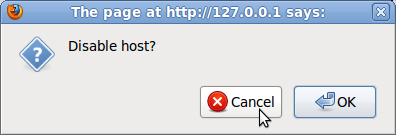
Monitored / Not monitored confirmation dialog does not work

XMLWordPrintable

    • Type: Incident report
    • Resolution: Fixed
    • Priority: Trivial
    • 1.8.4
    • Affects Version/s: None
    • Component/s: Frontend (F)
    • None
    • Environment:
      Firefox

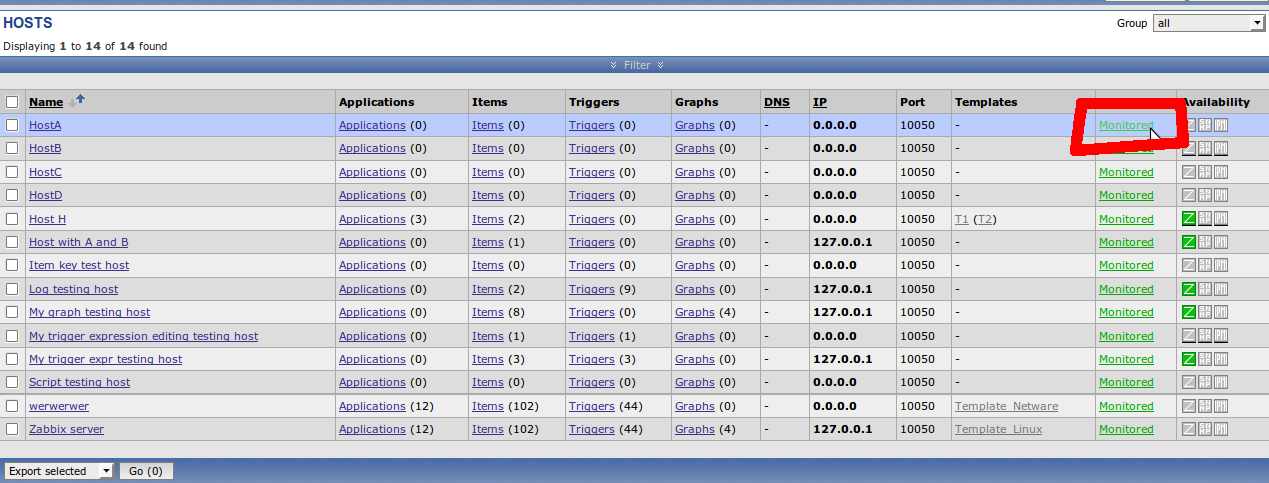
      1. Open "Configuration->Hosts"
      2. Click on "Monitored" or "Not monitored" link to change host status
      3. Press "Cancel" in confirmation popup
      4. Host status changes, but it shouldn't, because we pressed "Cancel"
        1. 1.png
          93 kB
          Konstantin Buravcov
        2. 2.png
          15 kB
          Konstantin Buravcov
        3. 3.png
          5 kB
          Konstantin Buravcov

            Assignee:
            Unassigned
            Reporter:
            Konstantin Buravcov (Inactive)
            Votes:
            0 Vote for this issue
            Watchers:
            0 Start watching this issue

              Created:
              Updated:
              Resolved: